FORTBLOX: Mobile Fortress GO!
อัปเดตเมื่อ
เวอร์ชันปัจจุบัน
ให้บริการโดย

เวลาคุณเล่น FORTBLOX: Mobile Fortress GO!, คุณอาจรู้สึกว่ามือคุณอาจบังจอแล้วทำให้ไม่ได้เล่นแบบเต็มที่. เล่นแบบไร้ขีดจำกัดด้วยเม้าส์และคีย์บอร์ด. MEmu มีตัวเลือกหลายอย่างให้คุณใช้งานเกมที่คุณเล่นแบบที่คุณต้องการ. ดาวน์โหลดและเล่น FORTBLOX: Mobile Fortress GO! บน PC. เล่นนานแค่ไหนก็ได้, ไม่ต้องชาร์จแบตเตอรี่, หรือเจอคนโทรเข้ามาระหว่างเล่น. MEmu 9 เป็นตัวเลือกสำหรับการเล่น FORTBLOX: Mobile Fortress GO! บน PC. ทางทีมงานเราได้ปรับแต่งเกม, ปรับให้เล่นเกมบางเกมได้เหมือนเล่น FORTBLOX: Mobile Fortress GO! เป็นเกม PC เช่นเล็งด้วยเม้าส์หรือใช้คีย์บอร์ด. ระบบของเรายังทำให้คุณสามารถเปิดเล่นได้มากกว่า 2 เกมพร้อมๆกันในคอมของคุณ. และที่สำคัญที่สุด, ระบบโปรแกรมของเราสามารถทำให้คุณใช้ระบบของ PC ทำให้เกมลื่นเหมือนกับใช้โทรศัพท์รุ่นล่าสุด. เราไม่ได้ดูแลเรื่องการเล่นเกม, แต่เราดูแลถึงความสนุกสนานที่คุณได้จากการเล่นด้วย.
แสดงเพิ่มเติม
ดาวน์โหลด FORTBLOX: Mobile Fortress GO! บน PC ด้วย MEmu Android Emulator สนุกกับการเล่นบนหน้าจอขนาดใหญ่ ■ The World Has Ended.
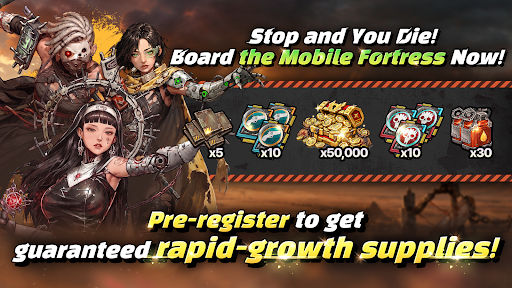
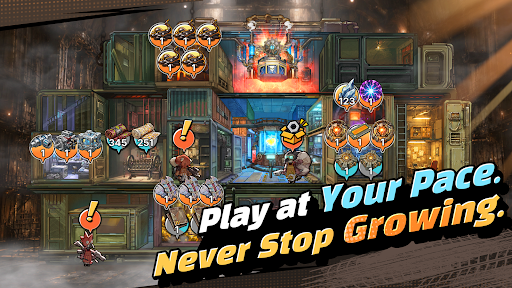
■ The World Has Ended. Your Mobile Fortress Rolls On.
Civilization has fallen, leaving nothing but an endless wasteland. Now, your very own mobile fortress begins its journey across the ruins.
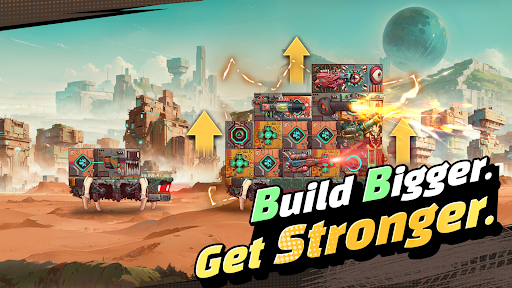
■ Your Fortress, Built to Move
Forget static bases. Build your mobile fortress from the ground up and watch it evolve with every step of your journey. Experience the thrill of transforming a pile of scrap into a massive steel fortress.
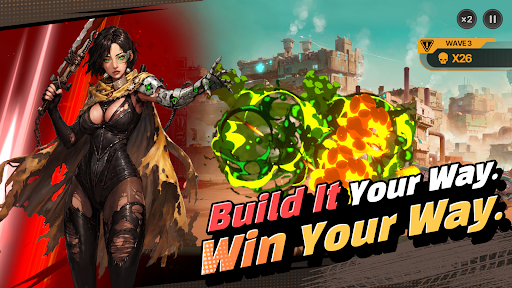
■ Deckbuilding and Docking Synergy. Deeper Strategy.
Connect blocks with different attributes to activate powerful Docking Synergies! Even with the same blocks, how you stack and connect them can completely change the way each run plays out.
■ Get Stronger at Your Own Pace
Gather resources, manage what you have, and plan your next move. It's not about progressing faster than everyone else; it's about pushing farther than you did yesterday. Even while you're away, your fortress keeps growing. Come back stronger and take another shot at the enemies that stopped you before.
■ FORTBLOX Is for You If You…
· Love wastelands and post-apocalyptic worlds
· Enjoy deckbuilding and strategic defense games
· Are tired of the constant competition in large-scale strategy games
· Want something different from the same repetitive idle RPG grind
Your Wasteland Awaits. FORTBLOX
[FORTBLOX: Mobile Fortress GO! Official Channel]
· Discord: https://discord.gg/vMUx8EbGS8
[Permission Management]
· Android 6.0 or higher - Go to Settings > Applications, select the app and toggle permissions
※ The app may not ask for individual permissions, in which case you can allow or block them manually following the steps explained above.
แสดงเพิ่มเติม

1. ดาวน์โหลดตัวติดตั้ง MEmu และสิ้นสุดการติดตั้ง

2. เริ่ม MEmu จากนั้นเปิด Google Play บนหน้าแรก

3. ค้นหา FORTBLOX: Mobile Fortress GO! ใน Google Play
Install
4. ดาวน์โหลดและติดตั้ง FORTBLOX: Mobile Fortress GO!
5. เมื่อติดตั้งเสร็จให้คลิกที่ไอคอนเพื่อเริ่มใช้งาน

6. สนุกกับการเล่น FORTBLOX: Mobile Fortress GO! บนพีซีด้วย MEmu
MEmu App Player เป็นอีมูเลเตอร์ Android ที่ดีที่สุดและผู้คนกว่า 50 ล้านคนเพลิดเพลินไปกับประสบการณ์การเล่นเกม Android ที่ยอดเยี่ยม เทคโนโลยีการจำลองเสมือนของ MEmu ช่วยให้คุณเล่นเกม Android หลายพันเกมได้อย่างราบรื่นบนพีซีของคุณแม้แต่เกมที่ต้องใช้กราฟิกมากที่สุด
จอใหญ่และกราฟฟิกสวยกว่า; เล่นได้นาน, ไม่ต้องใช้แบตเตอรี่โทรศัพท์หรือเน็ตโทรศัพท์.
ระบบปรับแต่งปุ่มคีย์บอร์ดและเม้าส์ตามที่คุณเลือก
เล่นมากกว่าหนึ่งเกมบน PC ในเวลาเดียวกันด้วยระบบหลายจอหรือ Multi-Instance manager.
Play FORTBLOX: Mobile Fortress GO! on PC by following steps: