FORTBLOX: Mobile Fortress GO!
Zaktualizowano
Aktualna wersja
Sprzedawca

Przy całej swojej pasji do grania w FORTBLOX: Mobile Fortress GO!, twoje ręce nie powinny być ograniczone na małym ekranie telefonu. Graj jak zawodowiec i uzyskaj pełną kontrolę nad grą za pomocą klawiatury i myszy. MEmu oferuje ci wszystko, czego oczekujesz. Pobierz i graj FORTBLOX: Mobile Fortress GO! na PC. Graj tak długo, jak chcesz, bez ograniczeń baterii, danych komórkowych i niepokojących połączeń. Zupełnie nowy MEmu 9 to najlepszy wybór do grania w FORTBLOX: Mobile Fortress GO! na PC. Przygotowany dzięki naszej wiedzy, znakomity, wstępnie ustawiony system mapowania klawiszy sprawia, że FORTBLOX: Mobile Fortress GO! jest prawdziwą grą na PC. Zakodowany naszą absorpcją, menedżer wielu instancji umożliwia granie na 2 lub więcej kontach na tym samym urządzeniu. A co najważniejsze, nasz emulator może uwolnić pełny potencjał twojego komputera, sprawić, że wszystko będzie płynne. Dbamy nie tylko o to, jak grasz, ale także o cały proces czerpania radości z grania.
Pokaż więcej
Ciesz się wspaniałym doświadczeniem podczas grania w FORTBLOX: Mobile Fortress GO! na komputerze z aplikacją MEMU App Player. Jest to potężny darmowy emulator Androida pozwalający grać w tysiące gier na Androida. ■ The World Has Ended.
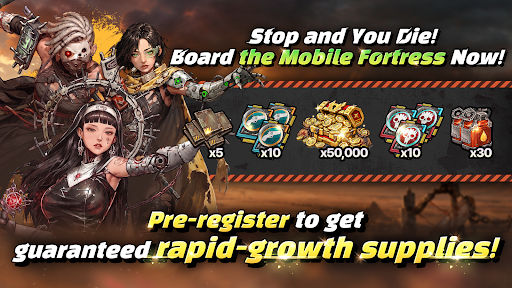
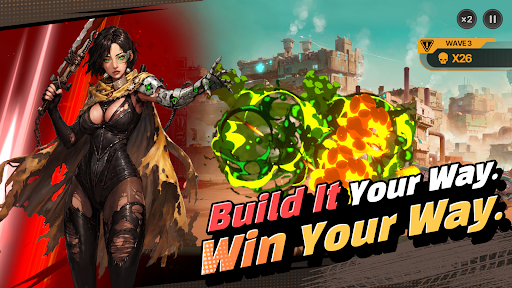
■ The World Has Ended. Your Mobile Fortress Rolls On.
Civilization has fallen, leaving nothing but an endless wasteland. Now, your very own mobile fortress begins its journey across the ruins.
■ Your Fortress, Built to Move
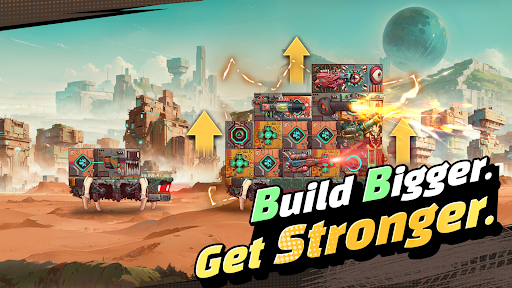
Forget static bases. Build your mobile fortress from the ground up and watch it evolve with every step of your journey. Experience the thrill of transforming a pile of scrap into a massive steel fortress.
■ Deckbuilding and Docking Synergy. Deeper Strategy.
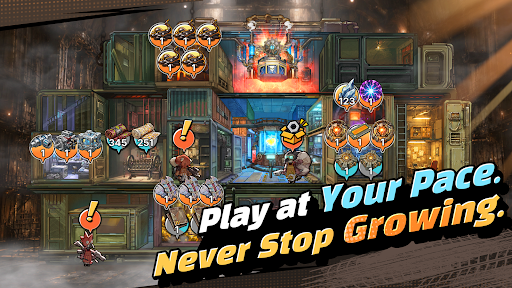
Connect blocks with different attributes to activate powerful Docking Synergies! Even with the same blocks, how you stack and connect them can completely change the way each run plays out.
■ Get Stronger at Your Own Pace
Gather resources, manage what you have, and plan your next move. It's not about progressing faster than everyone else; it's about pushing farther than you did yesterday. Even while you're away, your fortress keeps growing. Come back stronger and take another shot at the enemies that stopped you before.
■ FORTBLOX Is for You If You…
· Love wastelands and post-apocalyptic worlds
· Enjoy deckbuilding and strategic defense games
· Are tired of the constant competition in large-scale strategy games
· Want something different from the same repetitive idle RPG grind
Your Wasteland Awaits. FORTBLOX
[FORTBLOX: Mobile Fortress GO! Official Channel]
· Discord: https://discord.gg/vMUx8EbGS8
[Permission Management]
· Android 6.0 or higher - Go to Settings > Applications, select the app and toggle permissions
※ The app may not ask for individual permissions, in which case you can allow or block them manually following the steps explained above.
Pokaż więcej

1. Pobierz instalator MEmu i zakończ instalację

2. Uruchom MEmu, a następnie otwórz Google Play na pulpicie

3. Wyszukaj FORTBLOX: Mobile Fortress GO! w Google Play
Install
4. Pobierz i zainstaluj FORTBLOX: Mobile Fortress GO!
5. Po zakończeniu instalacji kliknij ikonę, aby rozpocząć

6. Ciesz się grą FORTBLOX: Mobile Fortress GO! na PC z MEmu
MEmu Play to najlepszy emulator Androida, a 100 milionów ludzi już korzysta z jego i dosta doskonałe wrażenia z gier na Androida. Technologia wirtualizacji MEmu umożliwia płynne granie w tysiące gier Androida na komputerze, nawet tych najbardziej wymagających grafiki.
Większy ekran z lepszą grafiką; Długi czas, bez ograniczeń baterii lub danych mobilnych.
Pełna obsługa mapowania klawiszy dla precyzyjnego sterowania klawiaturą i myszą lub gamepadem.
Wiele kont gier lub zadań na jednym komputerze jednocześnie z menedżerem wielu instancji.
Play FORTBLOX: Mobile Fortress GO! on PC by following steps: