Samkok: Blood Oath
Aktualisiert
Aktuelle Version
1.0.5
Angeboten von

Bei all Ihrer Leidenschaft für das Spielen von Samkok: Blood Oath sollten Ihre Hände nicht auf einen winzigen Bildschirm Ihres Telefons beschränkt sein. Spielen Sie wie ein Profi und übernehmen Sie die volle Kontrolle über Ihr Spiel mit Tastatur und Maus. MEmu bietet Ihnen all die Dinge, die Sie erwarten. Laden Sie Samkok: Blood Oath herunter und spielen Sie es auf dem PC. Spielen Sie so lange, wie Sie wollen, ohne Grenzwerte für Akku, mobile Daten und störende Anrufe. Das brandneue MEmu 9 ist die beste Wahl, um Samkok: Blood Oath auf dem PC zu spielen. Das exquisite voreingestellte Tastaturbelegungssystem, das mit unserem Fachwissen vorbereitet wurde, macht Samkok: Blood Oath zu einem echten PC-Spiel. Der MEmu Multi-Instanz-Manager ermöglicht das Spielen von 2 oder mehr Konten auf demselben Gerät. Und das Wichtigste: Unsere exklusive Emulations-Engine kann das volle Potenzial Ihres PCs freisetzen und für reibungslose Abläufe sorgen.
Mehr anzeigen
Laden Sie Play Samkok: Blood Oath auf dem PC mit MEmu Android Emulator. Viel Spaß beim Spielen auf großmundieren. A new vision of the Three Kingdoms, where heroes rise and forge their destiny through Blood Oaths.
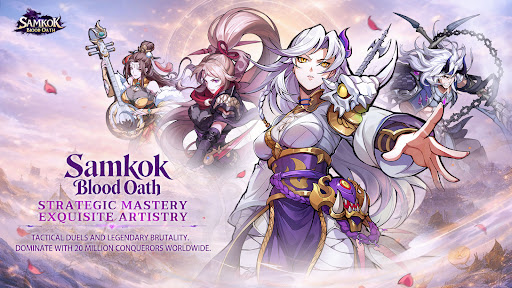
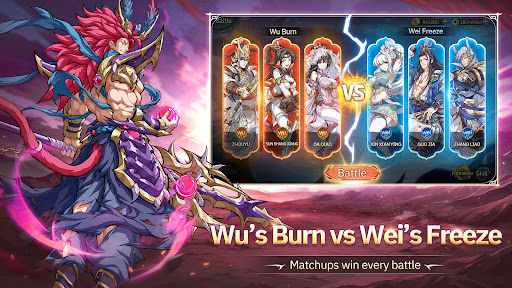
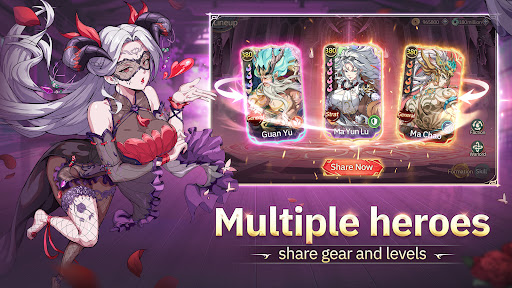
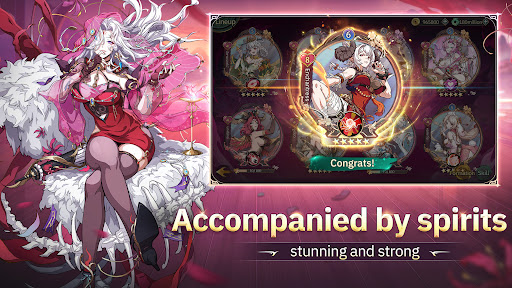
A new vision of the Three Kingdoms, where heroes rise and forge their destiny through Blood Oaths.
Stunning anime-style character design
Iconic generals and legendary heroines fight side by side
Each hero awakens unique powers through Blood Oaths
Fight with honor. Rise with your allies. Conquer with your strategy.
This is not just history.
This is Samkok: Blood Oath.
START STRONG — NO PAYWALL, JUST POWER
Log in and claim endless FREE DRAWS, legendary heroes, and huge launch rewards.
Instant SSR generals from Day 1
Free pulls, premium currency, and exclusive gear
Build your dream team without spending a dime
NEXT-GEN COMBAT — EPIC ANIME BATTLE
Experience cinematic battles that feel like a living anime show.
Screenwide ultimate attacks with explosive impact
Dynamic camera cuts & high-energy animations
Every fight feels like a final boss battle
This isn’t idle combat.
This is pure visual domination.
BEYOND BATTLE — A WORLD FULL OF STRATEGY
More than just stages and towers.
Treasure hunting, tactical board modes, evolving maps
Casual mini-content with real progression value
Play your way. Progress your way.
STRATEGY UNLEASHED — HEROES & HEROINES IN SYNERGY
Vanguard, Tactician, Tank, or Healer — which role matters most?
All of them.
With diverse battle states, speed control, and skill timing, every decision shapes the outcome.
Mix and match heroes and heroines to create endless team combinations and playstyles.
Deep progression systems offer limitless possibilities and long-term strategy depth.
Mehr anzeigen

1. Laden das MEmu-Installationsprogramm herunter und beenden die Installation

2. MEmu starten und Google Play auf der Homepage öffnen

3. Suchen Samkok: Blood Oath in Google Play
Install
4. Herunterladen und Installieren Samkok: Blood Oath
5. Klicken nach Abschluss der Installation auf das Symbol, um es zu starten

6. Viel Spaß beim Spielen von Samkok: Blood Oath auf dem PC mit MEmu
MEmu App Player ist der beste kostenlose Android-Emulator und 50 Millionen Menschen genießen bereits seine hervorragende Android-Gaming-Erfahrung. Mit der MEmu-Virtualisierungstechnologie können Sie Tausende von Android-Spielen problemlos auf Ihrem PC spielen, selbst bei grafikintensiven Spielen.
BGrößeres Bild mit besserer Grafik; Keine unterbrechungen, keine sorgen um Akku
Komplette Tastenbelegung unterstützt mit Maus und Tastatur oder Controller
Mit dem „Multi-Instance-Manager“ können Sie mehrere Spielkonten oder Spiele gleichzeitig auf einem PC ausführen.
Play Samkok: Blood Oath on PC by following steps: