
Samkok: Blood Oath
Updated
Current Version
1.0.5
Offered By

With your passion for Samkok: Blood Oath, you shouldn’t have to limit yourself to the small screen of a phone. Play like a pro and take full control of the game using a keyboard and mouse. MEmu gives you everything you’re looking for. Download and play Samkok: Blood Oath on PC. Play as long as you want — no more worries about battery life, mobile data, or unexpected calls. The all-new MEmu 9 is the best way to play Samkok: Blood Oath on PC. With our expertly designed keymapping system, Samkok: Blood Oath feels just like a real PC game. The MEmu multi-instance manager lets you run two or more accounts on the same device at the same time. Most importantly, our exclusive emulation engine unlocks your PC’s full potential, delivering smooth and seamless performance.
Show more
Download Samkok: Blood Oath on PC with MEmu Android Emulator. Enjoy playing on big screen. A new vision of the Three Kingdoms, where heroes rise and forge their destiny through Blood Oaths.
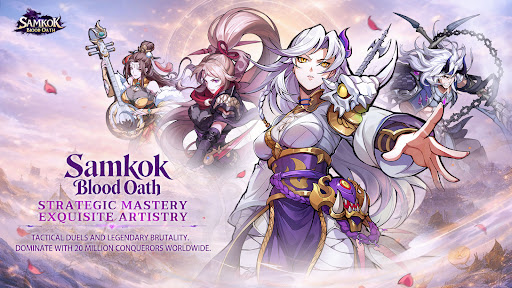
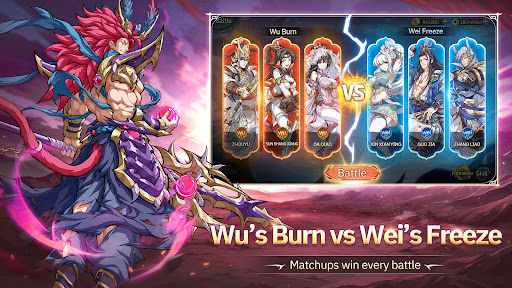
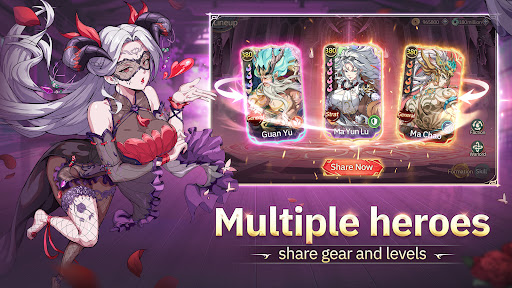
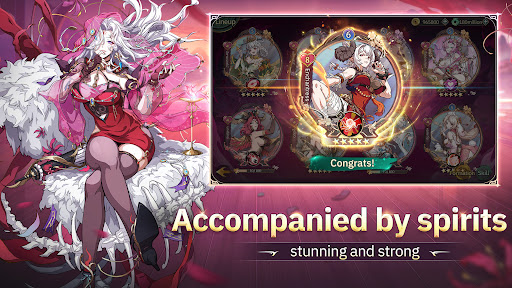
A new vision of the Three Kingdoms, where heroes rise and forge their destiny through Blood Oaths.
Stunning anime-style character design
Iconic generals and legendary heroines fight side by side
Each hero awakens unique powers through Blood Oaths
Fight with honor. Rise with your allies. Conquer with your strategy.
This is not just history.
This is Samkok: Blood Oath.
START STRONG — NO PAYWALL, JUST POWER
Log in and claim endless FREE DRAWS, legendary heroes, and huge launch rewards.
Instant SSR generals from Day 1
Free pulls, premium currency, and exclusive gear
Build your dream team without spending a dime
NEXT-GEN COMBAT — EPIC ANIME BATTLE
Experience cinematic battles that feel like a living anime show.
Screenwide ultimate attacks with explosive impact
Dynamic camera cuts & high-energy animations
Every fight feels like a final boss battle
This isn’t idle combat.
This is pure visual domination.
BEYOND BATTLE — A WORLD FULL OF STRATEGY
More than just stages and towers.
Treasure hunting, tactical board modes, evolving maps
Casual mini-content with real progression value
Play your way. Progress your way.
STRATEGY UNLEASHED — HEROES & HEROINES IN SYNERGY
Vanguard, Tactician, Tank, or Healer — which role matters most?
All of them.
With diverse battle states, speed control, and skill timing, every decision shapes the outcome.
Mix and match heroes and heroines to create endless team combinations and playstyles.
Deep progression systems offer limitless possibilities and long-term strategy depth.
Show more

1. Download MEmu installer and finish the setup

2. Start MEmu then open Google Play on the desktop

3. Search Samkok: Blood Oath in Google Play
Install
4. Download and Install Samkok: Blood Oath
5. On install completion click the icon to start

6. Enjoy playing Samkok: Blood Oath on PC with MEmu
MEmu Play is the best Android emulator and 100 million people already enjoy its superb Android gaming experience. The MEmu virtualization technology empowers you to play thousands of Android games smoothly on your PC, even the most graphic-intensive ones.
Bigger screen with better graphics; Long duration, without limitation of battery or mobile data.
Full Keymapping support for precise control of keyboard and mouse or gamepad.
Multiple game accounts or tasks on single PC at one time with Multi-Instance manager.
Play Samkok: Blood Oath on PC by following steps: