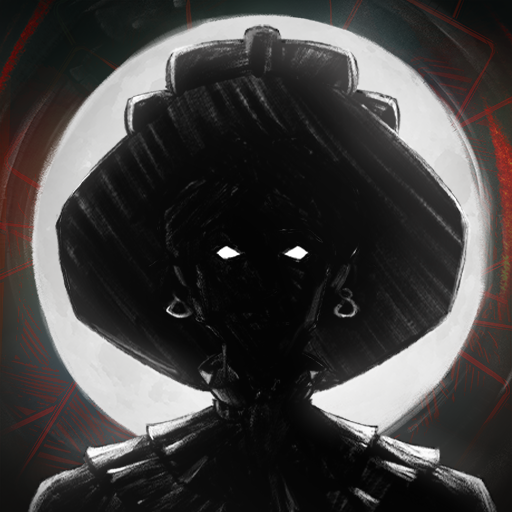
Veterum
Actualizada
Versión actual
Ofrecida por

Con toda tu pasión para jugar Veterum, no se supone que tus manos estén limitadas en una pequeña pantalla de tu teléfono. Juega como un profesional y obtén el control total de tu juego con el teclado y el mouse. MEmu le ofrece todas las cosas que espera. Descargar y jugar Veterum en PC. Juega todo el tiempo que quieras, sin más limitaciones de batería, datos móviles y llamadas molestas. El nuevo MEmu 9 es la mejor opción para jugar Veterum en PC. Preparado con nuestra experiencia, el exquisito sistema de keymapping preestablecido convierte a Veterum en un verdadero juego de PC. Codificado con nuestra absorción, el administrador de instancias múltiples hace posible jugar 2 o más cuentas en el mismo dispositivo. Y lo más importante, nuestro exclusivo motor de emulación puede liberar todo el potencial de su PC, hacer que todo sea más fluido. Nos importa no solo cómo juegas, sino también todo el proceso de disfrutar de la felicidad de los juegos.
Más detalles
Descargar Veterum en PC con MEmu Android Emulador. Disfruta jugando en la pentalla grande. Turn-based tactical strategy with a detailed combat system and interactive environment.


Turn-based tactical strategy with a detailed combat system and interactive environment. Explore the open world, complete quests, search for rare artifacts. Lead the last army of the Order of the Gatekeepers and stop the coming chaos!Ancient wilds have awakened. Insane prophets predict a coming apocalypse. Blood cults openly perform sacrifices... You will lead the last army of the Order of the Gatekeepers and stop the coming chaos. Not just humans are ready to join your banners, but also tough dwarves, mysterious elvers and half-wild turans. But keep in mind that not everyone will be happy to fight side by side with other races.Travel across an open world full of mysteries and dangers. Complete quests. Find rare artifacts and equip your soldiers with them. Improve unit stats, learn new active and passive skills.Show your tactical genius in challenging turn-based battles. For each battle, choose the fighters who are most suited to take on specific opponents. Consider unit line of sight, facing, morale and accumulated fatigue. Change the battlefield: build barricades, dig ditches, freeze rivers, chop down trees. When fighting night creatures, make fire and light the battlefield. Crush your enemies with all the power of iron and magic!⢠Detailed combat system takes into account unit morale and fatigue, as well as facing and line of sight, level of illumination of each cell of the battlefield, weather effects and much more.⢠Interactive environment: almost every object on the battlefield can be interacted with.⢠Before the start of the battle, you can use one-time scrolls to make it rain, poison enemies or build a catapult.⢠Open world: despite the presence of a story campaign, you decide where to send your army.⢠Each playthrough is unique: quests, random battles, goods in cities and much more are all randomly generated.⢠Ability to adjust the game to your liking: choose the overall difficulty level plus adjust hit chance, the amount of HP, rewards received and much more.⢠Convenient unit and map editor. You can create your own missions and share them with other players.
Más detalles

1. Descargar el instalador de MEmu y finalice la instalación

2. Iniciar MEmu y abrir Google Play en la página de inicio

3. Buscar Veterum en Google Play
Install
4. Descargar y instalar Veterum
5. Hacer click al icono para iniciar

6. Disfruta jugando Veterum en PC con MEmu
MEmu App Player es el mejor emulador de Android gratuito y 50 millones de personas ya están disfrutando su magnífica experiencia jugando en Android. La tecnología de virtualización de MEmu te permite jugar a miles de juegos Android suavemente en tu PC, incluso los más intensivos gráficamente.
Pantalla más grande con mejores gráficos; Larga duración, sin limitación de batería o datos móviles.
Soporte completo de keymapping para un control preciso del teclado y el mouse o gamepad.
Múltiples cuentas de juegos o tareas en una sola PC a la vez con el administrador de instancias múltiples.
Play Veterum on PC by following steps: