Anime Slayer
Actualizada
Versión actual
1.0
Ofrecida por

Deje de preocuparse por los recargos cuando use Anime Slayer en su teléfono celular, libérese de la pequeña pantalla y disfrute usando la aplicación en una pantalla mucho más grande. A partir de ahora, obtenga una experiencia de pantalla completa de su aplicación con teclado y mouse. MEmu le ofrece todas las características sorprendentes que esperaba: instalación rápida y configuración fácil, controles intuitivos, no más limitaciones de batería, datos móviles y llamadas molestas. El nuevo MEmu 9 es la mejor opción para usar Anime Slayer en su computadora. Codificado con nuestra absorción, el administrador de instancias múltiples hace posible abrir 2 o más cuentas al mismo tiempo. Y lo más importante, nuestro exclusivo motor de emulación puede liberar todo el potencial de su PC, hacer que todo sea fluido y agradable.
Más detalles
Descargar Anime Slayer en PC con MEmu Android Emulador. Disfruta jugando en la pentalla grande. ntroducing Anime Slayer, your ultimate companion for immersing yourself in the captivating world of anime!
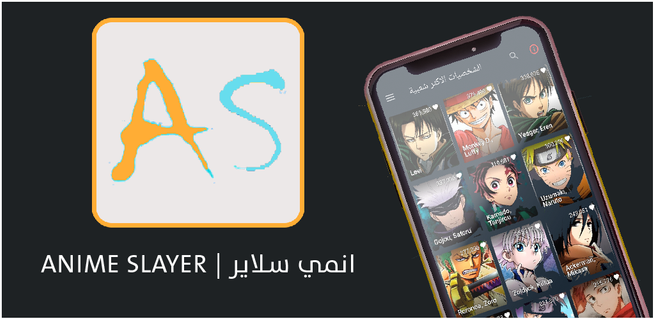
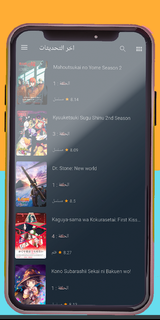
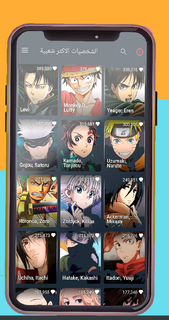
ntroducing Anime Slayer, your ultimate companion for immersing yourself in the captivating world of anime! Immerse yourself in a vast library of exhilarating animated series and movies, accessible right at your fingertips.Explore a boundless collection of the hottest anime slayer titles, spanning various genres and themes. From action-packed adventures and heartwarming romances to thrilling mysteries and epic fantasies, Anime Slayer has it all. Lose yourself in the gripping storylines, beautifully animated visuals, and unforgettable characters that have captured the hearts of millions worldwide.Stay up-to-date with the latest releases and never miss a beat. Anime Slayer offers a seamless and user-friendly interface, ensuring a smooth and enjoyable experience while you indulge in your favorite shows. Dive into an immersive world where your favorite characters come to life, making each moment a thrilling and unforgettable experience.Anime Slayer provides high-quality streaming, delivering crisp visuals and crystal-clear audio to enhance your viewing pleasure. Whether you're watching on your phone, tablet, or casting to your TV, the app adapts seamlessly to your preferred viewing platform. the anime you love anytime, anywhere.Find your next obsession with Anime Slayer's intuitive search and recommendation features. Discover new series based on your preferences, explore trending titles, or dive into classics that have stood the test of time. The app's comprehensive library ensures there's always something new and exciting to explore .Enhance your anime-watching experience by creating personalized playlists and keeping track of your progress. Easily bookmark your favorite moments, mark completed episodes, and receive notifications for new episodes of your followed series. Anime Slayer is designed to make your journey through the anime world effortless and enjoyable.Download Anime Slayer now and unlock a universe of captivating storytelling, stunning visuals, and unforgettable characters. Immerse yourself in the magic of anime and embark on an adventure that will keep you coming back for more. Start your anime journey today with Anime Slayer – the ultimate anime-watching companion!
Más detalles

1. Descargar el instalador de MEmu y finalice la instalación

2. Iniciar MEmu y abrir Google Play en la página de inicio

3. Buscar Anime Slayer en Google Play
Install
4. Descargar y instalar Anime Slayer
5. Hacer click al icono para iniciar

6. Experiencia Anime Slayer en PC con MEmu
MEmu App Player es el mejor emulador de Android gratuito y 50 millones de personas ya están disfrutando su magnífica experiencia de aplicación en Android. La tecnología de virtualización de MEmu te permite jugar a miles de aplicaciones Android suavemente en tu PC, incluso los más intensivos gráficamente.
Pantalla más grande con mejores gráficos; Larga duración, sin limitación de batería o datos móviles.
Soporte completo de keymapping para un control preciso del teclado y el mouse o gamepad.
Múltiples cuentas de juegos o tareas en una sola PC a la vez con el administrador de instancias múltiples.
Use Anime Slayer on PC by following steps: