SkyView® Lite
Actualizada
Versión actual
3.8.6
Ofrecida por

Deje de preocuparse por los recargos cuando use SkyView® Lite en su teléfono celular, libérese de la pequeña pantalla y disfrute usando la aplicación en una pantalla mucho más grande. A partir de ahora, obtenga una experiencia de pantalla completa de su aplicación con teclado y mouse. MEmu le ofrece todas las características sorprendentes que esperaba: instalación rápida y configuración fácil, controles intuitivos, no más limitaciones de batería, datos móviles y llamadas molestas. El nuevo MEmu 9 es la mejor opción para usar SkyView® Lite en su computadora. Codificado con nuestra absorción, el administrador de instancias múltiples hace posible abrir 2 o más cuentas al mismo tiempo. Y lo más importante, nuestro exclusivo motor de emulación puede liberar todo el potencial de su PC, hacer que todo sea fluido y agradable.
Más detalles
Descargar SkyView® Lite en PC con MEmu Android Emulador. Disfruta jugando en la pentalla grande. You don't need to be an astronomer to find stars or constellations in the sky, just open SkyView® Free and let it guide you to their location and identify them.
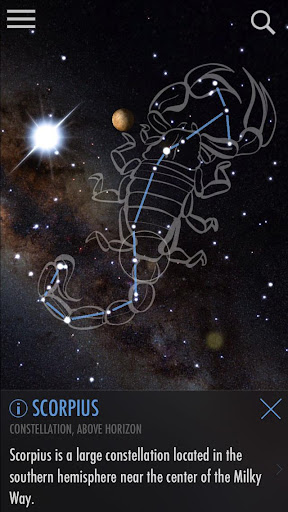
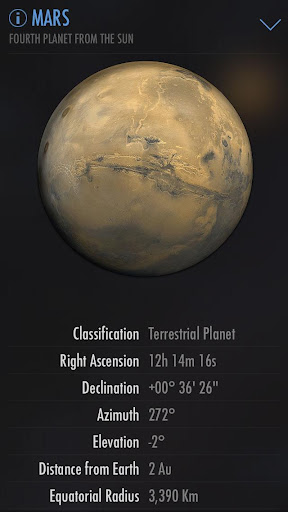
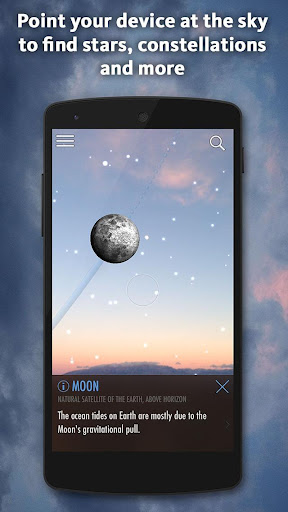
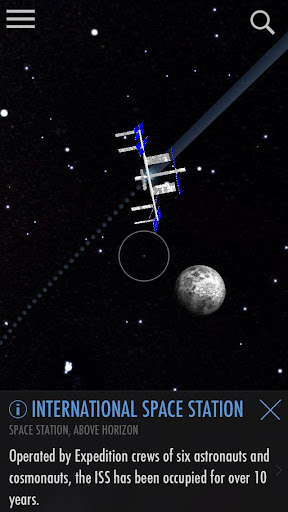
You don't need to be an astronomer to find stars or constellations in the sky, just open SkyView® Free and let it guide you to their location and identify them. SkyView Free is a beautiful and intuitive stargazing app that uses your camera to precisely spot and identify celestial objects in sky, day or night. Find popular constellations as they fade in and out while you scan across the sky, locate planets in our solar system, discover distant galaxies, and witness satellite fly-bys.
***Google Editor's Choice 2017***
Features:
• Simple: Point your device at the sky to identify galaxies, stars, constellations, planets, and satellites (including the ISS and Hubble) passing overhead at your location.
• Night Mode: Preserve your night vision with red or green night mode filters.
• Augmented Reality (AR): Use your camera to spot objects in the sky, day or night.
• Sky Paths: Follow the sky track for any object to see it’s exact location in the sky on any date and time.
• Time Travel: Jump to the future or the past and see the sky on different dates and times.
• Social: Capture and share beautiful images with friends and family on social networks.
• Mobile: WiFi is NOT required (does not require a data signal or GPS to function). Take it camping, boating, or even flying!
• Supports Space Navigator™ binoculars, spotting scope, and telescopes.
What a fun way to teach yourself, your children, your students, or your friends about our wonderful universe!
Más detalles

1. Descargar el instalador de MEmu y finalice la instalación

2. Iniciar MEmu y abrir Google Play en la página de inicio

3. Buscar SkyView® Lite en Google Play
Install
4. Descargar y instalar SkyView® Lite
5. Hacer click al icono para iniciar

6. Experiencia SkyView® Lite en PC con MEmu
MEmu App Player es el mejor emulador de Android gratuito y 50 millones de personas ya están disfrutando su magnífica experiencia de aplicación en Android. La tecnología de virtualización de MEmu te permite jugar a miles de aplicaciones Android suavemente en tu PC, incluso los más intensivos gráficamente.
Pantalla más grande con mejores gráficos; Larga duración, sin limitación de batería o datos móviles.
Soporte completo de keymapping para un control preciso del teclado y el mouse o gamepad.
Múltiples cuentas de juegos o tareas en una sola PC a la vez con el administrador de instancias múltiples.
Use SkyView® Lite on PC by following steps: