Live Wallpapers, 4K Wallpapers
Actualizada
Versión actual
5.1
Ofrecida por

Deje de preocuparse por los recargos cuando use Live Wallpapers, 4K Wallpapers en su teléfono celular, libérese de la pequeña pantalla y disfrute usando la aplicación en una pantalla mucho más grande. A partir de ahora, obtenga una experiencia de pantalla completa de su aplicación con teclado y mouse. MEmu le ofrece todas las características sorprendentes que esperaba: instalación rápida y configuración fácil, controles intuitivos, no más limitaciones de batería, datos móviles y llamadas molestas. El nuevo MEmu 9 es la mejor opción para usar Live Wallpapers, 4K Wallpapers en su computadora. Codificado con nuestra absorción, el administrador de instancias múltiples hace posible abrir 2 o más cuentas al mismo tiempo. Y lo más importante, nuestro exclusivo motor de emulación puede liberar todo el potencial de su PC, hacer que todo sea fluido y agradable.
Más detalles
Descargar Live Wallpapers, 4K Wallpapers en PC con MEmu Android Emulador. Disfruta jugando en la pentalla grande. Live Wallpapers | 4K Wallpapers app has large varieties of HD Live Backgrounds, Live Clock Wallpapers, Glitter Wallpapers along with static 4K (UHD | Ultra HD) as well as Full HD (High Definition | FHD+) Backgrounds.
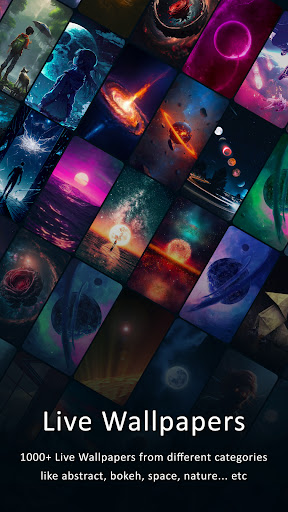
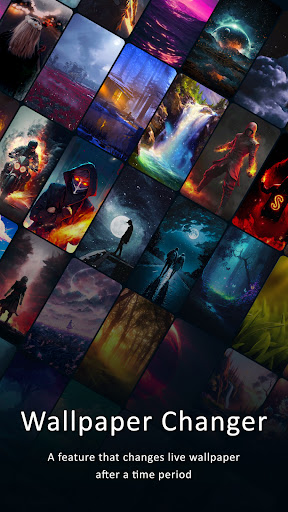
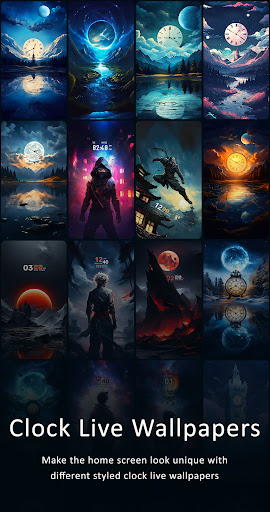
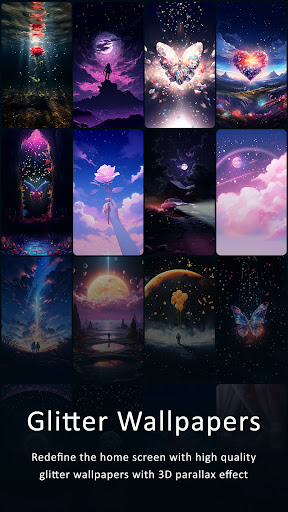
Live Wallpapers | 4K Wallpapers app has large varieties of HD Live Backgrounds, Live Clock Wallpapers, Glitter Wallpapers along with static 4K (UHD | Ultra HD) as well as Full HD (High Definition | FHD+) Backgrounds.
App contains Static Background of following Resolutions 1080x1920 px (Full HD 1080p) and 2160x3840 px (Ultra HD 4K). This app includes thousands of Live Wallpapers to choose from which can be used on Home Screen & Lock Screen giving it a Unique and Elegant look which also acts as screensaver. App also offers Live Clock Wallpapers with unique analog and digital clock wallpapers with parallax effect as well as the Glitter Wallpapers to redefine the home screen with glittery sparkling backgrounds with parallax effect.
Features of Live Wallpapers - 4K Wallpapers (Ultra HD Backgrounds) :
Live Wallpapers & Static 4K Wallpapers :
- App offers large number of Live Backgrounds as well as AMOLED Live Wallpapers organized across different Categories. App also offers Static 4K as well as Full HD Backgrounds which can be used in Auto Wallpaper Changer. App also offers AMOLED Wallpapers.
Auto Wallpaper Changer:
- There are two types of Wallpaper Changer, 1)Auto Live Wallpaper Changer which is used to change Live Wallpapers after certain period or action, 2)Static Wallpaper Changer which is used to change Static Wallpapers after certain period or action.
- App contains lots of Hand Crafted Live Backgrounds distributed across different Categories. Both Wallpaper Changer uses Android OS inbuilt Service called LiveWallpaper Service.
Time Frame:
- Time Frame can be set for both Wallpaper Changer in their respective Settings. This time define when to change Mobile Desktop Homescreen Background.
Double Tap to Change Wallpapers:
- This feature is available in both Wallpaper Changer i.e. Live Wallpaper Changer as well as Static Wallpaper Changer. This feature allows user to change Wallpaper after double tapping on HomeScreen.
Change Wallpaper when Device Screen is Locked:
- This feature is available in both Wallpaper Changer. Background will be changed when user locks the device. Although user must be on HomeScreen in order for this feature to trigger.
Save | Download:
- You can choose between 4K as well as Full HD version of Image to save in your phone. Although user may not able to download Live Wallpapers. It is done to protect our work.
Categories:
- We provide enormous amount of wallpapers and backgrounds sorted across 30+ categories in Live & Static Backgrounds may include Wallpapers such as:
- Abstract, Animals, Birds, Anime, Animated, AMOLED, Art, Celebrities, Fantasy, Aircrafts, Airplanes, Bokeh, Black, Video Games, Cars, Motorcycle, Supercars, Superbikes, Nature, Space, Galaxy (Planets, Sun, Earth, Moon, Galaxies, Black Holes), Architecture, City, Minimalist, Watercrafts, Ship, Moveable, Motion Loop, 3D, Parallax, Dark, Holographic, Endless Zoom, Music, Macro, Hi-Tech, Ocean, Universe, Sea, Flowers, Material Design, Food, Drinks, Photography, Rainy Day, Snow, Texture, Lake, Underwater, Sunsets and Sunrises, Sand, Forest, Trees, Women, Men, Boys, Girls, Technology, Sports, Holidays (Christmas, Santa Claus), Musical Instruments, Vector, CUTIE/KAWAII, Minimalist Wallpapers | Backgrounds, Quotes, MISC etc.
Disclaimer: All the wallpapers in this app are under common creative license and the credit goes to their respective owners. These images are not endorsed by any of the prospective owners, and the images are used simply for aesthetic purposes. No copyright infringement is intended, and any request to remove one of the images/logos/names will be honored.
Más detalles

1. Descargar el instalador de MEmu y finalice la instalación

2. Iniciar MEmu y abrir Google Play en la página de inicio

3. Buscar Live Wallpapers, 4K Wallpapers en Google Play
Install
4. Descargar y instalar Live Wallpapers, 4K Wallpapers
5. Hacer click al icono para iniciar

6. Experiencia Live Wallpapers, 4K Wallpapers en PC con MEmu
MEmu App Player es el mejor emulador de Android gratuito y 50 millones de personas ya están disfrutando su magnífica experiencia de aplicación en Android. La tecnología de virtualización de MEmu te permite jugar a miles de aplicaciones Android suavemente en tu PC, incluso los más intensivos gráficamente.
Pantalla más grande con mejores gráficos; Larga duración, sin limitación de batería o datos móviles.
Soporte completo de keymapping para un control preciso del teclado y el mouse o gamepad.
Múltiples cuentas de juegos o tareas en una sola PC a la vez con el administrador de instancias múltiples.
Use Live Wallpapers, 4K Wallpapers on PC by following steps: