MeMi Message SMS & AI Bot Chat
Actualizada
Versión actual
7.1.18
Ofrecida por

Deje de preocuparse por los recargos cuando use MeMi Message SMS & AI Bot Chat en su teléfono celular, libérese de la pequeña pantalla y disfrute usando la aplicación en una pantalla mucho más grande. A partir de ahora, obtenga una experiencia de pantalla completa de su aplicación con teclado y mouse. MEmu le ofrece todas las características sorprendentes que esperaba: instalación rápida y configuración fácil, controles intuitivos, no más limitaciones de batería, datos móviles y llamadas molestas. El nuevo MEmu 9 es la mejor opción para usar MeMi Message SMS & AI Bot Chat en su computadora. Codificado con nuestra absorción, el administrador de instancias múltiples hace posible abrir 2 o más cuentas al mismo tiempo. Y lo más importante, nuestro exclusivo motor de emulación puede liberar todo el potencial de su PC, hacer que todo sea fluido y agradable.
Más detalles
Descargar MeMi Message SMS & AI Bot Chat en PC con MEmu Android Emulador. Disfruta jugando en la pentalla grande. Join our Discord Community: https://discord.
Join our Discord Community: https://discord.gg/ay3V6b6jbH
NOTE 1: Video Tutorials Start HERE: https://youtu.be/u1xI6PkiO9c
NOTE 2: If app CRASHES see this video: https://youtu.be/ZVhfi71icHQ
MeMi Message is a messaging app that provides 3 main roleplay functionalities. These can be accessed from each of the tabs:
1. SMS & MMS (SMS)
2. Local Chats (Local)
3. Remote (Cloud Chat)
SMS & MMS (SMS)
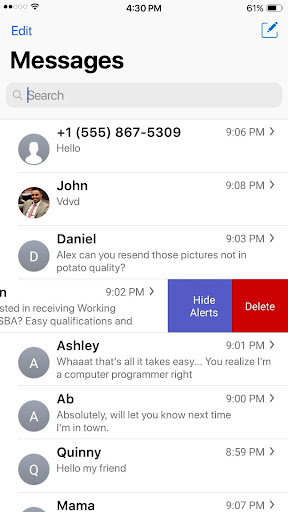
The first main feature of MeMi Message is SMS & MMS. The app allows you to roleplay with your friends through SMS text message conversation. Select your friend(s) from your phone's contacts or enter their phone number to create an SMS conversation. From there type away your messages, all of which will be sent through your cellular network.
Local Chats (Local)
The second main feature is local conversations. In this tab you can create
local chats such as text stories and chat fanfiction conversation as any character(s). These conversations are only stored locally on your phone and are not sent to any other device.
Remote (Cloud Chat)
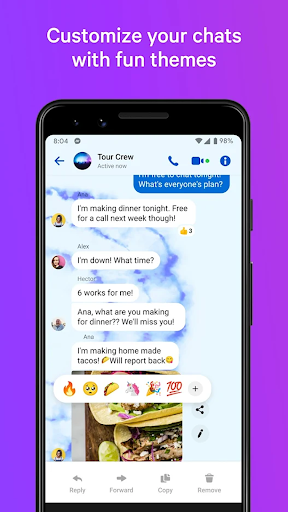
The third main feature is remote chat. Through this functionality you can create conversations with you friends remotely through cloud chat. These messages are sent over the internet and will be able to be seen by everyone that is an author or a viewer of the conversation.
Three core functionalities for all your roleplay chat needs.
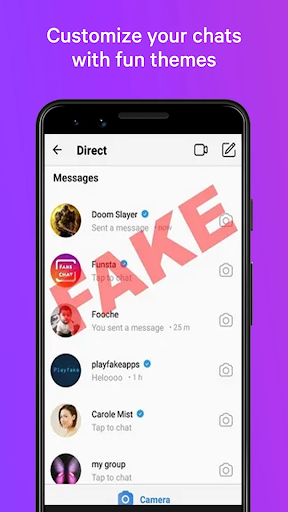
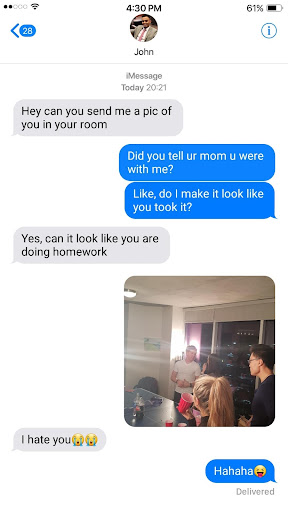
All in all, MeMi Message is the best App on the Play Store for fanfiction authors and Alternate Universe (AU) text messages conversations. Make fake chat conversations with your friends or as a prank.
With dozens of options and limitless capabilities, this app allows you to use your creativity and create fun and exciting chat stories. Let your creativity run wild and create your awesome fanfic text stories
How To USE:
1. CLICK Blue Arrow - Make a BLUE message
2. HOLD Blue Arrow - Make a GRAY message
3. HOLD any bubble - COPY or MORE
3.1 MORE - select messages: Delete selected messages
4. Click on "i" icon in chat to edit name and add profile pic
5. Swipe left on the conversation to delete
NEXT Features In Development
-Delete individual messages (DONE!)
-Add pictures & stickers (DONE!)
-Edit Time (DONE!)
-Edit Battery (DONE!)
-Add camera functionality (DONE!)
-Change Bubble colors (DONE!)
-Make bubble annotations (DONE!)
-Auto play text conversation (DONE!)
-Group Chat features (DONE)
-Save Auto Play Video of Chat (DONE!)
KNOWN BUG: Android 5.0 & 5.1
-Message bubbles may be square. Please try to use Android 6.0 or higher.
=Feedback=
Message us on Facebook or Insta if you have any feedback positive or negative and we will brainstorm a solution in the next update!
https://www.fb.com/memeimessage
https://www.instagram.com/memeimessage
Más detalles

1. Descargar el instalador de MEmu y finalice la instalación

2. Iniciar MEmu y abrir Google Play en la página de inicio

3. Buscar MeMi Message SMS & AI Bot Chat en Google Play
Install
4. Descargar y instalar MeMi Message SMS & AI Bot Chat
5. Hacer click al icono para iniciar

6. Experiencia MeMi Message SMS & AI Bot Chat en PC con MEmu
MEmu App Player es el mejor emulador de Android gratuito y 50 millones de personas ya están disfrutando su magnífica experiencia de aplicación en Android. La tecnología de virtualización de MEmu te permite jugar a miles de aplicaciones Android suavemente en tu PC, incluso los más intensivos gráficamente.
Pantalla más grande con mejores gráficos; Larga duración, sin limitación de batería o datos móviles.
Soporte completo de keymapping para un control preciso del teclado y el mouse o gamepad.
Múltiples cuentas de juegos o tareas en una sola PC a la vez con el administrador de instancias múltiples.
Use MeMi Message SMS & AI Bot Chat on PC by following steps: