MeMi Message SMS & AI Bot Chat
Updated
Current Version
7.4.1
Offered By

Stop worrying about high battery drain when using MeMi Message SMS & AI Bot Chat on your phone. Free yourself from the tiny screen and enjoy the app on a much larger display. From now on, get a full-screen experience of your app with the convenience of a keyboard and mouse. MEmu offers you all the surprising features you’d expect: quick installation and easy setup, intuitive controls, and no more worries about battery life, mobile data, or unexpected calls. The all-new MEmu 9 is the choice for using MeMi Message SMS & AI Bot Chat on your computer. With the MEmu multi-instance manager, you can run two or more accounts at the same time. Most importantly, our exclusive emulation engine unlocks your PC’s full potential, delivering smooth and enjoyable performance.
Show more
Enjoy superb experience of using MeMi Message SMS & AI Bot Chat on PC with MEMU App Player. It's a powerful free Android emulator which provides you with thousands of android apps for their desktop version. Enjoy connecting with friends and polishing your work with higher efficiency! Join our Discord Community: https://discord.
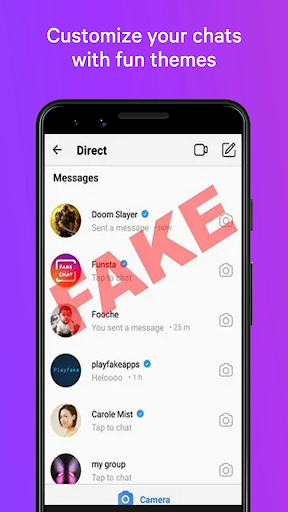
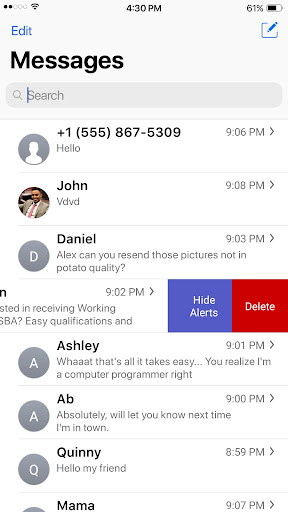
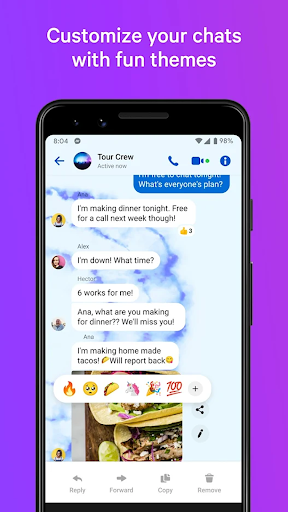
Join our Discord Community: https://discord.gg/ay3V6b6jbH
NOTE 1: Video Tutorials Start HERE: https://youtu.be/u1xI6PkiO9c
NOTE 2: If app CRASHES see this video: https://youtu.be/ZVhfi71icHQ
MeMi Message is a messaging app that provides 3 main roleplay functionalities. These can be accessed from each of the tabs:
1. SMS & MMS (SMS)
2. Local Chats (Local)
3. Remote (Cloud Chat)
SMS & MMS (SMS)
The first main feature of MeMi Message is SMS & MMS. The app allows you to roleplay with your friends through SMS text message conversations. Select your friend(s) from your phone's contacts or enter their phone number to create an SMS conversation. From there type away your messages, all of which will be sent through your cellular network.
Local Chats (Local)
The second main feature is local conversations. In this tab you can create
local chats such as text stories and chat fanfiction conversation as any character(s). These conversations are only stored locally on your phone and are not sent to any other device.
Remote (Cloud Chat)
The third main feature is remote chat. Through this functionality, you can create conversations with your friends remotely through cloud chat. These messages are sent over the internet and will be able to be seen by everyone who is an author or a viewer of the conversation.
From these chat conversations, you can make an "Auto Play" Videos of the chat as it would appear in real time. This requires FOREGROUND SERVICES ACCESS, media projection and microphone. The permission is used to capture the screen into a video with an audio source and save the video locally to the phone.
Three core functionalities for all your roleplay chat needs.
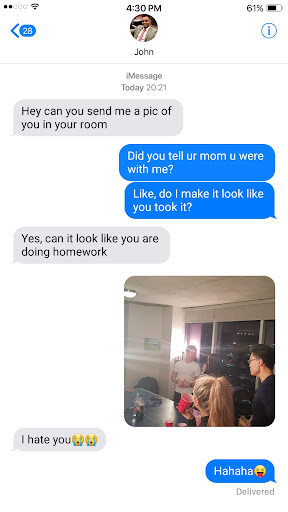
All in all, MeMi Message is the best App on the Play Store for fanfiction authors and Alternate Universe (AU) text message conversations. Make fake chat conversations with your friends or as a prank.
With dozens of options and limitless capabilities, this app allows you to use your creativity and create fun and exciting chat stories. Let your creativity run wild and create your awesome fanfic text stories
How To USE:
1. CLICK Blue Arrow - Make a BLUE message
2. HOLD Blue Arrow - Make a GRAY message
3. HOLD any bubble - COPY or MORE
3.1 MORE - select messages: Delete selected messages
4. Click on "i" icon in chat to edit name and add profile pic
5. Swipe left on the conversation to delete
NEXT Features In Development
-Delete individual messages (DONE!)
-Add pictures & stickers (DONE!)
-Edit Time (DONE!)
-Edit Battery (DONE!)
-Add camera functionality (DONE!)
-Change Bubble colors (DONE!)
-Make bubble annotations (DONE!)
-Auto-play text conversation (DONE!)
-Group Chat features (DONE)
-Save Auto Play Video of Chat (DONE!)
KNOWN BUG: Android 5.0 & 5.1
-Message bubbles may be square. Please try to use Android 6.0 or higher.
=Feedback=
Message us on Facebook or Insta if you have any feedback positive or negative and we will brainstorm a solution in the next update!
https://www.fb.com/memeimessage
https://www.instagram.com/memeimessage
Show more

1. Download MEmu installer and finish the setup

2. Start MEmu then open Google Play on the desktop

3. Search MeMi Message SMS & AI Bot Chat in Google Play
Install
4. Download and Install MeMi Message SMS & AI Bot Chat
5. On install completion click the icon to start

6. Enjoy using MeMi Message SMS & AI Bot Chat on PC with MEmu
MEmu Play is the best Android emulator, and 100 million users already enjoy its superb Android app experience. Powered by advanced virtualization technology, it lets you enjoy thousands of Android apps smoothly on your PC—including the most graphics-intensive ones.
Bigger screen with better graphics; Long duration, without limitation of battery or mobile data.
Full Keymapping support for precise control of keyboard and mouse or gamepad.
Multiple game accounts or tasks on single PC at one time with Multi-Instance manager.
Use MeMi Message SMS & AI Bot Chat on PC by following steps: