
Play Tube : Video Tube Player
Actualizada
Versión actual
1.1.2
Ofrecida por

Deje de preocuparse por los recargos cuando use Play Tube : Video Tube Player en su teléfono celular, libérese de la pequeña pantalla y disfrute usando la aplicación en una pantalla mucho más grande. A partir de ahora, obtenga una experiencia de pantalla completa de su aplicación con teclado y mouse. MEmu le ofrece todas las características sorprendentes que esperaba: instalación rápida y configuración fácil, controles intuitivos, no más limitaciones de batería, datos móviles y llamadas molestas. El nuevo MEmu 9 es la mejor opción para usar Play Tube : Video Tube Player en su computadora. Codificado con nuestra absorción, el administrador de instancias múltiples hace posible abrir 2 o más cuentas al mismo tiempo. Y lo más importante, nuestro exclusivo motor de emulación puede liberar todo el potencial de su PC, hacer que todo sea fluido y agradable.
Más detalles
Descargar Play Tube : Video Tube Player en PC con MEmu Android Emulador. Disfruta jugando en la pentalla grande. Play Tube - Video Tube Player is a free lite third party client for YouTube , allows you to easily find great videos and free music in all over of the world and your country.
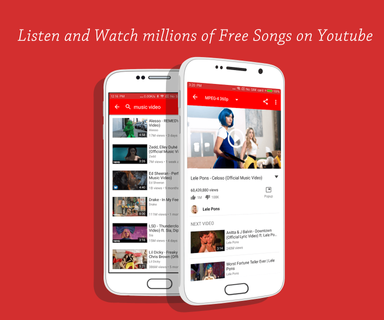

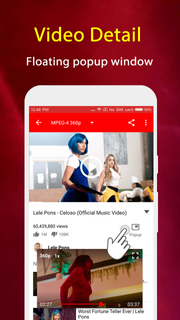
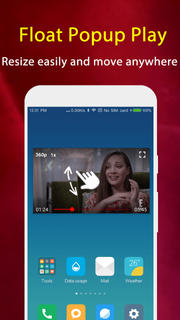
Play Tube - Video Tube Player is a free lite third party client for YouTube , allows you to easily find great videos and free music in all over of the world and your country.Play Tube & Video Tube Player can search videos, channels and playlists, play music tube and movie tube with full screen or floating popup window which always keeps on top. The floating tube popup player allows you to use your apps while playing YouTube music and tube video.FEATURES: ☆ Collection of favorite videos☆ Watch unlimited YouTube videos and music☆ Popup mode (floating player)☆ Search videos, channels and playlists☆ Listen to YouTube videos (experimental)☆ Display general information about a videoNow just get this cool app and enjoy millions of free music and videos!Important NOTE:1. Play Tube HD & video tube lite player is using the third-party API source from YouTube. All the free video is provided by Youtube services. And you can search and play the videos on Youtube.2. By complying with the API Terms of Use, we do not provide caching and downloading any tracks (not a video downloader)3. Please use the following link to report any content that may infringe copyrights:https://www.youtube.com/yt/copyright/4.Playing music when the screen is off or on the lock screen is not allowed by YouTube terms of use.
Más detalles

1. Descargar el instalador de MEmu y finalice la instalación

2. Iniciar MEmu y abrir Google Play en la página de inicio

3. Buscar Play Tube : Video Tube Player en Google Play
Install
4. Descargar y instalar Play Tube : Video Tube Player
5. Hacer click al icono para iniciar

6. Experiencia Play Tube : Video Tube Player en PC con MEmu
MEmu App Player es el mejor emulador de Android gratuito y 50 millones de personas ya están disfrutando su magnífica experiencia de aplicación en Android. La tecnología de virtualización de MEmu te permite jugar a miles de aplicaciones Android suavemente en tu PC, incluso los más intensivos gráficamente.
Pantalla más grande con mejores gráficos; Larga duración, sin limitación de batería o datos móviles.
Soporte completo de keymapping para un control preciso del teclado y el mouse o gamepad.
Múltiples cuentas de juegos o tareas en una sola PC a la vez con el administrador de instancias múltiples.
Use Play Tube : Video Tube Player on PC by following steps: