
THUNDERFLIX
Actualizada
Versión actual
8.807.1
Ofrecida por

Deje de preocuparse por los recargos cuando use THUNDERFLIX en su teléfono celular, libérese de la pequeña pantalla y disfrute usando la aplicación en una pantalla mucho más grande. A partir de ahora, obtenga una experiencia de pantalla completa de su aplicación con teclado y mouse. MEmu le ofrece todas las características sorprendentes que esperaba: instalación rápida y configuración fácil, controles intuitivos, no más limitaciones de batería, datos móviles y llamadas molestas. El nuevo MEmu 9 es la mejor opción para usar THUNDERFLIX en su computadora. Codificado con nuestra absorción, el administrador de instancias múltiples hace posible abrir 2 o más cuentas al mismo tiempo. Y lo más importante, nuestro exclusivo motor de emulación puede liberar todo el potencial de su PC, hacer que todo sea fluido y agradable.
Más detalles
Descargar THUNDERFLIX en PC con MEmu Android Emulador. Disfruta jugando en la pentalla grande. Get ready to rock with the world’s first streaming video on deman platform dedicated entirely to Heavy Metal!

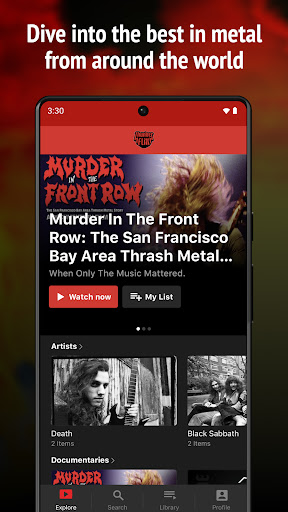
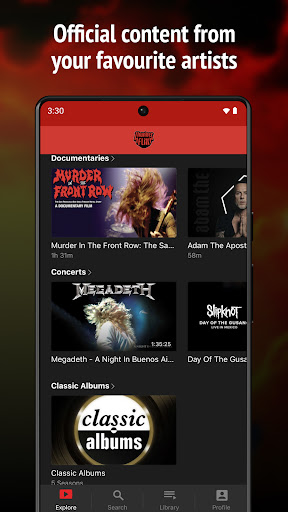
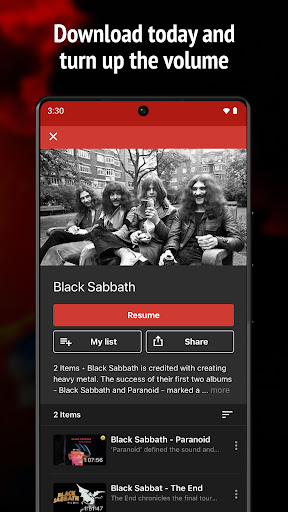
Get ready to rock with the world’s first streaming video on deman platform dedicated entirely to Heavy Metal! Dive into the best in metal from around the world with access to hundreds of music videos, live performances, documentaries, and feature films.
Finally, fans all over the globe can come to one place to find docs, concerts, new releases, behind-the-scenes footage, and official content from their favourite artists - without the hassle of low-quality bootlegs or ad-interrupted streams.
With a user-friendly interface and seamless streaming, it's the perfect app for metalheads everywhere. Download now and turn up the volume on your next headbanging session!
Watch on any device, all for one low monthly subscription fee. Welcome to Thunderflix, metal lives here!
To access all features and content you can subscribe to THUNDERFLIX on a monthly or yearly basis with an auto-renewing subscription right inside the app.* Pricing can vary by region and will be confirmed before purchase in the app. In app subscriptions will automatically renew at the end of their cycle.
* All payments will be paid through your Google Play Account and may be managed under Account Settings after the initial payment. Subscription payments will automatically renew unless deactivated at least 24-hours before the end of the current cycle. Your account will be charged for renewal at least 24-hours prior to the end of the current cycle. Any unused portion of your free trial will be forfeited upon payment. Cancellations are incurred by disabling auto-renewal.
Terms of Service: https://thunderflix.vhx.tv/tos
Privacy Policy:https://thunderflix.vhx.tv/privacy
Some content may not be available in widescreen format and may display with letter boxing on widescreen TVs
Más detalles

1. Descargar el instalador de MEmu y finalice la instalación

2. Iniciar MEmu y abrir Google Play en la página de inicio

3. Buscar THUNDERFLIX en Google Play
Install
4. Descargar y instalar THUNDERFLIX
5. Hacer click al icono para iniciar

6. Experiencia THUNDERFLIX en PC con MEmu
MEmu App Player es el mejor emulador de Android gratuito y 50 millones de personas ya están disfrutando su magnífica experiencia de aplicación en Android. La tecnología de virtualización de MEmu te permite jugar a miles de aplicaciones Android suavemente en tu PC, incluso los más intensivos gráficamente.
Pantalla más grande con mejores gráficos; Larga duración, sin limitación de batería o datos móviles.
Soporte completo de keymapping para un control preciso del teclado y el mouse o gamepad.
Múltiples cuentas de juegos o tareas en una sola PC a la vez con el administrador de instancias múltiples.
Use THUNDERFLIX on PC by following steps: