Boogie Games: Fun Mini Games
تاریخ بهروزرسانی
نسخه کنونی
ارائهکننده

با تمام اشتیاق شما به بازی Boogie Games: Fun Mini Games، قرار نیست دست های شما روی صفحه نمایش کوچک گوشی شما محدود شود. مانند یک حرفه ای بازی کنید و کنترل کامل بازی خود را با صفحه کلید و ماوس بدست آورید.MEmu همه ی انتظاراتی که دارید را برآورده می کند.Boogie Games: Fun Mini Games را بر روی رایانه شخصی دانلود و بازی کنید. تا زمانی که می خواهید بازی کنید، دیگر محدودیتی در باتری، داده تلفن همراه و تماس های مزاحم وجود ندارد.MEmu 9 کاملاً جدید و بهترین انتخاب برای بازی Boogie Games: Fun Mini Games روی رایانه شخصی است. با تخصص ما، سیستم keymapping از پیش تعیین شده عالی،Boogie Games: Fun Mini Games را به یک بازی رایانه شخصی واقعی تبدیل می کند.مدیریت چند موردی MEmu امکان اجرای 2 یا چندین حساب در یک دستگاه را فراهم می کند.و مهمتر از همه، موتور شبیهسازی انحصاری ما میتواند پتانسیل کامل رایانه شما را آزاد کند و همه چیز را روان کند.
بیشتر نشان بده
دانلود بازی Boogie Games: Fun Mini Games برای کامپیوتر با MEmu Play. از بازی روی صفحه نمایش بزرگ لذت ببرید. Boogie Games – Play Mini Games & Unlock Real Rewards.
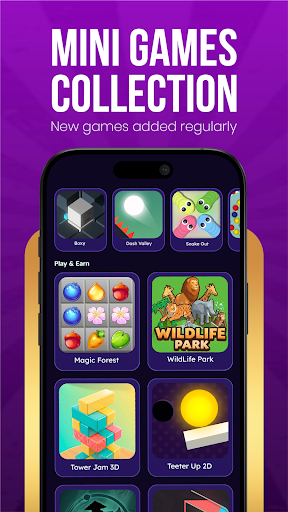
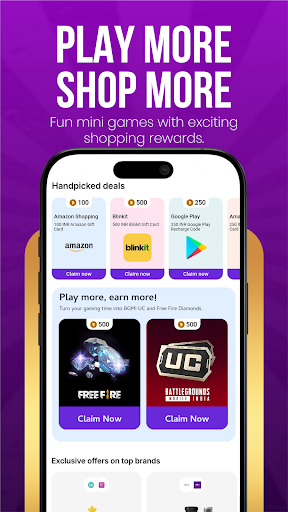
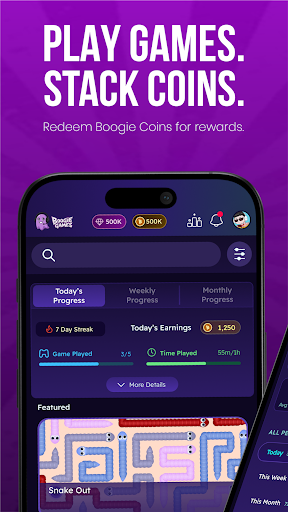
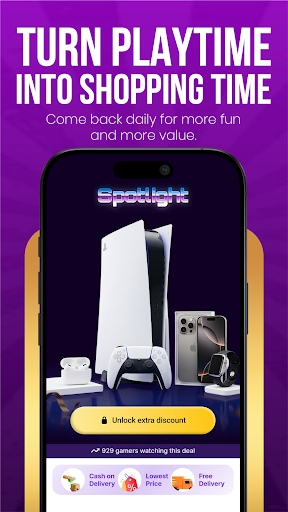
Boogie Games – Play Mini Games & Unlock Real Rewards
Play fun casual mini games, earn Boogie Coins, and unlock discount coupons and vouchers from top shopping and food brands — all from one app.
Whether you love arcade games, skill challenges, or quick reflex games, Boogie Games offers a growing library of casual mobile games designed to reward every session you play.
What makes Boogie Games different
Unlike regular casual games, every match you play brings you closer to real, usable rewards. Earn Boogie Coins as you play and redeem them for discount coupons and vouchers from popular shopping apps, food platforms, and entertainment brands.
Play a variety of mini games
Arcade games
Skill-based games
Reaction and reflex challenges
Casual puzzle and fun games
New games added regularly to keep every session exciting and fresh.
Earn Boogie Coins with every game
Every game session earns you Boogie Coins. The more you play, the faster you progress. Coins stack up with every match and unlock real benefits you can actually use outside the app.
Redeem rewards that matter
Use your Boogie Coins to unlock:
Discount coupons for top shopping apps and brands
Vouchers for food delivery platforms
Exclusive deals available only to Boogie Games players
Made for every kind of player
Whether you are a first-time mobile gamer or someone who plays every day, Boogie Games is designed to be simple, fast, and fun for all ages. No complicated controls. No steep learning curve. Just open the app, pick a game, and start earning.
Why players love Boogie Games
Fun and addictive mini games
Rewards you can actually use — shopping and food discounts
Boogie Coins earned through gameplay
New games and content added regularly
Smooth, easy-to-use app experience
Free to play for everyone
Download Boogie Games now — play fun games, earn Boogie Coins, and unlock real discounts and vouchers every day.
بیشتر نشان بده

1. نصب کننده Memu را دانلود کرده و راه اندازی را تمام کنید

2. Memu را اجرا کنید و سپس گوگل پلی را بر روی دستکتاپ باز کنید

3. Boogie Games: Fun Mini Games را بر روی گوگل پلی جستجو کنید
Install
4. Boogie Games: Fun Mini Games را دانلود و نصب کنید
5. پس از اتمام نصب روی آیکون کلیک کنید تا اجرا شود

6. از بازی کردن Boogie Games: Fun Mini Games بر روی رایانه شخصی با MEmu لذت ببرید
MEmu بهترین نمونه ساز رایگان اندروید است و پیش از این 50 میلیون نفر از تجربه بسیار خوب بازی اندروید در آن لذت برده اند. تکنولوژی مجازی ساز MEmu شما را قادر می سازد هزاران بازی اندرویدی را در کامپیوتر به طور روان اجرا کنید، حتی آنهایی که گرافیک سنگین تری دارند.
صفحه نمایش بزرگتر با گرافیک بهتر؛ زمان طولانی تر، بدون محدودیت باتری یا داده تلفن همراه.
پشتیبانی کامل از Keymapping برای کنترل دقیق صفحه کلید و ماوس یا گیم پد.
چندین حساب بازی یا وظایف در یک رایانه شخصی در یک زمان با مدیریت همزمان همه
Play Boogie Games: Fun Mini Games on PC by following steps: