Boogie Games: Fun Mini Games
Bijgewerkt
Huidige Versie
Aangeboden door

Met al je passie voor het spelen van Boogie Games: Fun Mini Games, zouden je handen niet beperkt moeten zijn tot een klein scherm van je telefoon. Speel als een professional en krijg volledige controle over je spel met toetsenbord en muis. MEmu biedt je alles wat je verwacht. Download en speel Boogie Games: Fun Mini Games op PC. Speel zo lang als je wilt, geen beperkingen meer van batterij, mobiele data en storende oproepen. De gloednieuwe MEmu 9 is de beste keuze om Boogie Games: Fun Mini Games op PC te spelen. Voorbereid met onze expertise, maakt het uitmuntende vooraf ingestelde keymapping systeem van Boogie Games: Fun Mini Games een echt PC-spel. MEmu multi-instance manager maakt het spelen van 2 of meer accounts op hetzelfde apparaat mogelijk. En het belangrijkste, onze exclusieve emulatie-engine kan het volledige potentieel van je PC benutten, waardoor alles soepel verloopt.
Meer tonen
Download Boogie Games: Fun Mini Games op je pc met de MEmu Android-emulator. Geniet van spelen op een groot scherm. Boogie Games – Play Mini Games & Unlock Real Rewards.
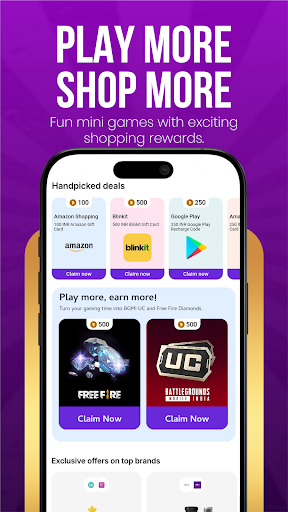
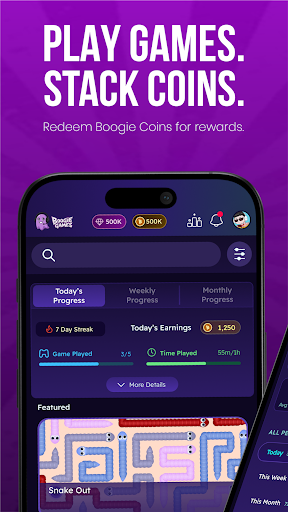
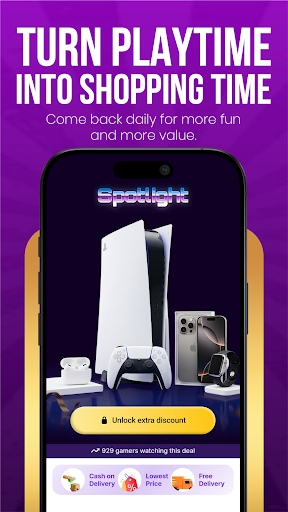
Boogie Games – Play Mini Games & Unlock Real Rewards
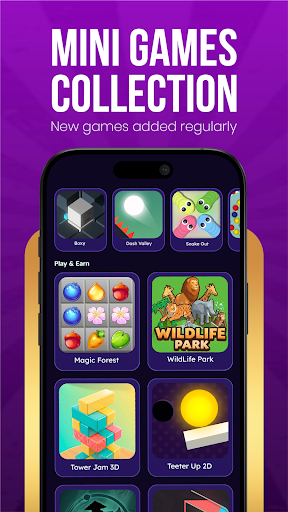
Play fun casual mini games, earn Boogie Coins, and unlock discount coupons and vouchers from top shopping and food brands — all from one app.
Whether you love arcade games, skill challenges, or quick reflex games, Boogie Games offers a growing library of casual mobile games designed to reward every session you play.
What makes Boogie Games different
Unlike regular casual games, every match you play brings you closer to real, usable rewards. Earn Boogie Coins as you play and redeem them for discount coupons and vouchers from popular shopping apps, food platforms, and entertainment brands.
Play a variety of mini games
Arcade games
Skill-based games
Reaction and reflex challenges
Casual puzzle and fun games
New games added regularly to keep every session exciting and fresh.
Earn Boogie Coins with every game
Every game session earns you Boogie Coins. The more you play, the faster you progress. Coins stack up with every match and unlock real benefits you can actually use outside the app.
Redeem rewards that matter
Use your Boogie Coins to unlock:
Discount coupons for top shopping apps and brands
Vouchers for food delivery platforms
Exclusive deals available only to Boogie Games players
Made for every kind of player
Whether you are a first-time mobile gamer or someone who plays every day, Boogie Games is designed to be simple, fast, and fun for all ages. No complicated controls. No steep learning curve. Just open the app, pick a game, and start earning.
Why players love Boogie Games
Fun and addictive mini games
Rewards you can actually use — shopping and food discounts
Boogie Coins earned through gameplay
New games and content added regularly
Smooth, easy-to-use app experience
Free to play for everyone
Download Boogie Games now — play fun games, earn Boogie Coins, and unlock real discounts and vouchers every day.
Meer tonen

1. Download de MEmu-installatie en voltooi de setup

2. Start MEmu en open vervolgens Google Play op het bureaublad

3. Zoek Boogie Games: Fun Mini Games in Google Play
Install
4. Download en installeer Boogie Games: Fun Mini Games
5. Klik op het icoon om te starten na het voltooien van de installatie

6. Geniet van het spelen van Boogie Games: Fun Mini Games op PC met MEmu
MEmu Play is de beste Android Emulator en 100 miljoen mensen genieten al van de superieure Android-game-ervaring. De virtualisatietechnologie van MEmu stelt je in staat om duizenden Android-spellen soepel op je PC te spelen, zelfs de meest grafisch intensieve.
Groter scherm met betere graphics; Lange duur, zonder beperking van batterij of mobiele data.
Volledige Keymapping-ondersteuning voor nauwkeurige besturing van toetsenbord en muis of gamepad.
Meerdere game-accounts of taken op één PC tegelijk met Multi-Instance manager.
Speel Boogie Games: Fun Mini Games op PC door de volgende stappen te volgen: