Boogie Games: Fun Mini Games
Diupdate
Versi Saat Ini
Ditawarkan Oleh

Dengan sepenuh kebulatan hati Anda dalam memainkan Boogie Games: Fun Mini Games, tangan Anda tak seharusnya hanya terbatas pada layar kecil handphone Anda.Bermainlah layaknya seorang profesional dan dapatkan kendali penuh dalam permainan Anda dengan papan ketik dan tetikus.MEmu menawarkan seluruh hal yang Anda harapkan.Unduh dan mainkan Boogie Games: Fun Mini Games pada PC. Bermainlah selama yang Anda inginkan, tanpa keterbatasan dari baterai, data seluler dan panggilan yang mengganggu.MEmu 9 baru merupakan pilihan terbaik untuk memainkan Boogie Games: Fun Mini Games pada PC. Dipersiapkan bersama teknologi ahli kami, sistem pemetaan kunci preset yang canggih menjadikan Boogie Games: Fun Mini Games sebagai permainan PC sejati.Manajer banyak hal dari MEmu memungkinkan Anda untuk memainkan 2 atau banyak akun pada perangkat yang sama.Dan yang terpenting, mesin emulasi eksklusif kami bisa melepaskan potensi penuh PC Anda, membuat segalanya berjalan lancar.
Tampilkan Lebih banyak
Unduh Boogie Games: Fun Mini Games di PC dengan Emulator Android MEmu. Nikmati permainan pada layar yang besar. Boogie Games – Play Mini Games & Unlock Real Rewards.
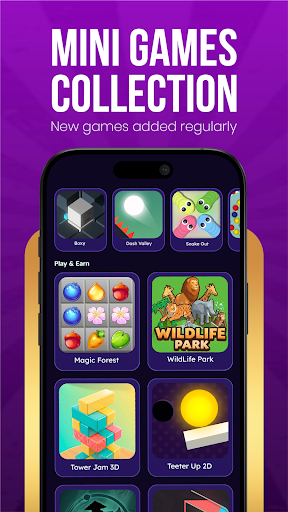

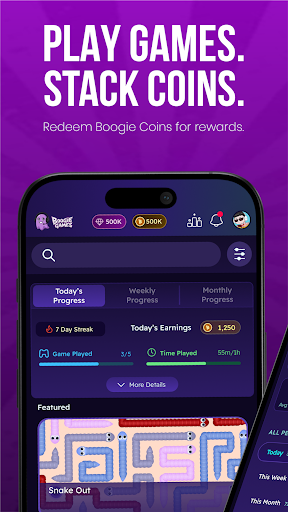
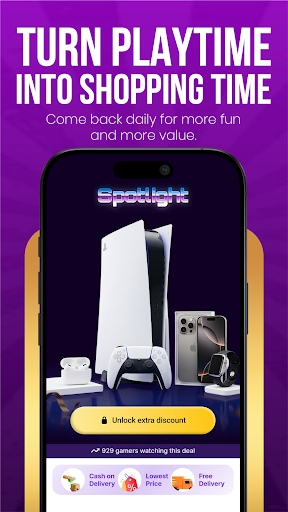
Boogie Games – Play Mini Games & Unlock Real Rewards
Play fun casual mini games, earn Boogie Coins, and unlock discount coupons and vouchers from top shopping and food brands — all from one app.
Whether you love arcade games, skill challenges, or quick reflex games, Boogie Games offers a growing library of casual mobile games designed to reward every session you play.
What makes Boogie Games different
Unlike regular casual games, every match you play brings you closer to real, usable rewards. Earn Boogie Coins as you play and redeem them for discount coupons and vouchers from popular shopping apps, food platforms, and entertainment brands.
Play a variety of mini games
Arcade games
Skill-based games
Reaction and reflex challenges
Casual puzzle and fun games
New games added regularly to keep every session exciting and fresh.
Earn Boogie Coins with every game
Every game session earns you Boogie Coins. The more you play, the faster you progress. Coins stack up with every match and unlock real benefits you can actually use outside the app.
Redeem rewards that matter
Use your Boogie Coins to unlock:
Discount coupons for top shopping apps and brands
Vouchers for food delivery platforms
Exclusive deals available only to Boogie Games players
Made for every kind of player
Whether you are a first-time mobile gamer or someone who plays every day, Boogie Games is designed to be simple, fast, and fun for all ages. No complicated controls. No steep learning curve. Just open the app, pick a game, and start earning.
Why players love Boogie Games
Fun and addictive mini games
Rewards you can actually use — shopping and food discounts
Boogie Coins earned through gameplay
New games and content added regularly
Smooth, easy-to-use app experience
Free to play for everyone
Download Boogie Games now — play fun games, earn Boogie Coins, and unlock real discounts and vouchers every day.
Tampilkan Lebih banyak

1. Unduh dan instal MEmu APP

2. Menjalankan MEmu lalu buka Google Play di halaman

3. Cari Boogie Games: Fun Mini Games di Google Play
Install
4. Unduh dan instal Boogie Games: Fun Mini Games
5. Setelah insatl APP selesai,klik ikon untuk mulai

6. Nikmati bermain Boogie Games: Fun Mini Games di PC dengan MEmu
MEmu App Player adalah emulator Android gratis terbaik dan 50 Juta orang sudah menikmati pengalaman luar biasa dalam bermain gim Android. Teknologi virtualisasi MEmu memberi kekuasaan untuk memainkan ribuan gim Android dengan lancar di PC anda, bahkan gim dengan grafis yang paling tinggi.
Layar lebih besar dengan grafis yang lebih baik; durasi panjang, tanpa batasan baterai atau data seluler.
Didukung penuh oleh Pemetaan tombol yang lengkap untuk keakuratan kontrol keyboard dan mouse maupun gamepad.
Membuka beberapa akun game atau tugas di waktu yang sama hanya pada satu PC, dengan Multi-Instance manager.
Play Boogie Games: Fun Mini Games on PC by following steps: