Boogie Games: Fun Mini Games
अपडेट किया गया
वर्तमान वर्शन
संसाधन

अपने सेलफोन पर Boogie Games: Fun Mini Games का उपयोग करते समय ओवरचार्ज के बारे में चिंता करना बंद करें, अपने आप को छोटी स्क्रीन से मुक्त करें और बहुत बड़े डिस्प्ले पर ऐप का उपयोग करने का आनंद लें। अब से, कीबोर्ड और माउस के साथ अपने ऐप का पूर्ण-स्क्रीन अनुभव प्राप्त करें। एमईएमयू आपको उन सभी आश्चर्यजनक सुविधाओं की पेशकश करता है जिनकी आपको उम्मीद थी: त्वरित इंस्टॉल और आसान सेटअप, सहज नियंत्रण, बैटरी की कोई सीमा नहीं, मोबाइल डेटा और परेशान कॉल। आपके कंप्यूटर पर Boogie Games: Fun Mini Games का उपयोग करने का सबसे अच्छा विकल्प नया MEmu 9 है। हमारे अवशोषण के साथ कोडित, बहु-उदाहरण प्रबंधक एक ही समय में 2 या अधिक खाते खोलना संभव बनाता है। और सबसे महत्वपूर्ण, हमारा अनन्य उत्सर्जन इंजन आपके पीसी की पूरी क्षमता को जारी कर सकता है, सब कुछ सुचारू और सुखद बना सकता है।
और दिखाएं
डाउनलोड करें Boogie Games: Fun Mini Games पीसी पर MEmu एंड्रॉयड एमुलेटर के साथ बड़े पर्दे पर खेलने का आनंद लें। Boogie Games – Play Mini Games & Unlock Real Rewards.
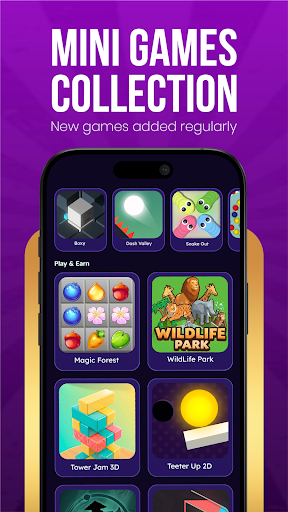
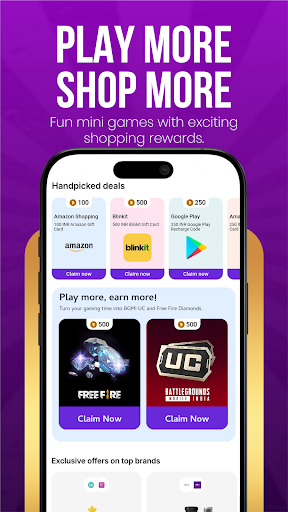
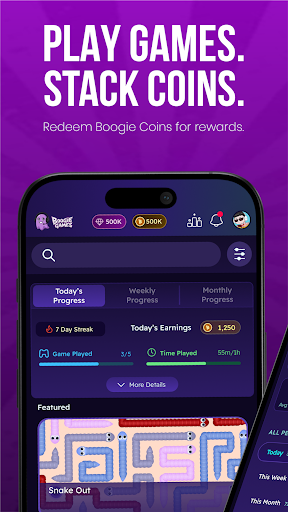
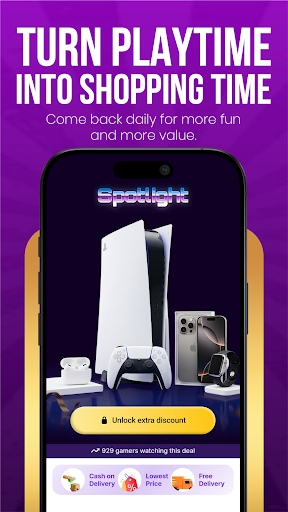
Boogie Games – Play Mini Games & Unlock Real Rewards
Play fun casual mini games, earn Boogie Coins, and unlock discount coupons and vouchers from top shopping and food brands — all from one app.
Whether you love arcade games, skill challenges, or quick reflex games, Boogie Games offers a growing library of casual mobile games designed to reward every session you play.
What makes Boogie Games different
Unlike regular casual games, every match you play brings you closer to real, usable rewards. Earn Boogie Coins as you play and redeem them for discount coupons and vouchers from popular shopping apps, food platforms, and entertainment brands.
Play a variety of mini games
Arcade games
Skill-based games
Reaction and reflex challenges
Casual puzzle and fun games
New games added regularly to keep every session exciting and fresh.
Earn Boogie Coins with every game
Every game session earns you Boogie Coins. The more you play, the faster you progress. Coins stack up with every match and unlock real benefits you can actually use outside the app.
Redeem rewards that matter
Use your Boogie Coins to unlock:
Discount coupons for top shopping apps and brands
Vouchers for food delivery platforms
Exclusive deals available only to Boogie Games players
Made for every kind of player
Whether you are a first-time mobile gamer or someone who plays every day, Boogie Games is designed to be simple, fast, and fun for all ages. No complicated controls. No steep learning curve. Just open the app, pick a game, and start earning.
Why players love Boogie Games
Fun and addictive mini games
Rewards you can actually use — shopping and food discounts
Boogie Coins earned through gameplay
New games and content added regularly
Smooth, easy-to-use app experience
Free to play for everyone
Download Boogie Games now — play fun games, earn Boogie Coins, and unlock real discounts and vouchers every day.
और दिखाएं

1. MEmu इंस्टॉलर को डाउनलोड करें और इंस्टॉलेशन को पूरा करें

2. MEmu शुरू करें फिर होमपेज पर Google Play खोलें

3. Google Play में Boogie Games: Fun Mini Games खोजें
Install
4. Boogie Games: Fun Mini Games डाउनलोड कर इंस्टॉल करें
5. इंस्टॉल पूरा होने पर आइकन दबाएं

6. MEmu से पीसी पर Boogie Games: Fun Mini Games खेलने का आनंद लें
MEmu Play सबसे बेहतरीन मुफ़्त Android एमुलेटर है और 5 करोड़ लोग पहले ही इसके शानदार Android गेमिंग अनुभव का आनंद ले चुके हैं। MEmu 9 वर्चुअलाइज़ेशन तकनीक आपको अपने PC पर हज़ारों Android गेम, यहाँ तक कि सबसे ज़्यादा ग्राफ़िक्स वाले गेम भी, आसानी से खेलने की सुविधा देती है।
असीमित बैटरी या मोबाइल डेटा के साथ बेहतर ग्राफिक्स के साथ बड़ी स्क्रीन; लंबी अवधि।
कीबोर्ड और माउस या गेमपैड के उत्तम नियंत्रण के लिए संपूर्ण कीमैपिंग का समर्थन करता हैं।
एक ही पीसी पर मल्टी-इंस्टेंस मैनेजर के साथ एक समय में कई गेम खाते या कार्य कर सकते हैं।
Play Boogie Games: Fun Mini Games on PC by following steps: