Boogie Games: Fun Mini Games
更新日
現在のバージョン
提供元

スマホ不要!プロ選手のようにキーボードとマウスで操作しよう。MEmuエミュはあなたにすべての期待を与える。電池が切れてしまうとか画面が小さいとかの問題を心配する必要がなくて、存分Boogie Games: Fun Mini Gamesを楽しんでください。新しいMEmuエミュ7はPCでBoogie Games: Fun Mini Gamesをプレイするのに最適!完璧なキーマッピングシステムにより、まるでパソコンゲームみたい。マルチインスタンスで複数のゲームやアプリを同時に実行!唯一無二な仮想化エンジンがパソコンの可能性を最大限になる。遊べるだけでなく、より楽しめる!
もっと見る
Boogie Games: Fun Mini GamesをPCでダウンロード!大画面でより楽しむ。電源が落ちてしまうとか通信料が足りないとかの問題を心配する必要がなく、PCの大画面でより快適にゲームを楽しましょう! Boogie Games – Play Mini Games & Unlock Real Rewards.
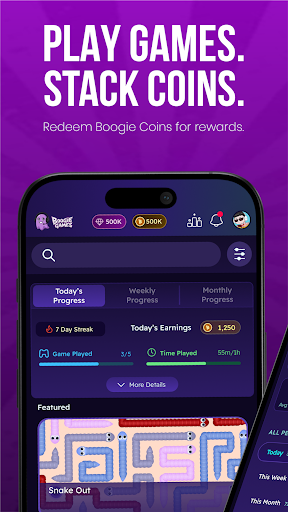
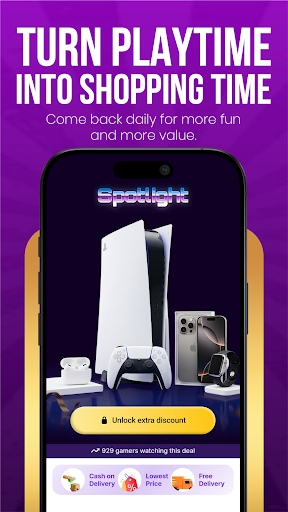
Boogie Games – Play Mini Games & Unlock Real Rewards
Play fun casual mini games, earn Boogie Coins, and unlock discount coupons and vouchers from top shopping and food brands — all from one app.
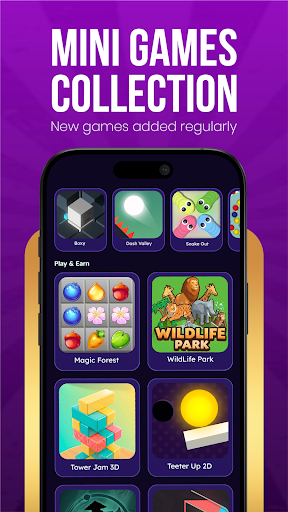
Whether you love arcade games, skill challenges, or quick reflex games, Boogie Games offers a growing library of casual mobile games designed to reward every session you play.
What makes Boogie Games different
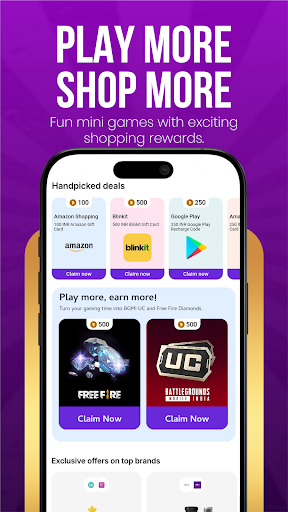
Unlike regular casual games, every match you play brings you closer to real, usable rewards. Earn Boogie Coins as you play and redeem them for discount coupons and vouchers from popular shopping apps, food platforms, and entertainment brands.
Play a variety of mini games
Arcade games
Skill-based games
Reaction and reflex challenges
Casual puzzle and fun games
New games added regularly to keep every session exciting and fresh.
Earn Boogie Coins with every game
Every game session earns you Boogie Coins. The more you play, the faster you progress. Coins stack up with every match and unlock real benefits you can actually use outside the app.
Redeem rewards that matter
Use your Boogie Coins to unlock:
Discount coupons for top shopping apps and brands
Vouchers for food delivery platforms
Exclusive deals available only to Boogie Games players
Made for every kind of player
Whether you are a first-time mobile gamer or someone who plays every day, Boogie Games is designed to be simple, fast, and fun for all ages. No complicated controls. No steep learning curve. Just open the app, pick a game, and start earning.
Why players love Boogie Games
Fun and addictive mini games
Rewards you can actually use — shopping and food discounts
Boogie Coins earned through gameplay
New games and content added regularly
Smooth, easy-to-use app experience
Free to play for everyone
Download Boogie Games now — play fun games, earn Boogie Coins, and unlock real discounts and vouchers every day.
もっと見る

1. MEmuインストーラーをダウンロードしてセットアップを完了する

2. MEmuを起動し、デスクトップでのPlayストアを開く

3. PlayストアでBoogie Games: Fun Mini Gamesを検索する
Install
4. Boogie Games: Fun Mini Gamesをダウンロードしてインストールする
5. インストールが完了したら、アイコンをクリックしてスタート

6. MEmuを使用してPCでBoogie Games: Fun Mini Gamesを楽しむ
MEmu App Playerは最高の無料で提供されるAndroidエミュレータで、5,000万人がすでに優れたAndroidゲーム体験を楽しんでいます。 MEmuの仮想化技術は、あなたのPCで何千ものAndroidゲームを快適にプレイすることを可能にします。
大画面でより精細;無限の待機、電池とドラフィックの極限を超え
キーボード・マウス・コントローラーを全力でサポート、より快適
マルチインスタンスで複数のゲームを同時に実行
Play Boogie Games: Fun Mini Games on PC by following steps: