
MELTY BLOOD: TWI-LUMINA
Mise à jour
Version actuelle
Proposée par

Avec toute la passion que vous avez à jouer MELTY BLOOD: TWI-LUMINA, vos mains ne sont pas sensées se limiter à l’infime écran de votre téléphone. Jouez comme un pro et ayez le contrôle total de votre jeu à l’aide du clavier et de la souris. MEmu satisfait toutes vos attentes. Téléchargez et jouez MELTY BLOOD: TWI-LUMINA sur PC. Jouez aussi longtemps que vous souhaitez sans aucune limitation de batterie, de données mobiles et d’appels embêtants. La toute nouvelle version de MEmu 9 est la meilleure option de jouer MELTY BLOOD: TWI-LUMINA sur PC. Réalisé par nos experts, l’e magnifique système d’affectation de touches prédéfini fait de MELTY BLOOD: TWI-LUMINA un jeu réaliste sur PC. Le gestionnaire multi-instances de MEmu permet 2 ou plusieurs comptes de jeu sur le même appareil. Et le plus important, le moteur d’émulation exclusif peut libérer le plein potentiel de votre PC, ce qui facilite tout.
Afficher plus
Téléchargez MELTY BLOOD: TWI-LUMINA avec le simulateur d’Android MEmu sur votre PC. Profitez de jouer sur un grand écran. The latest entry in the best-selling MELTY BLOOD series from TYPE-MOON, set in the world of Tsukihime.
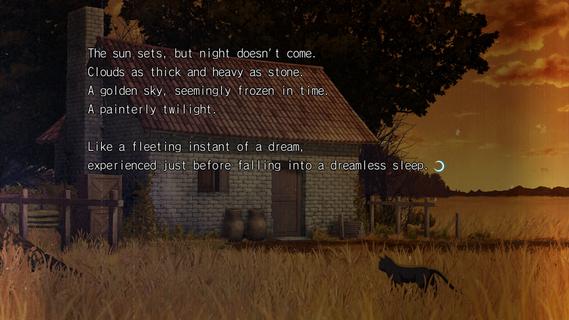

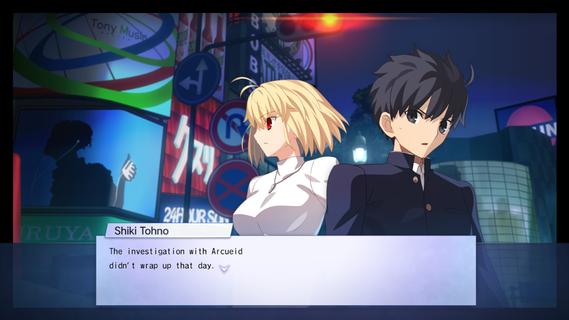
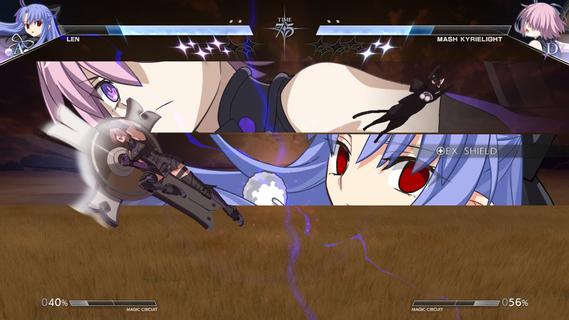
The latest entry in the best-selling MELTY BLOOD series from TYPE-MOON, set in the world of Tsukihime. With refined battle mechanics and new characters joining the fray, the moonlit mania enters the next stage.The cast of MELTY BLOOD: TYPE LUMINA enjoys an upgrade, plus a main story and new characters such as Len have been added! Not only that, the legendary Kinoko Nasu has woven a new tale centered around Shiki Tohno. Navigate Souya City as you progress through battles against various characters in the main story.As the newest installment in the series, this title builds on the classic 2D fighting feel while overhauling its systems on a large scale. Whether it's combo routing, defensive counters, or resource management, everything flows more smoothly and carries greater depth, allowing both veterans and newcomers to find their own combat rhythm. At the same time, the addition of multiple new characters injects fresh blood into the competitive landscape, with each fighter boasting a unique move set and fighting style.Beyond the battles themselves, this game also introduces a complete main story mode for the first time. Players will follow Shiki Tohno's perspective and embark on a brand-new adventure through Souya City. Along the way, you'll encounter a wide variety of characters, and every battle is more than just a contest of victory or defeatâit drives the story forward. The arrival of new characters such as Len also adds more suspense and emotion to this journey.For players who love the world of Tsukihime, this is not merely a fighting game, but a chance to return to a world both familiar and strange. Whether you're a longtime fan of the series or a newcomer to MELTY BLOOD, you'll find something to enjoy in this title.
Afficher plus

1. Téléchargez l'installateur MEmu et terminez l'installation

2. Démarrez MEmu puis ouvrez Google Play sur la page d'accueil

3. Recherchez MELTY BLOOD: TWI-LUMINA dans Google Play
Install
4. Téléchargez et installez MELTY BLOOD: TWI-LUMINA
5. Une fois l'installation terminée, cliquez sur l'icône pour démarrer

6. Profitez de jouer MELTY BLOOD: TWI-LUMINA sur PC avec MEmu
Le lecteur d'application MEmu est le meilleur émulateur Android gratuit, et 50 millions de personnes profitent déjà de sa fantastique expérience de jeu Android. La technologie de virtualisation MEmu vous donne la possibilité de jouer à des milliers de jeux Android sur votre PC sans aucune difficulté, même aux plus gourmands.
L’écran plus grand avec de meilleurs graphismes; Une longue durée, sans limitation de batterie ou de données mobiles.
Soutien du Keymapping pour un contrôle précis du clavier et de la souris ou de la manette de jeu
Plusieurs comptes de jeu ou tâches sur un seul PC en même temps avec le gestionnaire de multi-instance.
Play MELTY BLOOD: TWI-LUMINA on PC by following steps: