MELTY BLOOD: TWI-LUMINA
Actualizada
Versión actual
Ofrecida por

Con toda tu pasión para jugar MELTY BLOOD: TWI-LUMINA, no se supone que tus manos estén limitadas en una pequeña pantalla de tu teléfono. Juega como un profesional y obtén el control total de tu juego con el teclado y el mouse. MEmu le ofrece todas las cosas que espera. Descargar y jugar MELTY BLOOD: TWI-LUMINA en PC. Juega todo el tiempo que quieras, sin más limitaciones de batería, datos móviles y llamadas molestas. El nuevo MEmu 9 es la mejor opción para jugar MELTY BLOOD: TWI-LUMINA en PC. Preparado con nuestra experiencia, el exquisito sistema de keymapping preestablecido convierte a MELTY BLOOD: TWI-LUMINA en un verdadero juego de PC. Codificado con nuestra absorción, el administrador de instancias múltiples hace posible jugar 2 o más cuentas en el mismo dispositivo. Y lo más importante, nuestro exclusivo motor de emulación puede liberar todo el potencial de su PC, hacer que todo sea más fluido. Nos importa no solo cómo juegas, sino también todo el proceso de disfrutar de la felicidad de los juegos.
Más detalles
Descargar MELTY BLOOD: TWI-LUMINA en PC con MEmu Android Emulador. Disfruta jugando en la pentalla grande. The latest entry in the best-selling MELTY BLOOD series from TYPE-MOON, set in the world of Tsukihime.
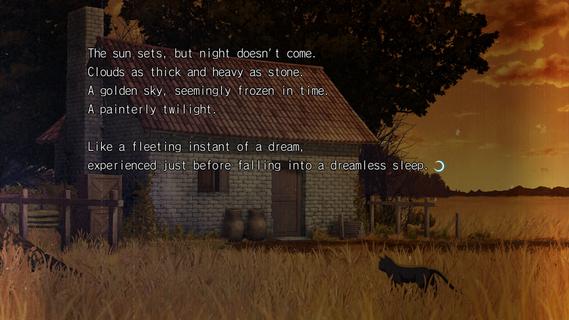

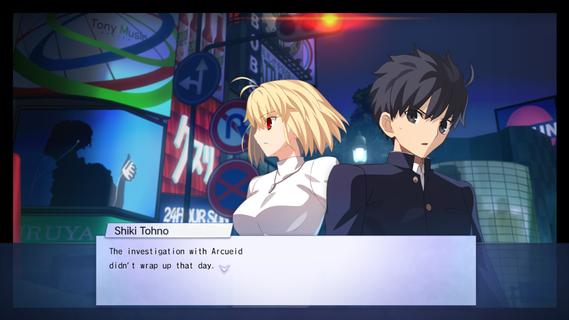
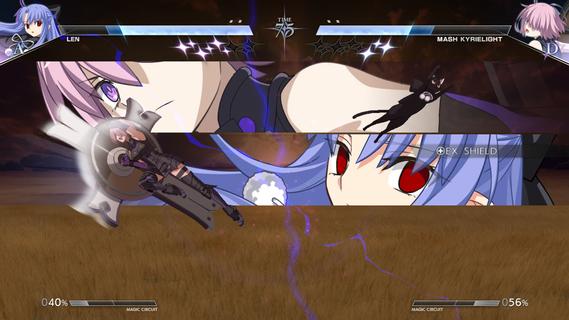
The latest entry in the best-selling MELTY BLOOD series from TYPE-MOON, set in the world of Tsukihime. With refined battle mechanics and new characters joining the fray, the moonlit mania enters the next stage.The cast of MELTY BLOOD: TYPE LUMINA enjoys an upgrade, plus a main story and new characters such as Len have been added! Not only that, the legendary Kinoko Nasu has woven a new tale centered around Shiki Tohno. Navigate Souya City as you progress through battles against various characters in the main story.As the newest installment in the series, this title builds on the classic 2D fighting feel while overhauling its systems on a large scale. Whether it's combo routing, defensive counters, or resource management, everything flows more smoothly and carries greater depth, allowing both veterans and newcomers to find their own combat rhythm. At the same time, the addition of multiple new characters injects fresh blood into the competitive landscape, with each fighter boasting a unique move set and fighting style.Beyond the battles themselves, this game also introduces a complete main story mode for the first time. Players will follow Shiki Tohno's perspective and embark on a brand-new adventure through Souya City. Along the way, you'll encounter a wide variety of characters, and every battle is more than just a contest of victory or defeatâit drives the story forward. The arrival of new characters such as Len also adds more suspense and emotion to this journey.For players who love the world of Tsukihime, this is not merely a fighting game, but a chance to return to a world both familiar and strange. Whether you're a longtime fan of the series or a newcomer to MELTY BLOOD, you'll find something to enjoy in this title.
Más detalles

1. Descargar el instalador de MEmu y finalice la instalación

2. Iniciar MEmu y abrir Google Play en la página de inicio

3. Buscar MELTY BLOOD: TWI-LUMINA en Google Play
Install
4. Descargar y instalar MELTY BLOOD: TWI-LUMINA
5. Hacer click al icono para iniciar

6. Disfruta jugando MELTY BLOOD: TWI-LUMINA en PC con MEmu
MEmu App Player es el mejor emulador de Android gratuito y 50 millones de personas ya están disfrutando su magnífica experiencia jugando en Android. La tecnología de virtualización de MEmu te permite jugar a miles de juegos Android suavemente en tu PC, incluso los más intensivos gráficamente.
Pantalla más grande con mejores gráficos; Larga duración, sin limitación de batería o datos móviles.
Soporte completo de keymapping para un control preciso del teclado y el mouse o gamepad.
Múltiples cuentas de juegos o tareas en una sola PC a la vez con el administrador de instancias múltiples.
Play MELTY BLOOD: TWI-LUMINA on PC by following steps: