MELTY BLOOD: TWI-LUMINA
Zaktualizowano
Aktualna wersja
Sprzedawca

Przy całej swojej pasji do grania w MELTY BLOOD: TWI-LUMINA, twoje ręce nie powinny być ograniczone na małym ekranie telefonu. Graj jak zawodowiec i uzyskaj pełną kontrolę nad grą za pomocą klawiatury i myszy. MEmu oferuje ci wszystko, czego oczekujesz. Pobierz i graj MELTY BLOOD: TWI-LUMINA na PC. Graj tak długo, jak chcesz, bez ograniczeń baterii, danych komórkowych i niepokojących połączeń. Zupełnie nowy MEmu 9 to najlepszy wybór do grania w MELTY BLOOD: TWI-LUMINA na PC. Przygotowany dzięki naszej wiedzy, znakomity, wstępnie ustawiony system mapowania klawiszy sprawia, że MELTY BLOOD: TWI-LUMINA jest prawdziwą grą na PC. Zakodowany naszą absorpcją, menedżer wielu instancji umożliwia granie na 2 lub więcej kontach na tym samym urządzeniu. A co najważniejsze, nasz emulator może uwolnić pełny potencjał twojego komputera, sprawić, że wszystko będzie płynne. Dbamy nie tylko o to, jak grasz, ale także o cały proces czerpania radości z grania.
Pokaż więcej
Ciesz się wspaniałym doświadczeniem podczas grania w MELTY BLOOD: TWI-LUMINA na komputerze z aplikacją MEMU App Player. Jest to potężny darmowy emulator Androida pozwalający grać w tysiące gier na Androida. The latest entry in the best-selling MELTY BLOOD series from TYPE-MOON, set in the world of Tsukihime.
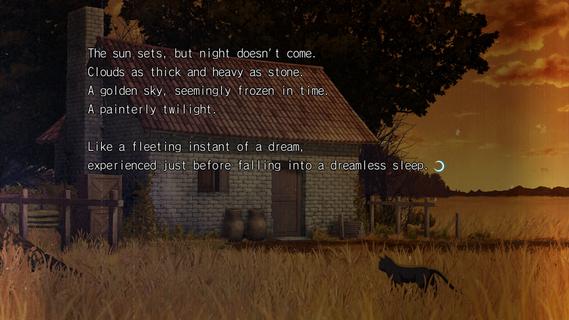

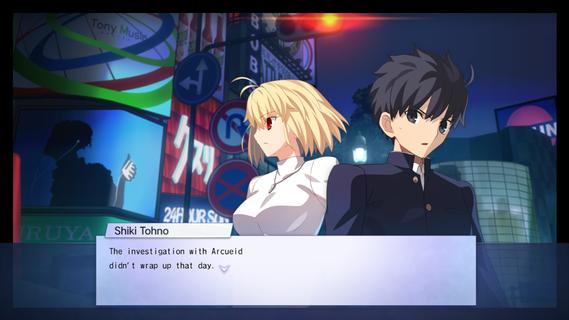
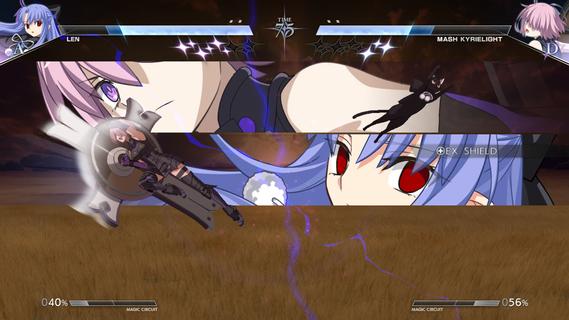
The latest entry in the best-selling MELTY BLOOD series from TYPE-MOON, set in the world of Tsukihime. With refined battle mechanics and new characters joining the fray, the moonlit mania enters the next stage.The cast of MELTY BLOOD: TYPE LUMINA enjoys an upgrade, plus a main story and new characters such as Len have been added! Not only that, the legendary Kinoko Nasu has woven a new tale centered around Shiki Tohno. Navigate Souya City as you progress through battles against various characters in the main story.As the newest installment in the series, this title builds on the classic 2D fighting feel while overhauling its systems on a large scale. Whether it's combo routing, defensive counters, or resource management, everything flows more smoothly and carries greater depth, allowing both veterans and newcomers to find their own combat rhythm. At the same time, the addition of multiple new characters injects fresh blood into the competitive landscape, with each fighter boasting a unique move set and fighting style.Beyond the battles themselves, this game also introduces a complete main story mode for the first time. Players will follow Shiki Tohno's perspective and embark on a brand-new adventure through Souya City. Along the way, you'll encounter a wide variety of characters, and every battle is more than just a contest of victory or defeatâit drives the story forward. The arrival of new characters such as Len also adds more suspense and emotion to this journey.For players who love the world of Tsukihime, this is not merely a fighting game, but a chance to return to a world both familiar and strange. Whether you're a longtime fan of the series or a newcomer to MELTY BLOOD, you'll find something to enjoy in this title.
Pokaż więcej

1. Pobierz instalator MEmu i zakończ instalację

2. Uruchom MEmu, a następnie otwórz Google Play na pulpicie

3. Wyszukaj MELTY BLOOD: TWI-LUMINA w Google Play
Install
4. Pobierz i zainstaluj MELTY BLOOD: TWI-LUMINA
5. Po zakończeniu instalacji kliknij ikonę, aby rozpocząć

6. Ciesz się grą MELTY BLOOD: TWI-LUMINA na PC z MEmu
MEmu Play to najlepszy emulator Androida, a 100 milionów ludzi już korzysta z jego i dosta doskonałe wrażenia z gier na Androida. Technologia wirtualizacji MEmu umożliwia płynne granie w tysiące gier Androida na komputerze, nawet tych najbardziej wymagających grafiki.
Większy ekran z lepszą grafiką; Długi czas, bez ograniczeń baterii lub danych mobilnych.
Pełna obsługa mapowania klawiszy dla precyzyjnego sterowania klawiaturą i myszą lub gamepadem.
Wiele kont gier lub zadań na jednym komputerze jednocześnie z menedżerem wielu instancji.
Play MELTY BLOOD: TWI-LUMINA on PC by following steps: