Warhammer 40,000: Dawn of War IV
Mise à jour
Version actuelle
Proposée par

Avec toute la passion que vous avez à jouer Warhammer 40,000: Dawn of War IV, vos mains ne sont pas sensées se limiter à l’infime écran de votre téléphone. Jouez comme un pro et ayez le contrôle total de votre jeu à l’aide du clavier et de la souris. MEmu satisfait toutes vos attentes. Téléchargez et jouez Warhammer 40,000: Dawn of War IV sur PC. Jouez aussi longtemps que vous souhaitez sans aucune limitation de batterie, de données mobiles et d’appels embêtants. La toute nouvelle version de MEmu 9 est la meilleure option de jouer Warhammer 40,000: Dawn of War IV sur PC. Réalisé par nos experts, l’e magnifique système d’affectation de touches prédéfini fait de Warhammer 40,000: Dawn of War IV un jeu réaliste sur PC. Le gestionnaire multi-instances de MEmu permet 2 ou plusieurs comptes de jeu sur le même appareil. Et le plus important, le moteur d’émulation exclusif peut libérer le plein potentiel de votre PC, ce qui facilite tout.
Afficher plus
Téléchargez Warhammer 40,000: Dawn of War IV avec le simulateur d’Android MEmu sur votre PC. Profitez de jouer sur un grand écran. Warhammer 40,000: Dawn of War IV marks a powerful return to the core elements that made the original real-time strategy titles in the series so captivating.
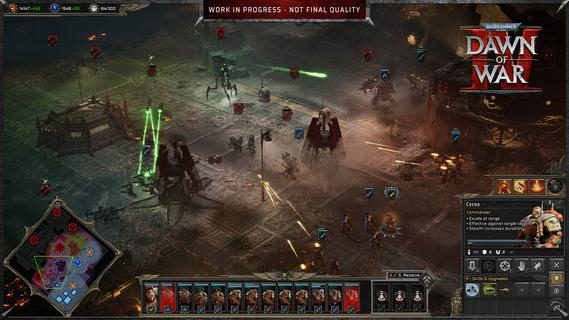
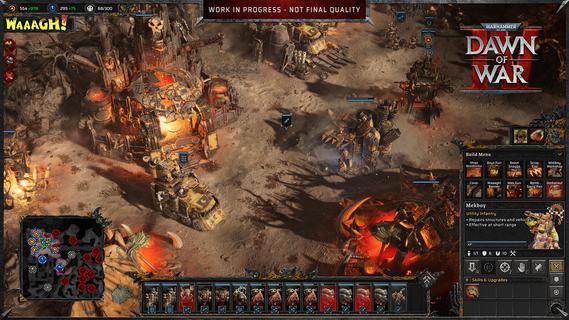
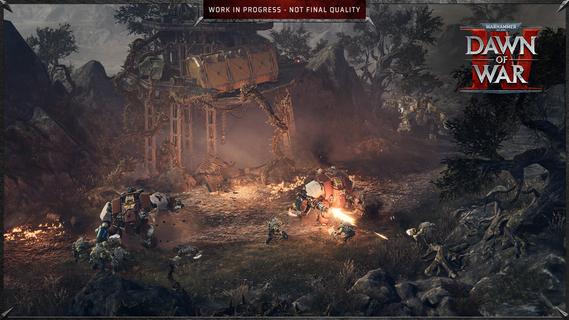
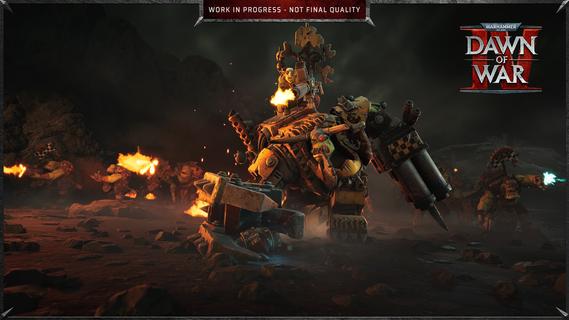
Warhammer 40,000: Dawn of War IV marks a powerful return to the core elements that made the original real-time strategy titles in the series so captivating. This installment blends the deep strategic gameplay fans crave with modern enhancements, delivering a rich and immersive experience that both newcomers and longtime players can enjoy. In Dawn of War IV, players take command of four distinct factions within the Warhammer 40,000 universe, each with its own unique style, strengths, and tactics. Notably, this is the first time the Adeptus Mechanicus, a faction known for its technological prowess and arcane machinery, appears in a Dawn of War game. Their inclusion brings fresh dynamics and strategic options to the battlefield, encouraging players to explore new ways of commanding forces and dominating their enemies. The campaign mode is a major highlight, featuring over seventy missions that span a gripping narrative full of epic battles, strategic challenges, and dramatic encounters. Every mission is meticulously designed to test your tactical creativity, resource management, and ability to adapt to changing battlefield conditions. The story-driven campaigns also help to deepen players’ connection to the factions, lore, and characters, creating an engaging backdrop for the intense warfare. In addition to the campaign, Dawn of War IV offers a rich variety of gameplay modes to keep players entertained and challenged. The Last Stand mode delivers intense, cooperative multiplayer action where players must defend against waves of increasingly tough enemies, perfect for testing team coordination and strategic endurance. Skirmish mode lets players pit their skills against AI opponents in customizable battles, ideal for practice or quick competitive fun. Of course, multiplayer remains a key component of Dawn of War IV’s appeal, with a competitive scene that emphasizes strategy, timing, and adapting to your opponent’s moves. Players can choose their preferred faction and mechanics, fine-tune their tactics, and compete against others from around the world. The multiplayer mode provides endless replayability and a constant challenge for those who enjoy mastering complex strategic gameplay. Visually, Dawn of War IV impresses with detailed unit models, atmospheric environments, and war-torn battlefields that capture the grimdark aesthetic of the Warhammer 40,000 universe. The sound design and score complement the intense action, immersing players in the chaos and grandeur of futuristic warfare. Overall, Warhammer 40,000: Dawn of War IV successfully captures the essence of what made the Dawn of War series a beloved staple in RTS gaming. Its blend of deep strategy, diverse factions, expansive campaign, and multiplayer variety ensures a memorable experience that honors the franchise’s roots while pushing it forward into exciting new territory. Whether commanding the enigmatic Adeptus Mechanicus or clashing with other iconic factions, players embark on an epic journey of tactical warfare that challenges the mind and thrills the senses.
Afficher plus

1. Téléchargez l'installateur MEmu et terminez l'installation

2. Démarrez MEmu puis ouvrez Google Play sur la page d'accueil

3. Recherchez Warhammer 40,000: Dawn of War IV dans Google Play
Install
4. Téléchargez et installez Warhammer 40,000: Dawn of War IV
5. Une fois l'installation terminée, cliquez sur l'icône pour démarrer

6. Profitez de jouer Warhammer 40,000: Dawn of War IV sur PC avec MEmu
Le lecteur d'application MEmu est le meilleur émulateur Android gratuit, et 50 millions de personnes profitent déjà de sa fantastique expérience de jeu Android. La technologie de virtualisation MEmu vous donne la possibilité de jouer à des milliers de jeux Android sur votre PC sans aucune difficulté, même aux plus gourmands.
L’écran plus grand avec de meilleurs graphismes; Une longue durée, sans limitation de batterie ou de données mobiles.
Soutien du Keymapping pour un contrôle précis du clavier et de la souris ou de la manette de jeu
Plusieurs comptes de jeu ou tâches sur un seul PC en même temps avec le gestionnaire de multi-instance.
Play Warhammer 40,000: Dawn of War IV on PC by following steps: