Warhammer 40,000: Dawn of War IV
Aggiornata
Versione corrente
Offerta da

Vista tutta la passione dimostrata nel giocare a Warhammer 40,000: Dawn of War IV, le tue mani non dovrebbero essere limitate al minuscolo schermo di un telefono. Gioca come un professionista e ottieni il pieno controllo del gioco con tastiera e mouse. MEmu ti offre tutto ciò che ti aspetti. Scarica e gioca a Warhammer 40,000: Dawn of War IV su PC. Gioca quanto vuoi, niente più limitazioni di batteria, dati mobili e chiamate inquietanti. Il nuovissimo MEmu 9 è la scelta migliore per giocare a Warhammer 40,000: Dawn of War IV su PC. Realizzato sulla base della nostra esperienza, lo squisito sistema di mappatura dei tasti preimpostati rende Warhammer 40,000: Dawn of War IV un vero e proprio gioco per PC. MEmu è un gestore multi-instanza che permette di giocare con 2 o più account sullo stesso dispositivo. E la cosa più importante, il nostro esclusivo motore di emulazione può liberare tutto il potenziale del tuo PC, rendendo tutto fluido.
Mostra altro
Scarica Warhammer 40,000: Dawn of War IV su PC con MEmu Android Emulator. Divertiti giocando sul grande schermo. Warhammer 40,000: Dawn of War IV marks a powerful return to the core elements that made the original real-time strategy titles in the series so captivating.
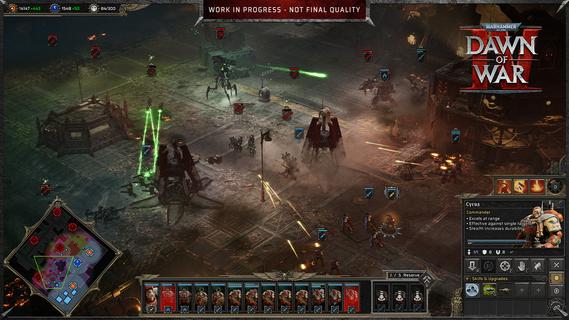
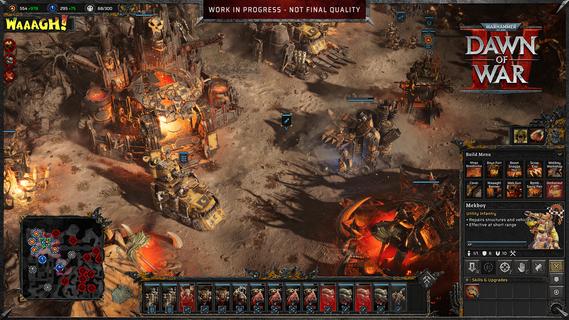
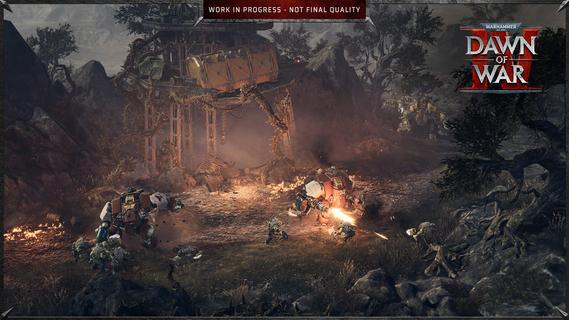
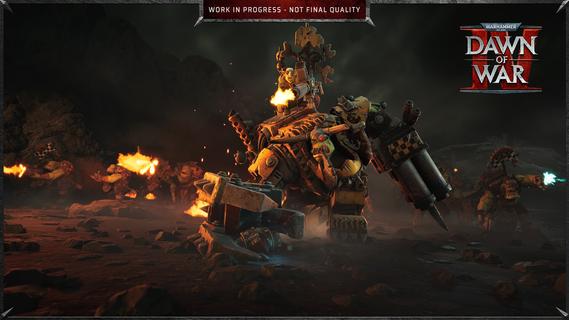
Warhammer 40,000: Dawn of War IV marks a powerful return to the core elements that made the original real-time strategy titles in the series so captivating. This installment blends the deep strategic gameplay fans crave with modern enhancements, delivering a rich and immersive experience that both newcomers and longtime players can enjoy. In Dawn of War IV, players take command of four distinct factions within the Warhammer 40,000 universe, each with its own unique style, strengths, and tactics. Notably, this is the first time the Adeptus Mechanicus, a faction known for its technological prowess and arcane machinery, appears in a Dawn of War game. Their inclusion brings fresh dynamics and strategic options to the battlefield, encouraging players to explore new ways of commanding forces and dominating their enemies. The campaign mode is a major highlight, featuring over seventy missions that span a gripping narrative full of epic battles, strategic challenges, and dramatic encounters. Every mission is meticulously designed to test your tactical creativity, resource management, and ability to adapt to changing battlefield conditions. The story-driven campaigns also help to deepen players’ connection to the factions, lore, and characters, creating an engaging backdrop for the intense warfare. In addition to the campaign, Dawn of War IV offers a rich variety of gameplay modes to keep players entertained and challenged. The Last Stand mode delivers intense, cooperative multiplayer action where players must defend against waves of increasingly tough enemies, perfect for testing team coordination and strategic endurance. Skirmish mode lets players pit their skills against AI opponents in customizable battles, ideal for practice or quick competitive fun. Of course, multiplayer remains a key component of Dawn of War IV’s appeal, with a competitive scene that emphasizes strategy, timing, and adapting to your opponent’s moves. Players can choose their preferred faction and mechanics, fine-tune their tactics, and compete against others from around the world. The multiplayer mode provides endless replayability and a constant challenge for those who enjoy mastering complex strategic gameplay. Visually, Dawn of War IV impresses with detailed unit models, atmospheric environments, and war-torn battlefields that capture the grimdark aesthetic of the Warhammer 40,000 universe. The sound design and score complement the intense action, immersing players in the chaos and grandeur of futuristic warfare. Overall, Warhammer 40,000: Dawn of War IV successfully captures the essence of what made the Dawn of War series a beloved staple in RTS gaming. Its blend of deep strategy, diverse factions, expansive campaign, and multiplayer variety ensures a memorable experience that honors the franchise’s roots while pushing it forward into exciting new territory. Whether commanding the enigmatic Adeptus Mechanicus or clashing with other iconic factions, players embark on an epic journey of tactical warfare that challenges the mind and thrills the senses.
Mostra altro

1. Scarica il programma di installazione di MEmu e completa l'installazione

2. Avvia il Memu e apri il Google Play sulla homepage

3. Cerca Warhammer 40,000: Dawn of War IV in Google Play
Install
4. Scarica e installa Warhammer 40,000: Dawn of War IV
5. Al termine dell'installazione, fai clic sull'icona per avviar

6. Divertiti giocando a Warhammer 40,000: Dawn of War IV su PC con MEmu
MEmu App Player è il miglior emulatore Android gratuito, utilizzato da 50 milioni di persone per ottenere un'esperienza di gioco Android superba. La tecnilogia di virtualizzazione MEmu ti permette di giocare a migliaia di giochi Android con semplicità sul tuo computer, anche i giochi con la grafica più esigente.
Schermo più grande con una grafica migliore; Lunga durata, senza limitazione di batteria o dati mobili.
Supporto completo per mappa di tastiera per un controllo preciso di tastiera e mouse o gamepad.
Multipli account di gioco o attività su un singolo PC contemporaneamente con il gestore di multi istanza.
Play Warhammer 40,000: Dawn of War IV on PC by following steps: