Warhammer 40,000: Dawn of War IV
Diupdate
Versi Saat Ini
Ditawarkan Oleh

Dengan sepenuh kebulatan hati Anda dalam memainkan Warhammer 40,000: Dawn of War IV, tangan Anda tak seharusnya hanya terbatas pada layar kecil handphone Anda.Bermainlah layaknya seorang profesional dan dapatkan kendali penuh dalam permainan Anda dengan papan ketik dan tetikus.MEmu menawarkan seluruh hal yang Anda harapkan.Unduh dan mainkan Warhammer 40,000: Dawn of War IV pada PC. Bermainlah selama yang Anda inginkan, tanpa keterbatasan dari baterai, data seluler dan panggilan yang mengganggu.MEmu 9 baru merupakan pilihan terbaik untuk memainkan Warhammer 40,000: Dawn of War IV pada PC. Dipersiapkan bersama teknologi ahli kami, sistem pemetaan kunci preset yang canggih menjadikan Warhammer 40,000: Dawn of War IV sebagai permainan PC sejati.Manajer banyak hal dari MEmu memungkinkan Anda untuk memainkan 2 atau banyak akun pada perangkat yang sama.Dan yang terpenting, mesin emulasi eksklusif kami bisa melepaskan potensi penuh PC Anda, membuat segalanya berjalan lancar.
Tampilkan Lebih banyak
Unduh Warhammer 40,000: Dawn of War IV di PC dengan Emulator Android MEmu. Nikmati permainan pada layar yang besar. Warhammer 40,000: Dawn of War IV marks a powerful return to the core elements that made the original real-time strategy titles in the series so captivating.
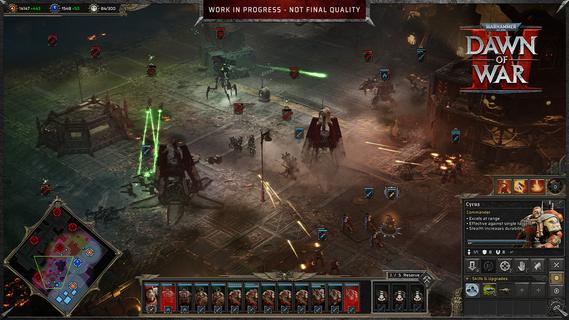
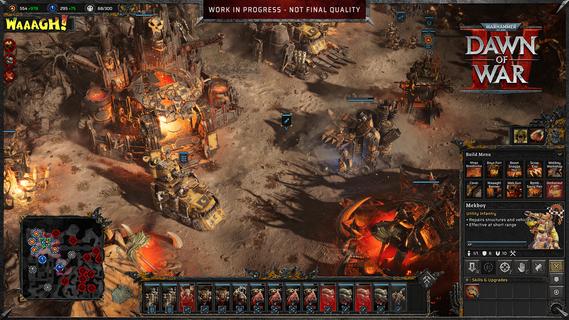
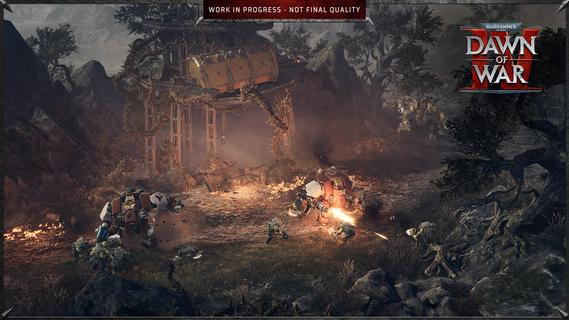
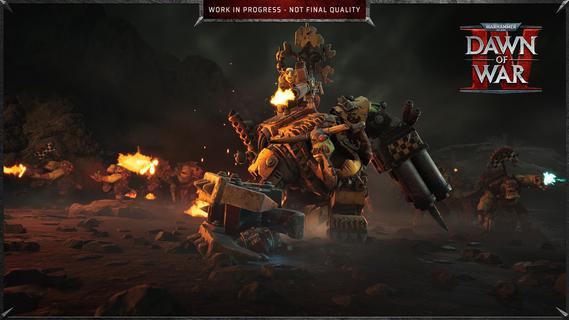
Warhammer 40,000: Dawn of War IV marks a powerful return to the core elements that made the original real-time strategy titles in the series so captivating. This installment blends the deep strategic gameplay fans crave with modern enhancements, delivering a rich and immersive experience that both newcomers and longtime players can enjoy. In Dawn of War IV, players take command of four distinct factions within the Warhammer 40,000 universe, each with its own unique style, strengths, and tactics. Notably, this is the first time the Adeptus Mechanicus, a faction known for its technological prowess and arcane machinery, appears in a Dawn of War game. Their inclusion brings fresh dynamics and strategic options to the battlefield, encouraging players to explore new ways of commanding forces and dominating their enemies. The campaign mode is a major highlight, featuring over seventy missions that span a gripping narrative full of epic battles, strategic challenges, and dramatic encounters. Every mission is meticulously designed to test your tactical creativity, resource management, and ability to adapt to changing battlefield conditions. The story-driven campaigns also help to deepen players’ connection to the factions, lore, and characters, creating an engaging backdrop for the intense warfare. In addition to the campaign, Dawn of War IV offers a rich variety of gameplay modes to keep players entertained and challenged. The Last Stand mode delivers intense, cooperative multiplayer action where players must defend against waves of increasingly tough enemies, perfect for testing team coordination and strategic endurance. Skirmish mode lets players pit their skills against AI opponents in customizable battles, ideal for practice or quick competitive fun. Of course, multiplayer remains a key component of Dawn of War IV’s appeal, with a competitive scene that emphasizes strategy, timing, and adapting to your opponent’s moves. Players can choose their preferred faction and mechanics, fine-tune their tactics, and compete against others from around the world. The multiplayer mode provides endless replayability and a constant challenge for those who enjoy mastering complex strategic gameplay. Visually, Dawn of War IV impresses with detailed unit models, atmospheric environments, and war-torn battlefields that capture the grimdark aesthetic of the Warhammer 40,000 universe. The sound design and score complement the intense action, immersing players in the chaos and grandeur of futuristic warfare. Overall, Warhammer 40,000: Dawn of War IV successfully captures the essence of what made the Dawn of War series a beloved staple in RTS gaming. Its blend of deep strategy, diverse factions, expansive campaign, and multiplayer variety ensures a memorable experience that honors the franchise’s roots while pushing it forward into exciting new territory. Whether commanding the enigmatic Adeptus Mechanicus or clashing with other iconic factions, players embark on an epic journey of tactical warfare that challenges the mind and thrills the senses.
Tampilkan Lebih banyak

1. Unduh dan instal MEmu APP

2. Menjalankan MEmu lalu buka Google Play di halaman

3. Cari Warhammer 40,000: Dawn of War IV di Google Play
Install
4. Unduh dan instal Warhammer 40,000: Dawn of War IV
5. Setelah insatl APP selesai,klik ikon untuk mulai

6. Nikmati bermain Warhammer 40,000: Dawn of War IV di PC dengan MEmu
MEmu App Player adalah emulator Android gratis terbaik dan 50 Juta orang sudah menikmati pengalaman luar biasa dalam bermain gim Android. Teknologi virtualisasi MEmu memberi kekuasaan untuk memainkan ribuan gim Android dengan lancar di PC anda, bahkan gim dengan grafis yang paling tinggi.
Layar lebih besar dengan grafis yang lebih baik; durasi panjang, tanpa batasan baterai atau data seluler.
Didukung penuh oleh Pemetaan tombol yang lengkap untuk keakuratan kontrol keyboard dan mouse maupun gamepad.
Membuka beberapa akun game atau tugas di waktu yang sama hanya pada satu PC, dengan Multi-Instance manager.
Play Warhammer 40,000: Dawn of War IV on PC by following steps: