Warhammer 40,000: Dawn of War IV
Bijgewerkt
Huidige Versie
Aangeboden door

Met al je passie voor het spelen van Warhammer 40,000: Dawn of War IV, zouden je handen niet beperkt moeten zijn tot een klein scherm van je telefoon. Speel als een professional en krijg volledige controle over je spel met toetsenbord en muis. MEmu biedt je alles wat je verwacht. Download en speel Warhammer 40,000: Dawn of War IV op PC. Speel zo lang als je wilt, geen beperkingen meer van batterij, mobiele data en storende oproepen. De gloednieuwe MEmu 9 is de beste keuze om Warhammer 40,000: Dawn of War IV op PC te spelen. Voorbereid met onze expertise, maakt het uitmuntende vooraf ingestelde keymapping systeem van Warhammer 40,000: Dawn of War IV een echt PC-spel. MEmu multi-instance manager maakt het spelen van 2 of meer accounts op hetzelfde apparaat mogelijk. En het belangrijkste, onze exclusieve emulatie-engine kan het volledige potentieel van je PC benutten, waardoor alles soepel verloopt.
Meer tonen
Download Warhammer 40,000: Dawn of War IV on PC with MEmu Android Emulator. Enjoy playing on big screen. Warhammer 40,000: Dawn of War IV marks a powerful return to the core elements that made the original real-time strategy titles in the series so captivating.
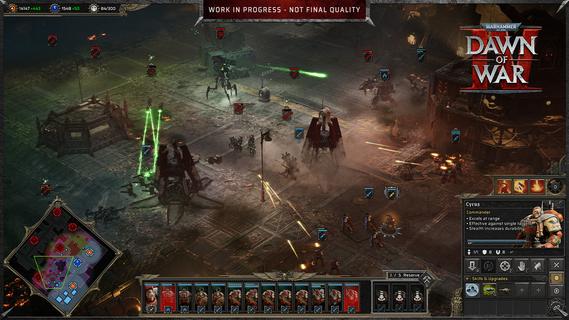
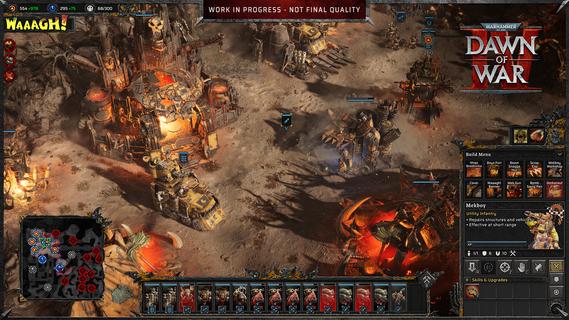
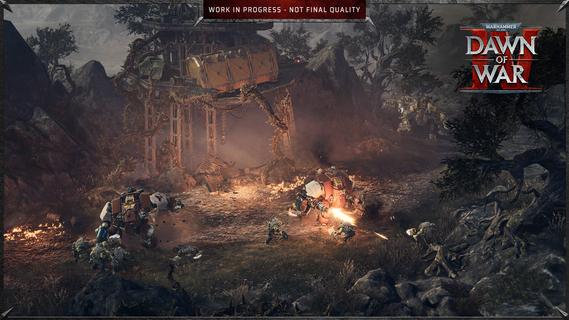
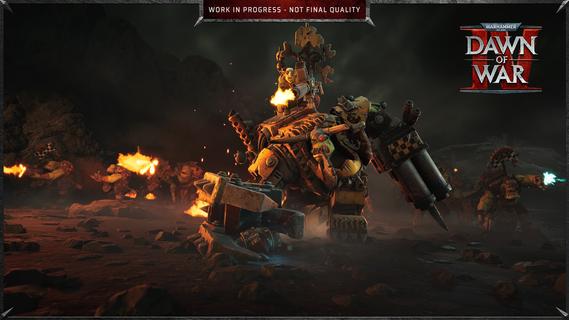
Warhammer 40,000: Dawn of War IV marks a powerful return to the core elements that made the original real-time strategy titles in the series so captivating. This installment blends the deep strategic gameplay fans crave with modern enhancements, delivering a rich and immersive experience that both newcomers and longtime players can enjoy. In Dawn of War IV, players take command of four distinct factions within the Warhammer 40,000 universe, each with its own unique style, strengths, and tactics. Notably, this is the first time the Adeptus Mechanicus, a faction known for its technological prowess and arcane machinery, appears in a Dawn of War game. Their inclusion brings fresh dynamics and strategic options to the battlefield, encouraging players to explore new ways of commanding forces and dominating their enemies. The campaign mode is a major highlight, featuring over seventy missions that span a gripping narrative full of epic battles, strategic challenges, and dramatic encounters. Every mission is meticulously designed to test your tactical creativity, resource management, and ability to adapt to changing battlefield conditions. The story-driven campaigns also help to deepen players’ connection to the factions, lore, and characters, creating an engaging backdrop for the intense warfare. In addition to the campaign, Dawn of War IV offers a rich variety of gameplay modes to keep players entertained and challenged. The Last Stand mode delivers intense, cooperative multiplayer action where players must defend against waves of increasingly tough enemies, perfect for testing team coordination and strategic endurance. Skirmish mode lets players pit their skills against AI opponents in customizable battles, ideal for practice or quick competitive fun. Of course, multiplayer remains a key component of Dawn of War IV’s appeal, with a competitive scene that emphasizes strategy, timing, and adapting to your opponent’s moves. Players can choose their preferred faction and mechanics, fine-tune their tactics, and compete against others from around the world. The multiplayer mode provides endless replayability and a constant challenge for those who enjoy mastering complex strategic gameplay. Visually, Dawn of War IV impresses with detailed unit models, atmospheric environments, and war-torn battlefields that capture the grimdark aesthetic of the Warhammer 40,000 universe. The sound design and score complement the intense action, immersing players in the chaos and grandeur of futuristic warfare. Overall, Warhammer 40,000: Dawn of War IV successfully captures the essence of what made the Dawn of War series a beloved staple in RTS gaming. Its blend of deep strategy, diverse factions, expansive campaign, and multiplayer variety ensures a memorable experience that honors the franchise’s roots while pushing it forward into exciting new territory. Whether commanding the enigmatic Adeptus Mechanicus or clashing with other iconic factions, players embark on an epic journey of tactical warfare that challenges the mind and thrills the senses.
Meer tonen

1. Download de MEmu-installatie en voltooi de setup

2. Start MEmu en open vervolgens Google Play op het bureaublad

3. Zoek Warhammer 40,000: Dawn of War IV in Google Play
Install
4. Download en installeer Warhammer 40,000: Dawn of War IV
5. Klik op het icoon om te starten na het voltooien van de installatie

6. Geniet van het spelen van Warhammer 40,000: Dawn of War IV op PC met MEmu
MEmu Play is de beste Android Emulator en 100 miljoen mensen genieten al van de superieure Android-game-ervaring. De virtualisatietechnologie van MEmu stelt je in staat om duizenden Android-spellen soepel op je PC te spelen, zelfs de meest grafisch intensieve.
Groter scherm met betere graphics; Lange duur, zonder beperking van batterij of mobiele data.
Volledige Keymapping-ondersteuning voor nauwkeurige besturing van toetsenbord en muis of gamepad.
Meerdere game-accounts of taken op één PC tegelijk met Multi-Instance manager.
Speel Warhammer 40,000: Dawn of War IV op PC door de volgende stappen te volgen: