WUCHANG: Fallen Feathers
Mise à jour
Version actuelle
Proposée par

Avec toute la passion que vous avez à jouer WUCHANG: Fallen Feathers, vos mains ne sont pas sensées se limiter à l’infime écran de votre téléphone. Jouez comme un pro et ayez le contrôle total de votre jeu à l’aide du clavier et de la souris. MEmu satisfait toutes vos attentes. Téléchargez et jouez WUCHANG: Fallen Feathers sur PC. Jouez aussi longtemps que vous souhaitez sans aucune limitation de batterie, de données mobiles et d’appels embêtants. La toute nouvelle version de MEmu 9 est la meilleure option de jouer WUCHANG: Fallen Feathers sur PC. Réalisé par nos experts, l’e magnifique système d’affectation de touches prédéfini fait de WUCHANG: Fallen Feathers un jeu réaliste sur PC. Le gestionnaire multi-instances de MEmu permet 2 ou plusieurs comptes de jeu sur le même appareil. Et le plus important, le moteur d’émulation exclusif peut libérer le plein potentiel de votre PC, ce qui facilite tout.
Afficher plus
Téléchargez WUCHANG: Fallen Feathers avec le simulateur d’Android MEmu sur votre PC. Profitez de jouer sur un grand écran. WUCHANG: Fallen Feathers immerses players in a beautifully crafted soulslike RPG where they assume the role of Wuchang, a pirate warrior suffering from amnesia during the upheaval of the late Ming Dynasty.
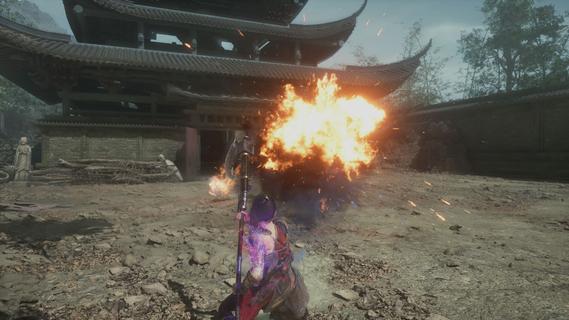
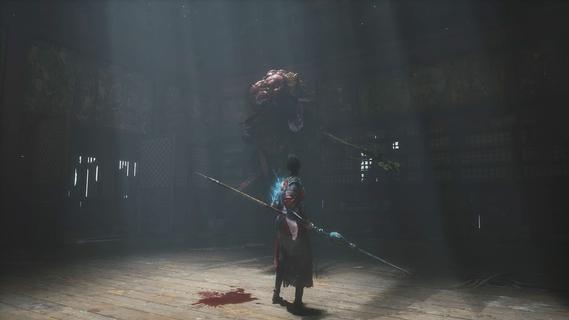
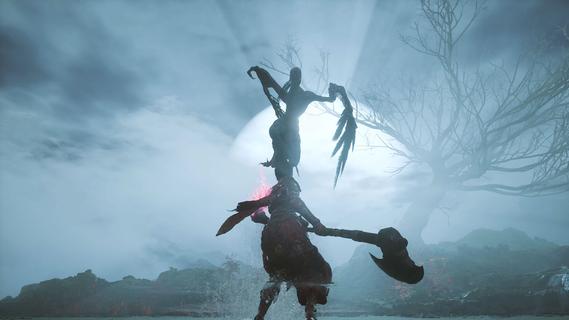
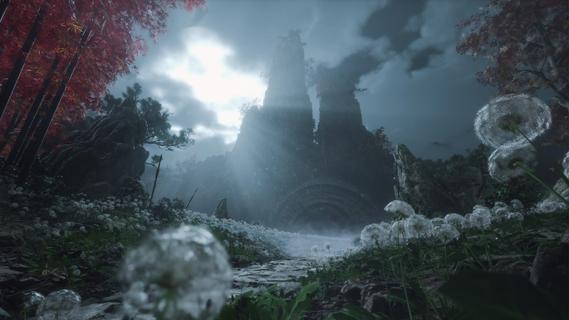
WUCHANG: Fallen Feathers immerses players in a beautifully crafted soulslike RPG where they assume the role of Wuchang, a pirate warrior suffering from amnesia during the upheaval of the late Ming Dynasty. Players must confront grotesque monsters, piece together the protagonist's lost memories, and make choices that lead to multiple endings, all while experiencing dynamic combat and enchanting visuals. Features of WUCHANG: Fallen Feathers - Rich Storyline: Explore the deeply woven narrative of WUCHANG as you unravel the mysteries of your past. The game's story is intricately tied to the environment, revealing the dark history of the Shu region. Players' choices will significantly impact the unfolding tale, leading to multiple endings based on the paths taken. - Dynamic Combat System: WUCHANG offers a fast-paced and strategic combat experience, allowing players to develop their fighting style. Engage in battles against monstrous foes using techniques learned from defeated enemies. The game encourages experimentation with various weapon enhancements and skills to find the most effective combat strategies. - Exploration of Unique Environments: Venture through stunningly crafted locales that range from forgotten temples to shadowy ruins filled with peril. Each environment reveals fragments of ancient lore and provides opportunities for players to enhance their arsenal. The exploration element is rich, providing a sense of discovery in the chaotic world of Shu. - Evolving Skill Development: Players can enhance their arsenal by mastering new skills and abilities that emerge throughout the game. By sacrificing Red Mercury, players can unlock advanced techniques and character upgrades, allowing for a tailored gameplay experience that suits individual preferences and play styles. - Visually Striking World: Immerse yourself in breathtaking visuals that capture the essence of the late Ming Dynasty. The game's graphics complement its dark themes, enhancing the overall experience through immersive environments. The art style draws players into a chaotic world, heightening the tension as they navigate through it.
Afficher plus

1. Téléchargez l'installateur MEmu et terminez l'installation

2. Démarrez MEmu puis ouvrez Google Play sur la page d'accueil

3. Recherchez WUCHANG: Fallen Feathers dans Google Play
Install
4. Téléchargez et installez WUCHANG: Fallen Feathers
5. Une fois l'installation terminée, cliquez sur l'icône pour démarrer

6. Profitez de jouer WUCHANG: Fallen Feathers sur PC avec MEmu
Le lecteur d'application MEmu est le meilleur émulateur Android gratuit, et 50 millions de personnes profitent déjà de sa fantastique expérience de jeu Android. La technologie de virtualisation MEmu vous donne la possibilité de jouer à des milliers de jeux Android sur votre PC sans aucune difficulté, même aux plus gourmands.
L’écran plus grand avec de meilleurs graphismes; Une longue durée, sans limitation de batterie ou de données mobiles.
Soutien du Keymapping pour un contrôle précis du clavier et de la souris ou de la manette de jeu
Plusieurs comptes de jeu ou tâches sur un seul PC en même temps avec le gestionnaire de multi-instance.
Play WUCHANG: Fallen Feathers on PC by following steps: