WUCHANG: Fallen Feathers
Actualizada
Versión actual
Ofrecida por

Con toda tu pasión para jugar WUCHANG: Fallen Feathers, no se supone que tus manos estén limitadas en una pequeña pantalla de tu teléfono. Juega como un profesional y obtén el control total de tu juego con el teclado y el mouse. MEmu le ofrece todas las cosas que espera. Descargar y jugar WUCHANG: Fallen Feathers en PC. Juega todo el tiempo que quieras, sin más limitaciones de batería, datos móviles y llamadas molestas. El nuevo MEmu 9 es la mejor opción para jugar WUCHANG: Fallen Feathers en PC. Preparado con nuestra experiencia, el exquisito sistema de keymapping preestablecido convierte a WUCHANG: Fallen Feathers en un verdadero juego de PC. Codificado con nuestra absorción, el administrador de instancias múltiples hace posible jugar 2 o más cuentas en el mismo dispositivo. Y lo más importante, nuestro exclusivo motor de emulación puede liberar todo el potencial de su PC, hacer que todo sea más fluido. Nos importa no solo cómo juegas, sino también todo el proceso de disfrutar de la felicidad de los juegos.
Más detalles
Descargar WUCHANG: Fallen Feathers en PC con MEmu Android Emulador. Disfruta jugando en la pentalla grande. WUCHANG: Fallen Feathers immerses players in a beautifully crafted soulslike RPG where they assume the role of Wuchang, a pirate warrior suffering from amnesia during the upheaval of the late Ming Dynasty.
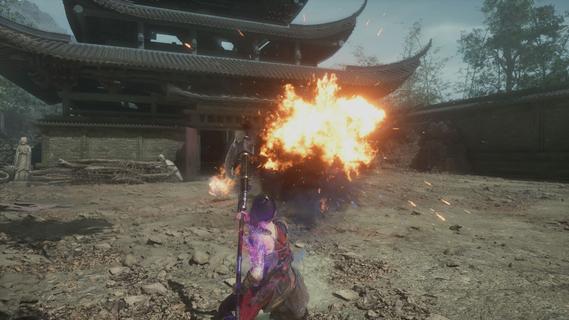
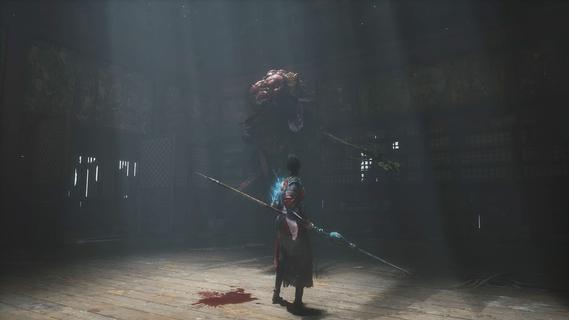
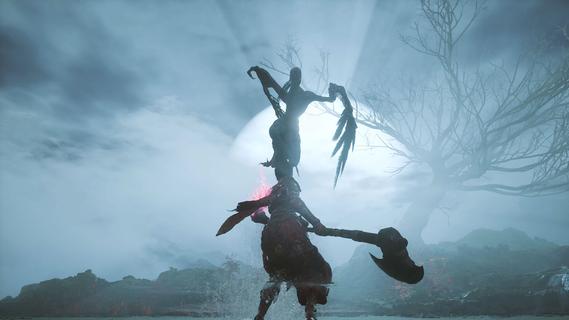
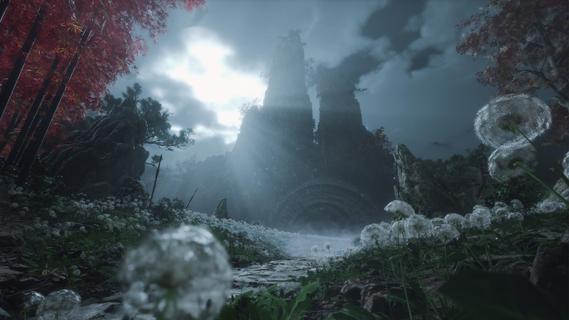
WUCHANG: Fallen Feathers immerses players in a beautifully crafted soulslike RPG where they assume the role of Wuchang, a pirate warrior suffering from amnesia during the upheaval of the late Ming Dynasty. Players must confront grotesque monsters, piece together the protagonist's lost memories, and make choices that lead to multiple endings, all while experiencing dynamic combat and enchanting visuals. Features of WUCHANG: Fallen Feathers - Rich Storyline: Explore the deeply woven narrative of WUCHANG as you unravel the mysteries of your past. The game's story is intricately tied to the environment, revealing the dark history of the Shu region. Players' choices will significantly impact the unfolding tale, leading to multiple endings based on the paths taken. - Dynamic Combat System: WUCHANG offers a fast-paced and strategic combat experience, allowing players to develop their fighting style. Engage in battles against monstrous foes using techniques learned from defeated enemies. The game encourages experimentation with various weapon enhancements and skills to find the most effective combat strategies. - Exploration of Unique Environments: Venture through stunningly crafted locales that range from forgotten temples to shadowy ruins filled with peril. Each environment reveals fragments of ancient lore and provides opportunities for players to enhance their arsenal. The exploration element is rich, providing a sense of discovery in the chaotic world of Shu. - Evolving Skill Development: Players can enhance their arsenal by mastering new skills and abilities that emerge throughout the game. By sacrificing Red Mercury, players can unlock advanced techniques and character upgrades, allowing for a tailored gameplay experience that suits individual preferences and play styles. - Visually Striking World: Immerse yourself in breathtaking visuals that capture the essence of the late Ming Dynasty. The game's graphics complement its dark themes, enhancing the overall experience through immersive environments. The art style draws players into a chaotic world, heightening the tension as they navigate through it.
Más detalles

1. Descargar el instalador de MEmu y finalice la instalación

2. Iniciar MEmu y abrir Google Play en la página de inicio

3. Buscar WUCHANG: Fallen Feathers en Google Play
Install
4. Descargar y instalar WUCHANG: Fallen Feathers
5. Hacer click al icono para iniciar

6. Disfruta jugando WUCHANG: Fallen Feathers en PC con MEmu
MEmu App Player es el mejor emulador de Android gratuito y 50 millones de personas ya están disfrutando su magnífica experiencia jugando en Android. La tecnología de virtualización de MEmu te permite jugar a miles de juegos Android suavemente en tu PC, incluso los más intensivos gráficamente.
Pantalla más grande con mejores gráficos; Larga duración, sin limitación de batería o datos móviles.
Soporte completo de keymapping para un control preciso del teclado y el mouse o gamepad.
Múltiples cuentas de juegos o tareas en una sola PC a la vez con el administrador de instancias múltiples.
Play WUCHANG: Fallen Feathers on PC by following steps: