
WUCHANG: Fallen Feathers
อัปเดตเมื่อ
เวอร์ชันปัจจุบัน
ให้บริการโดย

เวลาคุณเล่น WUCHANG: Fallen Feathers, คุณอาจรู้สึกว่ามือคุณอาจบังจอแล้วทำให้ไม่ได้เล่นแบบเต็มที่. เล่นแบบไร้ขีดจำกัดด้วยเม้าส์และคีย์บอร์ด. MEmu มีตัวเลือกหลายอย่างให้คุณใช้งานเกมที่คุณเล่นแบบที่คุณต้องการ. ดาวน์โหลดและเล่น WUCHANG: Fallen Feathers บน PC. เล่นนานแค่ไหนก็ได้, ไม่ต้องชาร์จแบตเตอรี่, หรือเจอคนโทรเข้ามาระหว่างเล่น. MEmu 9 เป็นตัวเลือกสำหรับการเล่น WUCHANG: Fallen Feathers บน PC. ทางทีมงานเราได้ปรับแต่งเกม, ปรับให้เล่นเกมบางเกมได้เหมือนเล่น WUCHANG: Fallen Feathers เป็นเกม PC เช่นเล็งด้วยเม้าส์หรือใช้คีย์บอร์ด. ระบบของเรายังทำให้คุณสามารถเปิดเล่นได้มากกว่า 2 เกมพร้อมๆกันในคอมของคุณ. และที่สำคัญที่สุด, ระบบโปรแกรมของเราสามารถทำให้คุณใช้ระบบของ PC ทำให้เกมลื่นเหมือนกับใช้โทรศัพท์รุ่นล่าสุด. เราไม่ได้ดูแลเรื่องการเล่นเกม, แต่เราดูแลถึงความสนุกสนานที่คุณได้จากการเล่นด้วย.
แสดงเพิ่มเติม
ดาวน์โหลด WUCHANG: Fallen Feathers บน PC ด้วย MEmu Android Emulator สนุกกับการเล่นบนหน้าจอขนาดใหญ่ WUCHANG: Fallen Feathers immerses players in a beautifully crafted soulslike RPG where they assume the role of Wuchang, a pirate warrior suffering from amnesia during the upheaval of the late Ming Dynasty.
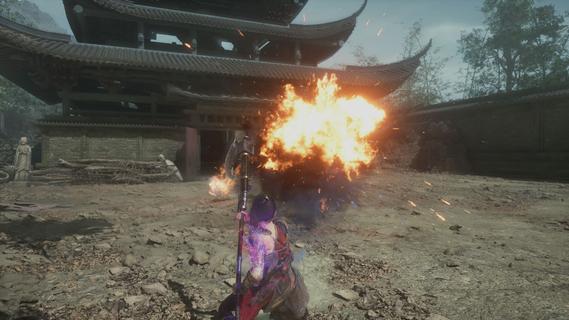
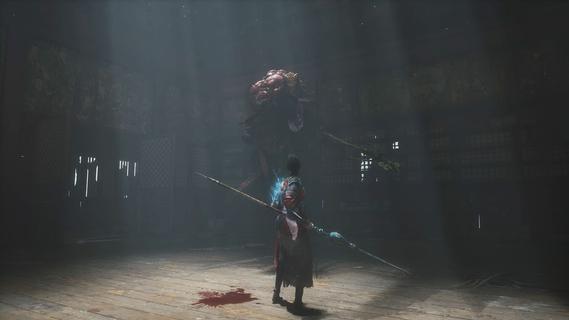
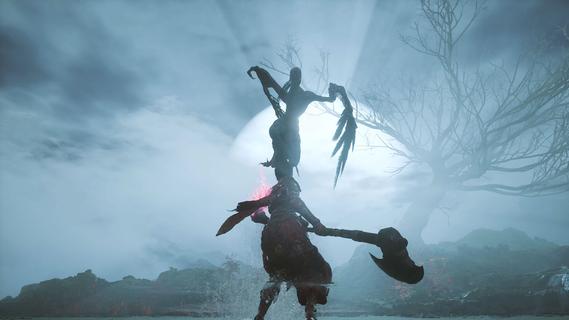
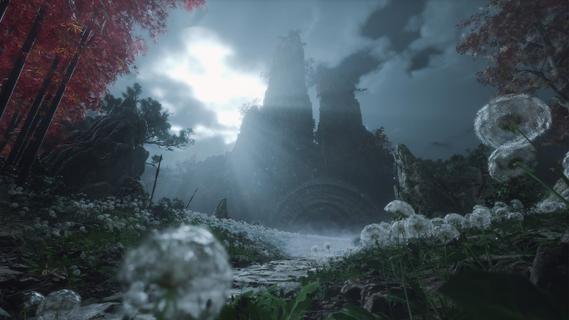
WUCHANG: Fallen Feathers immerses players in a beautifully crafted soulslike RPG where they assume the role of Wuchang, a pirate warrior suffering from amnesia during the upheaval of the late Ming Dynasty. Players must confront grotesque monsters, piece together the protagonist's lost memories, and make choices that lead to multiple endings, all while experiencing dynamic combat and enchanting visuals. Features of WUCHANG: Fallen Feathers - Rich Storyline: Explore the deeply woven narrative of WUCHANG as you unravel the mysteries of your past. The game's story is intricately tied to the environment, revealing the dark history of the Shu region. Players' choices will significantly impact the unfolding tale, leading to multiple endings based on the paths taken. - Dynamic Combat System: WUCHANG offers a fast-paced and strategic combat experience, allowing players to develop their fighting style. Engage in battles against monstrous foes using techniques learned from defeated enemies. The game encourages experimentation with various weapon enhancements and skills to find the most effective combat strategies. - Exploration of Unique Environments: Venture through stunningly crafted locales that range from forgotten temples to shadowy ruins filled with peril. Each environment reveals fragments of ancient lore and provides opportunities for players to enhance their arsenal. The exploration element is rich, providing a sense of discovery in the chaotic world of Shu. - Evolving Skill Development: Players can enhance their arsenal by mastering new skills and abilities that emerge throughout the game. By sacrificing Red Mercury, players can unlock advanced techniques and character upgrades, allowing for a tailored gameplay experience that suits individual preferences and play styles. - Visually Striking World: Immerse yourself in breathtaking visuals that capture the essence of the late Ming Dynasty. The game's graphics complement its dark themes, enhancing the overall experience through immersive environments. The art style draws players into a chaotic world, heightening the tension as they navigate through it.
แสดงเพิ่มเติม

1. ดาวน์โหลดตัวติดตั้ง MEmu และสิ้นสุดการติดตั้ง

2. เริ่ม MEmu จากนั้นเปิด Google Play บนหน้าแรก

3. ค้นหา WUCHANG: Fallen Feathers ใน Google Play
Install
4. ดาวน์โหลดและติดตั้ง WUCHANG: Fallen Feathers
5. เมื่อติดตั้งเสร็จให้คลิกที่ไอคอนเพื่อเริ่มใช้งาน

6. สนุกกับการเล่น WUCHANG: Fallen Feathers บนพีซีด้วย MEmu
MEmu App Player เป็นอีมูเลเตอร์ Android ที่ดีที่สุดและผู้คนกว่า 50 ล้านคนเพลิดเพลินไปกับประสบการณ์การเล่นเกม Android ที่ยอดเยี่ยม เทคโนโลยีการจำลองเสมือนของ MEmu ช่วยให้คุณเล่นเกม Android หลายพันเกมได้อย่างราบรื่นบนพีซีของคุณแม้แต่เกมที่ต้องใช้กราฟิกมากที่สุด
จอใหญ่และกราฟฟิกสวยกว่า; เล่นได้นาน, ไม่ต้องใช้แบตเตอรี่โทรศัพท์หรือเน็ตโทรศัพท์.
ระบบปรับแต่งปุ่มคีย์บอร์ดและเม้าส์ตามที่คุณเลือก
เล่นมากกว่าหนึ่งเกมบน PC ในเวลาเดียวกันด้วยระบบหลายจอหรือ Multi-Instance manager.
Play WUCHANG: Fallen Feathers on PC by following steps: