
WUCHANG: Fallen Feathers
Updated
Current Version
Offered By

With your passion for WUCHANG: Fallen Feathers, you shouldn’t have to limit yourself to the small screen of a phone. Play like a pro and take full control of the game using a keyboard and mouse. MEmu gives you everything you’re looking for. Download and play WUCHANG: Fallen Feathers on PC. Play as long as you want — no more worries about battery life, mobile data, or unexpected calls. The all-new MEmu 9 is the best way to play WUCHANG: Fallen Feathers on PC. With our expertly designed keymapping system, WUCHANG: Fallen Feathers feels just like a real PC game. The MEmu multi-instance manager lets you run two or more accounts on the same device at the same time. Most importantly, our exclusive emulation engine unlocks your PC’s full potential, delivering smooth and seamless performance.
Show more
Download WUCHANG: Fallen Feathers on PC with MEmu Android Emulator. Enjoy playing on big screen. WUCHANG: Fallen Feathers immerses players in a beautifully crafted soulslike RPG where they assume the role of Wuchang, a pirate warrior suffering from amnesia during the upheaval of the late Ming Dynasty.
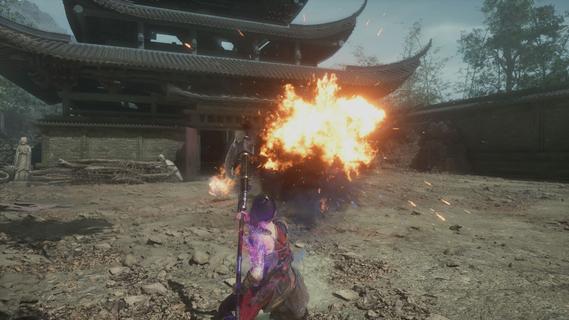
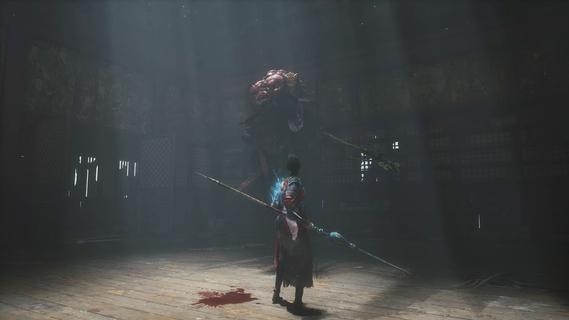
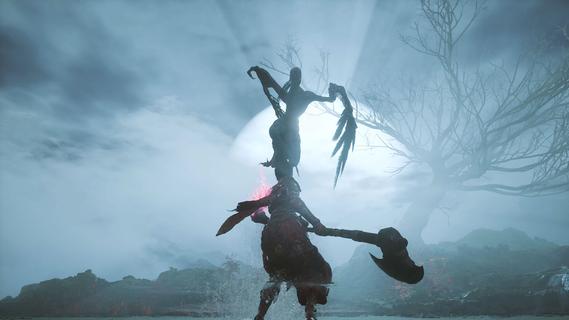
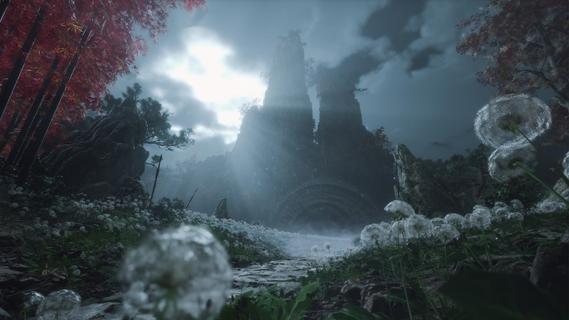
WUCHANG: Fallen Feathers immerses players in a beautifully crafted soulslike RPG where they assume the role of Wuchang, a pirate warrior suffering from amnesia during the upheaval of the late Ming Dynasty. Players must confront grotesque monsters, piece together the protagonist's lost memories, and make choices that lead to multiple endings, all while experiencing dynamic combat and enchanting visuals. Features of WUCHANG: Fallen Feathers - Rich Storyline: Explore the deeply woven narrative of WUCHANG as you unravel the mysteries of your past. The game's story is intricately tied to the environment, revealing the dark history of the Shu region. Players' choices will significantly impact the unfolding tale, leading to multiple endings based on the paths taken. - Dynamic Combat System: WUCHANG offers a fast-paced and strategic combat experience, allowing players to develop their fighting style. Engage in battles against monstrous foes using techniques learned from defeated enemies. The game encourages experimentation with various weapon enhancements and skills to find the most effective combat strategies. - Exploration of Unique Environments: Venture through stunningly crafted locales that range from forgotten temples to shadowy ruins filled with peril. Each environment reveals fragments of ancient lore and provides opportunities for players to enhance their arsenal. The exploration element is rich, providing a sense of discovery in the chaotic world of Shu. - Evolving Skill Development: Players can enhance their arsenal by mastering new skills and abilities that emerge throughout the game. By sacrificing Red Mercury, players can unlock advanced techniques and character upgrades, allowing for a tailored gameplay experience that suits individual preferences and play styles. - Visually Striking World: Immerse yourself in breathtaking visuals that capture the essence of the late Ming Dynasty. The game's graphics complement its dark themes, enhancing the overall experience through immersive environments. The art style draws players into a chaotic world, heightening the tension as they navigate through it.
Show more

1. Download MEmu installer and finish the setup

2. Start MEmu then open Google Play on the desktop

3. Search WUCHANG: Fallen Feathers in Google Play
Install
4. Download and Install WUCHANG: Fallen Feathers
5. On install completion click the icon to start

6. Enjoy playing WUCHANG: Fallen Feathers on PC with MEmu
MEmu Play is the best Android emulator and 100 million people already enjoy its superb Android gaming experience. The MEmu virtualization technology empowers you to play thousands of Android games smoothly on your PC, even the most graphic-intensive ones.
Bigger screen with better graphics; Long duration, without limitation of battery or mobile data.
Full Keymapping support for precise control of keyboard and mouse or gamepad.
Multiple game accounts or tasks on single PC at one time with Multi-Instance manager.
Play WUCHANG: Fallen Feathers on PC by following steps: