WUCHANG: Fallen Feathers
Bijgewerkt
Huidige Versie
Aangeboden door

Met al je passie voor het spelen van WUCHANG: Fallen Feathers, zouden je handen niet beperkt moeten zijn tot een klein scherm van je telefoon. Speel als een professional en krijg volledige controle over je spel met toetsenbord en muis. MEmu biedt je alles wat je verwacht. Download en speel WUCHANG: Fallen Feathers op PC. Speel zo lang als je wilt, geen beperkingen meer van batterij, mobiele data en storende oproepen. De gloednieuwe MEmu 9 is de beste keuze om WUCHANG: Fallen Feathers op PC te spelen. Voorbereid met onze expertise, maakt het uitmuntende vooraf ingestelde keymapping systeem van WUCHANG: Fallen Feathers een echt PC-spel. MEmu multi-instance manager maakt het spelen van 2 of meer accounts op hetzelfde apparaat mogelijk. En het belangrijkste, onze exclusieve emulatie-engine kan het volledige potentieel van je PC benutten, waardoor alles soepel verloopt.
Meer tonen
Download WUCHANG: Fallen Feathers on PC with MEmu Android Emulator. Enjoy playing on big screen. WUCHANG: Fallen Feathers immerses players in a beautifully crafted soulslike RPG where they assume the role of Wuchang, a pirate warrior suffering from amnesia during the upheaval of the late Ming Dynasty.
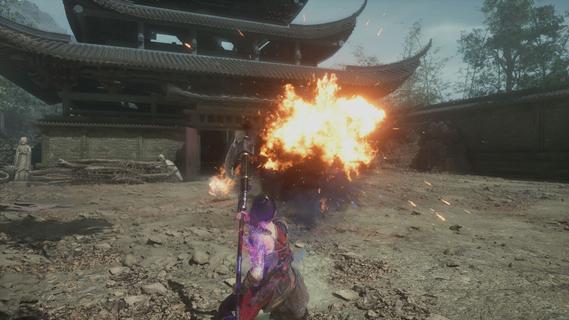
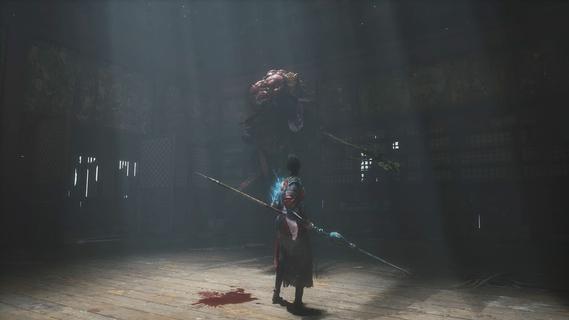
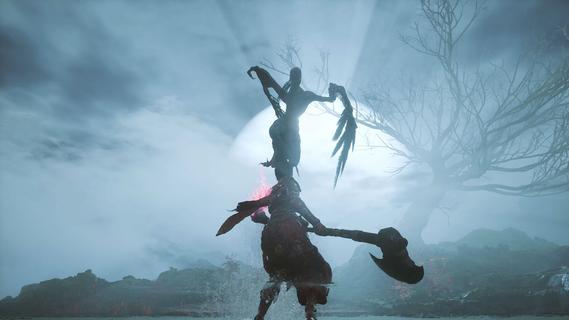
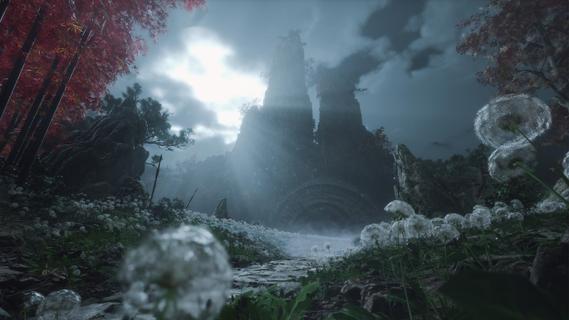
WUCHANG: Fallen Feathers immerses players in a beautifully crafted soulslike RPG where they assume the role of Wuchang, a pirate warrior suffering from amnesia during the upheaval of the late Ming Dynasty. Players must confront grotesque monsters, piece together the protagonist's lost memories, and make choices that lead to multiple endings, all while experiencing dynamic combat and enchanting visuals. Features of WUCHANG: Fallen Feathers - Rich Storyline: Explore the deeply woven narrative of WUCHANG as you unravel the mysteries of your past. The game's story is intricately tied to the environment, revealing the dark history of the Shu region. Players' choices will significantly impact the unfolding tale, leading to multiple endings based on the paths taken. - Dynamic Combat System: WUCHANG offers a fast-paced and strategic combat experience, allowing players to develop their fighting style. Engage in battles against monstrous foes using techniques learned from defeated enemies. The game encourages experimentation with various weapon enhancements and skills to find the most effective combat strategies. - Exploration of Unique Environments: Venture through stunningly crafted locales that range from forgotten temples to shadowy ruins filled with peril. Each environment reveals fragments of ancient lore and provides opportunities for players to enhance their arsenal. The exploration element is rich, providing a sense of discovery in the chaotic world of Shu. - Evolving Skill Development: Players can enhance their arsenal by mastering new skills and abilities that emerge throughout the game. By sacrificing Red Mercury, players can unlock advanced techniques and character upgrades, allowing for a tailored gameplay experience that suits individual preferences and play styles. - Visually Striking World: Immerse yourself in breathtaking visuals that capture the essence of the late Ming Dynasty. The game's graphics complement its dark themes, enhancing the overall experience through immersive environments. The art style draws players into a chaotic world, heightening the tension as they navigate through it.
Meer tonen

1. Download de MEmu-installatie en voltooi de setup

2. Start MEmu en open vervolgens Google Play op het bureaublad

3. Zoek WUCHANG: Fallen Feathers in Google Play
Install
4. Download en installeer WUCHANG: Fallen Feathers
5. Klik op het icoon om te starten na het voltooien van de installatie

6. Geniet van het spelen van WUCHANG: Fallen Feathers op PC met MEmu
MEmu Play is de beste Android Emulator en 100 miljoen mensen genieten al van de superieure Android-game-ervaring. De virtualisatietechnologie van MEmu stelt je in staat om duizenden Android-spellen soepel op je PC te spelen, zelfs de meest grafisch intensieve.
Groter scherm met betere graphics; Lange duur, zonder beperking van batterij of mobiele data.
Volledige Keymapping-ondersteuning voor nauwkeurige besturing van toetsenbord en muis of gamepad.
Meerdere game-accounts of taken op één PC tegelijk met Multi-Instance manager.
Speel WUCHANG: Fallen Feathers op PC door de volgende stappen te volgen: