GDPS Editor
अपडेट किया गया
वर्तमान वर्शन
2.2.12
संसाधन

अपने सेलफोन पर GDPS Editor का उपयोग करते समय ओवरचार्ज के बारे में चिंता करना बंद करें, अपने आप को छोटी स्क्रीन से मुक्त करें और बहुत बड़े डिस्प्ले पर ऐप का उपयोग करने का आनंद लें। अब से, कीबोर्ड और माउस के साथ अपने ऐप का पूर्ण-स्क्रीन अनुभव प्राप्त करें। एमईएमयू आपको उन सभी आश्चर्यजनक सुविधाओं की पेशकश करता है जिनकी आपको उम्मीद थी: त्वरित इंस्टॉल और आसान सेटअप, सहज नियंत्रण, बैटरी की कोई सीमा नहीं, मोबाइल डेटा और परेशान कॉल। आपके कंप्यूटर पर GDPS Editor का उपयोग करने का सबसे अच्छा विकल्प नया MEmu 9 है। हमारे अवशोषण के साथ कोडित, बहु-उदाहरण प्रबंधक एक ही समय में 2 या अधिक खाते खोलना संभव बनाता है। और सबसे महत्वपूर्ण, हमारा अनन्य उत्सर्जन इंजन आपके पीसी की पूरी क्षमता को जारी कर सकता है, सब कुछ सुचारू और सुखद बना सकता है।
और दिखाएं
डाउनलोड करें GDPS Editor पीसी पर MEmu एंड्रॉयड एमुलेटर के साथ बड़े पर्दे पर खेलने का आनंद लें। Geometry Dash took the mobile gaming community by storm when they were looking for a good challenge.
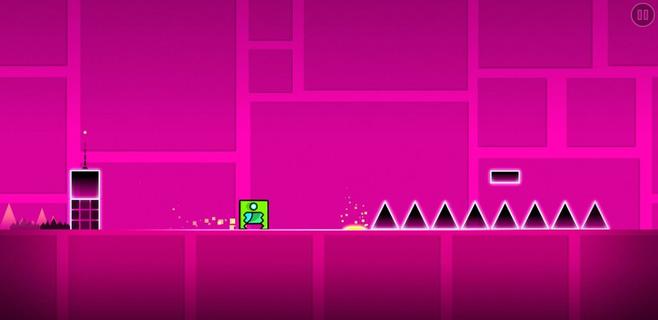
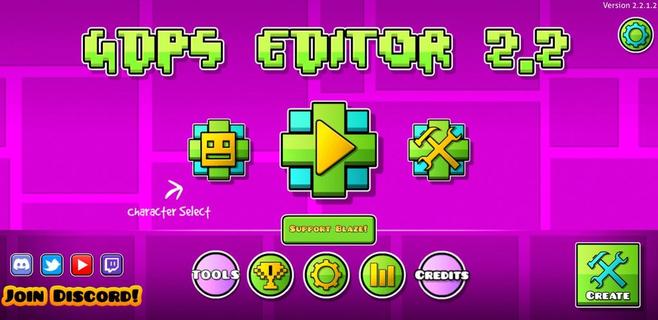
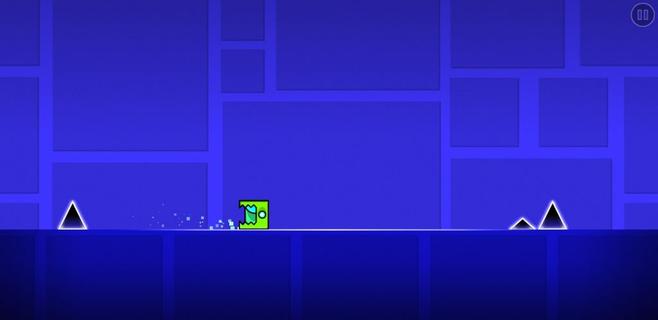
Geometry Dash took the mobile gaming community by storm when they were looking for a good challenge. It was an extremely fast and complicated game with cool music where you had to jump over obstacles and enemies with a square character that moved on its own. Now, this loyal community of players has gone one step further. GDPS Editor, or Geometry Dash Private Server Editor, is an excellent working MOD where, in addition to being able to play the SubZero version of Geometry Dash, players will be able to become editors and create their own levels. Main features These are the features of this Geometry Dash SubZero Mod with a level editor to create impossible levels: It lets you play all levels of the classic game. The player accessing the level editor will be able to change the world and physics of the game. It lets you create, delete, customize, and add objects to the game. Players can add their favorite songs to the game for an even more immersive experience. It includes an object inserter to add custom platforms, enemies, and obstacles to the levels. The physics of the game can also be modified (gravity, speed, and friction). And everything from an easy and user-friendly interface, ideal for beginners, that offers simple controls so anyone can start creating their own videogame.
और दिखाएं

1. MEmu इंस्टॉलर को डाउनलोड करें और इंस्टॉलेशन को पूरा करें

2. MEmu शुरू करें फिर होमपेज पर Google Play खोलें

3. Google Play में GDPS Editor खोजें
Install
4. GDPS Editor डाउनलोड कर इंस्टॉल करें
5. इंस्टॉल पूरा होने पर आइकन दबाएं

6. MEmu से पीसी पर GDPS Editor खेलने का आनंद लें
MEmu Play सबसे बेहतरीन मुफ़्त Android एमुलेटर है और 5 करोड़ लोग पहले ही इसके शानदार Android गेमिंग अनुभव का आनंद ले चुके हैं। MEmu 9 वर्चुअलाइज़ेशन तकनीक आपको अपने PC पर हज़ारों Android गेम, यहाँ तक कि सबसे ज़्यादा ग्राफ़िक्स वाले गेम भी, आसानी से खेलने की सुविधा देती है।
असीमित बैटरी या मोबाइल डेटा के साथ बेहतर ग्राफिक्स के साथ बड़ी स्क्रीन; लंबी अवधि।
कीबोर्ड और माउस या गेमपैड के उत्तम नियंत्रण के लिए संपूर्ण कीमैपिंग का समर्थन करता हैं।
एक ही पीसी पर मल्टी-इंस्टेंस मैनेजर के साथ एक समय में कई गेम खाते या कार्य कर सकते हैं।
Play GDPS Editor on PC by following steps: