GDPS Editor
Diupdate
Versi Saat Ini
2.2.12
Ditawarkan Oleh

Dengan sepenuh kebulatan hati Anda dalam memainkan GDPS Editor, tangan Anda tak seharusnya hanya terbatas pada layar kecil handphone Anda.Bermainlah layaknya seorang profesional dan dapatkan kendali penuh dalam permainan Anda dengan papan ketik dan tetikus.MEmu menawarkan seluruh hal yang Anda harapkan.Unduh dan mainkan GDPS Editor pada PC. Bermainlah selama yang Anda inginkan, tanpa keterbatasan dari baterai, data seluler dan panggilan yang mengganggu.MEmu 9 baru merupakan pilihan terbaik untuk memainkan GDPS Editor pada PC. Dipersiapkan bersama teknologi ahli kami, sistem pemetaan kunci preset yang canggih menjadikan GDPS Editor sebagai permainan PC sejati.Manajer banyak hal dari MEmu memungkinkan Anda untuk memainkan 2 atau banyak akun pada perangkat yang sama.Dan yang terpenting, mesin emulasi eksklusif kami bisa melepaskan potensi penuh PC Anda, membuat segalanya berjalan lancar.
Tampilkan Lebih banyak
Unduh GDPS Editor di PC dengan Emulator Android MEmu. Nikmati permainan pada layar yang besar. Geometry Dash took the mobile gaming community by storm when they were looking for a good challenge.
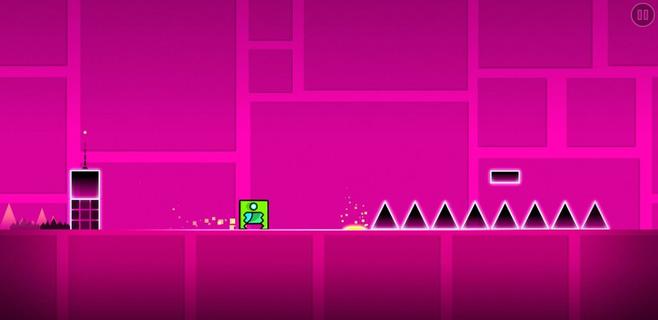
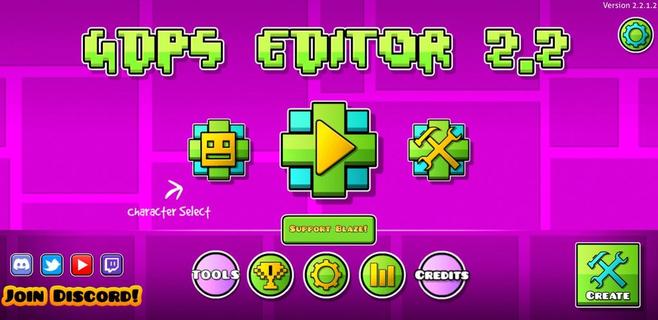
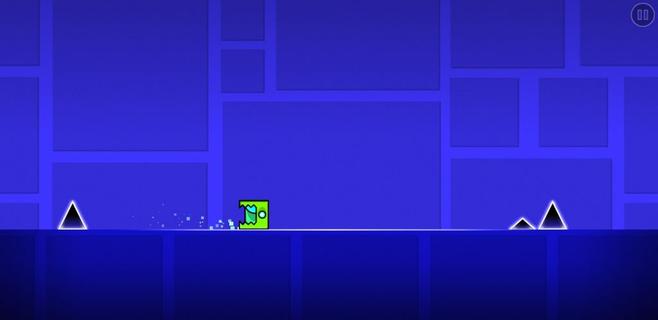
Geometry Dash took the mobile gaming community by storm when they were looking for a good challenge. It was an extremely fast and complicated game with cool music where you had to jump over obstacles and enemies with a square character that moved on its own. Now, this loyal community of players has gone one step further. GDPS Editor, or Geometry Dash Private Server Editor, is an excellent working MOD where, in addition to being able to play the SubZero version of Geometry Dash, players will be able to become editors and create their own levels. Main features These are the features of this Geometry Dash SubZero Mod with a level editor to create impossible levels: It lets you play all levels of the classic game. The player accessing the level editor will be able to change the world and physics of the game. It lets you create, delete, customize, and add objects to the game. Players can add their favorite songs to the game for an even more immersive experience. It includes an object inserter to add custom platforms, enemies, and obstacles to the levels. The physics of the game can also be modified (gravity, speed, and friction). And everything from an easy and user-friendly interface, ideal for beginners, that offers simple controls so anyone can start creating their own videogame.
Tampilkan Lebih banyak

1. Unduh dan instal MEmu APP

2. Menjalankan MEmu lalu buka Google Play di halaman

3. Cari GDPS Editor di Google Play
Install
4. Unduh dan instal GDPS Editor
5. Setelah insatl APP selesai,klik ikon untuk mulai

6. Nikmati bermain GDPS Editor di PC dengan MEmu
MEmu App Player adalah emulator Android gratis terbaik dan 50 Juta orang sudah menikmati pengalaman luar biasa dalam bermain gim Android. Teknologi virtualisasi MEmu memberi kekuasaan untuk memainkan ribuan gim Android dengan lancar di PC anda, bahkan gim dengan grafis yang paling tinggi.
Layar lebih besar dengan grafis yang lebih baik; durasi panjang, tanpa batasan baterai atau data seluler.
Didukung penuh oleh Pemetaan tombol yang lengkap untuk keakuratan kontrol keyboard dan mouse maupun gamepad.
Membuka beberapa akun game atau tugas di waktu yang sama hanya pada satu PC, dengan Multi-Instance manager.
Play GDPS Editor on PC by following steps: