Winlator
अपडेट किया गया
वर्तमान वर्शन
11.0
संसाधन

अपने सेलफोन पर Winlator का उपयोग करते समय ओवरचार्ज के बारे में चिंता करना बंद करें, अपने आप को छोटी स्क्रीन से मुक्त करें और बहुत बड़े डिस्प्ले पर ऐप का उपयोग करने का आनंद लें। अब से, कीबोर्ड और माउस के साथ अपने ऐप का पूर्ण-स्क्रीन अनुभव प्राप्त करें। एमईएमयू आपको उन सभी आश्चर्यजनक सुविधाओं की पेशकश करता है जिनकी आपको उम्मीद थी: त्वरित इंस्टॉल और आसान सेटअप, सहज नियंत्रण, बैटरी की कोई सीमा नहीं, मोबाइल डेटा और परेशान कॉल। आपके कंप्यूटर पर Winlator का उपयोग करने का सबसे अच्छा विकल्प नया MEmu 9 है। हमारे अवशोषण के साथ कोडित, बहु-उदाहरण प्रबंधक एक ही समय में 2 या अधिक खाते खोलना संभव बनाता है। और सबसे महत्वपूर्ण, हमारा अनन्य उत्सर्जन इंजन आपके पीसी की पूरी क्षमता को जारी कर सकता है, सब कुछ सुचारू और सुखद बना सकता है।
और दिखाएं
डाउनलोड करें Winlator पीसी पर MEmu एंड्रॉयड एमुलेटर के साथ बड़े पर्दे पर खेलने का आनंद लें। Winlator is an emulator for Android that allows you to run x86 and x64 Windows apps and programs via emulation, including PC games.
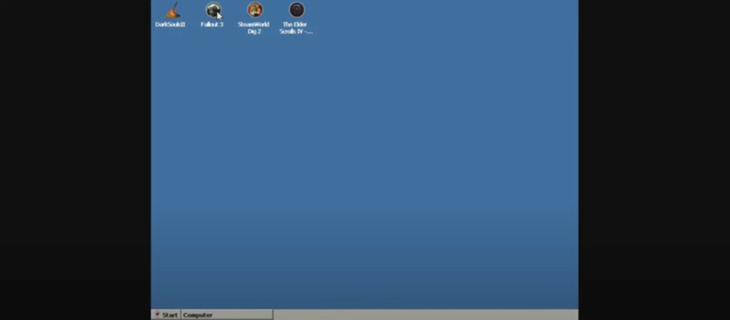
Winlator is an emulator for Android that allows you to run x86 and x64 Windows apps and programs via emulation, including PC games. To perform the emulation, Winlator uses Wine, Box86, and Box64.After installing the app, Winlator will install all the content from the obb file that comes with the XAPK, so it may take a few seconds until you can use the app. After that, you can create separate containers to run a virtual desktop or run games on Android. To install them, you first need to copy them to the internal memory of your device.Winlator allows you to run PC games like Fallout 3, Deus Ex: Human Revolution, Mass Effect 2, and The Elder Scrolls IV: Oblivion, as well as other titles and programs. The performance of the games depends on the device you're using, since the games will run more smoothly with a more powerful processor.When you run a program or game, you can choose the screen size, the graphics driver, the DX Wrapper version, the graphics card you want to emulate, how many processor cores you want to simulate, and so forth. To enjoy the best emulation, you'll have to experiment with all these settings. For games, it's possible to use a mouse and keyboard, or you can use your screen's touch controls.Download the APK of Winlator now to run PC games on your Android.
और दिखाएं

1. MEmu इंस्टॉलर को डाउनलोड करें और इंस्टॉलेशन को पूरा करें

2. MEmu शुरू करें फिर होमपेज पर Google Play खोलें

3. Google Play में Winlator खोजें
Install
4. Winlator डाउनलोड कर इंस्टॉल करें
5. इंस्टॉल पूरा होने पर आइकन दबाएं

6. MEmu से पीसी पर Winlator खेलने का आनंद लें
MEmu Play सबसे बेहतरीन मुफ़्त Android एमुलेटर है और 5 करोड़ लोग पहले ही इसके शानदार Android गेमिंग अनुभव का आनंद ले चुके हैं। MEmu 9 वर्चुअलाइज़ेशन तकनीक आपको अपने PC पर हज़ारों Android गेम, यहाँ तक कि सबसे ज़्यादा ग्राफ़िक्स वाले गेम भी, आसानी से खेलने की सुविधा देती है।
असीमित बैटरी या मोबाइल डेटा के साथ बेहतर ग्राफिक्स के साथ बड़ी स्क्रीन; लंबी अवधि।
कीबोर्ड और माउस या गेमपैड के उत्तम नियंत्रण के लिए संपूर्ण कीमैपिंग का समर्थन करता हैं।
एक ही पीसी पर मल्टी-इंस्टेंस मैनेजर के साथ एक समय में कई गेम खाते या कार्य कर सकते हैं।
Play Winlator on PC by following steps: