BinManager: BIN Generator
अपडेट किया गया
वर्तमान वर्शन
2.4.0
संसाधन

BinManager: BIN Generator पर अपनी मोबाइल डेटा सीमा पार करने को अलविदा कहें और छोटी स्क्रीन की सीमाओं से मुक्त होकर बड़े डिस्प्ले के लाभों का अनुभव करें। अब, आप अपने कीबोर्ड और माउस का उपयोग करके फुल-स्क्रीन मोड में टॉपर्स क्लैन की शक्ति का अनुभव कर सकते हैं। MEmu Play में वे सभी बेहतरीन सुविधाएँ हैं जिनकी आप अपेक्षा करते हैं: त्वरित इंस्टॉलेशन और आसान सेटअप, सहज नियंत्रण, बैटरी की आवश्यकता नहीं, और कोई डेटा या कॉल समय सीमा नहीं। नया MEmu 9 आपके कंप्यूटर पर BinManager: BIN Generator का उपयोग करने के लिए सबसे अच्छा विकल्प है। हमारा मालिकाना मल्टी-इंस्टेंस मैनेजर एक साथ दो या अधिक खातों को चलाने का समर्थन करता है। इससे भी महत्वपूर्ण बात यह है कि हमारा अनूठा इम्यूलेशन इंजन आपके कंप्यूटर के प्रदर्शन का पूरा उपयोग करता है, जिससे एक सहज और निर्बाध अनुभव मिलता है।
और दिखाएं
MEmu Play के साथ PC पर BinManager: BIN Generator इस्तेमाल करने के शानदार अनुभव का आनंद लें। यह एक शक्तिशाली मुफ़्त Android एमुलेटर है जो आपको डेस्कटॉप वर्ज़न के लिए हज़ारों Android ऐप्स उपलब्ध कराता है। दोस्तों से जुड़ने और अपने काम को और भी बेहतर बनाने का आनंद लें! Welcome to BinManager - your comprehensive solution for managing Bank Identification Numbers (BINs).
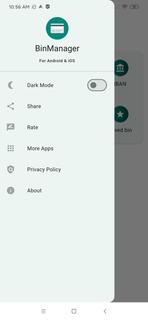
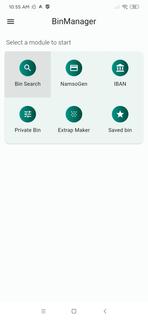
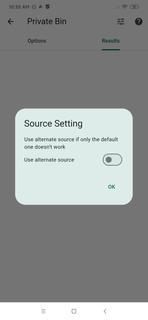

Welcome to BinManager - your comprehensive solution for managing Bank Identification Numbers (BINs). We've streamlined the process of handling BINs, making it easier and more efficient than ever.Key Features:BIN Generator: Create test BINs easily for educational and developmental purposes. Generate various BINs for different scenarios.IBAN Generator & Validator: Our tool helps you create and validate International Bank Account Numbers (IBANs) for your educational and developmental needs.Private BIN Search/Maker: Have a specific BIN in mind? Use our search tool to locate it quickly. You can also create your own BINs, perfect for understanding and testing the system.Extrap Maker: Generate additional information tied to your BINs, such as dummy expiry dates and CVV for educational purposes.Saved BIN: Keep track of your educational and testing BINs with our handy feature. No need to re-input details; just save them for quick and easy access.BIN Lookup: Need information about a specific BIN? Use our BIN lookup feature to get a detailed profile. This includes bank name, country, card type, and more.BinManager is an excellent tool for developers, testers, and those learning about the finance sector. It's designed with privacy and educational use in mind, ensuring your data is secure while providing you with powerful tools to understand and test the system.Please note: BinManager is meant strictly for educational and testing purposes. It should not be used for illegal activities. Misuse of the app can lead to legal consequences.Join the BinManager community on telegram today and streamline your learning and testing process. Start understanding, testing, and managing BINs with ease and efficiency.
और दिखाएं

1. MEmu इंस्टॉलर को डाउनलोड करें और इंस्टॉलेशन को पूरा करें

2. MEmu शुरू करें फिर होमपेज पर Google Play खोलें

3. Google Play में BinManager: BIN Generator खोजें
Install
4. BinManager: BIN Generator डाउनलोड कर इंस्टॉल करें
5. इंस्टॉल पूरा होने पर आइकन दबाएं

6. MEmu का उपयोग करके अपने कंप्यूटर पर BinManager: BIN Generator का अनुभव करें
MEmu Play सबसे बेहतरीन मुफ़्त Android एमुलेटर है और 5 करोड़ लोग पहले ही इसके शानदार Android ऐप अनुभव का आनंद ले चुके हैं। MEmu 9 वर्चुअलाइज़ेशन तकनीक आपको अपने PC पर हज़ारों Android ऐप्स, यहाँ तक कि सबसे ज़्यादा ग्राफ़िक्स वाले ऐप्स भी, आसानी से चलाने की सुविधा देती है।
असीमित बैटरी या मोबाइल डेटा के साथ बेहतर ग्राफिक्स के साथ बड़ी स्क्रीन; लंबी अवधि।
कीबोर्ड और माउस या गेमपैड के उत्तम नियंत्रण के लिए संपूर्ण कीमैपिंग का समर्थन करता हैं।
एक ही पीसी पर मल्टी-इंस्टेंस मैनेजर के साथ एक समय में कई गेम खाते या कार्य कर सकते हैं।
Use BinManager: BIN Generator on PC by following steps: