
144PRecord
Updated
Current Version
Offered By

With your passion for 144PRecord, you shouldn’t have to limit yourself to the small screen of a phone. Play like a pro and take full control of the game using a keyboard and mouse. MEmu gives you everything you’re looking for. Download and play 144PRecord on PC. Play as long as you want — no more worries about battery life, mobile data, or unexpected calls. The all-new MEmu 9 is the best way to play 144PRecord on PC. With our expertly designed keymapping system, 144PRecord feels just like a real PC game. The MEmu multi-instance manager lets you run two or more accounts on the same device at the same time. Most importantly, our exclusive emulation engine unlocks your PC’s full potential, delivering smooth and seamless performance.
Show more
Download 144PRecord on PC with MEmu Android Emulator. Enjoy playing on big screen. 144PRecord es un shooter en primera persona diseñado para ofrecer una experiencia intensa y realista.
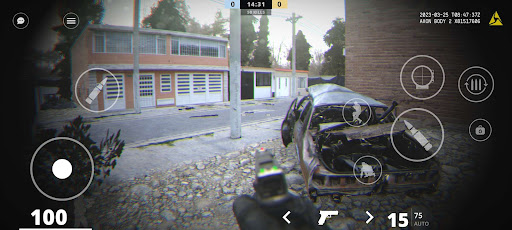
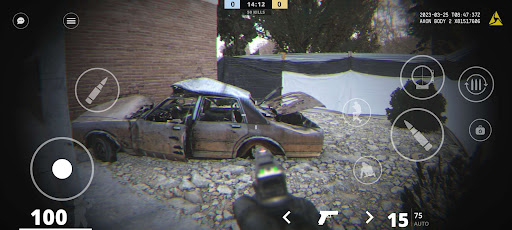
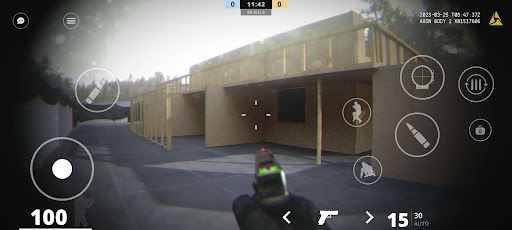
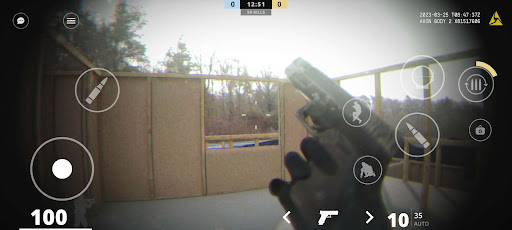
144PRecord es un shooter en primera persona diseñado para ofrecer una experiencia intensa y realista. Con un enfoque en la acción táctica, el juego combina gráficos detallados, efectos visuales mejorados y un sistema de combate que refleja la dinámica de enfrentamientos reales.
Características principales:
- Gráficos realistas optimizados para una experiencia inmersiva.
- Modo multijugador competitivo para enfrentamientos en línea.
- Sonidos de armas mejorados para mayor autenticidad.
- Partículas de disparo y sangre optimizadas para realismo visual.
- Mapas variados que ofrecen diferentes estilos de combate.
- Estilo táctico inspirado en operaciones especiales.
144PRecord está en constante evolución, con futuras actualizaciones que incluirán más mapas, mejoras gráficas y nuevas opciones de personalización táctica. El objetivo es brindar a los jugadores una experiencia FPS completa, intensa y con un alto nivel de detalle.
Show more

1. Download MEmu installer and finish the setup

2. Start MEmu then open Google Play on the desktop

3. Search 144PRecord in Google Play
Install
4. Download and Install 144PRecord
5. On install completion click the icon to start

6. Enjoy playing 144PRecord on PC with MEmu
MEmu Play is the best Android emulator and 100 million people already enjoy its superb Android gaming experience. The MEmu virtualization technology empowers you to play thousands of Android games smoothly on your PC, even the most graphic-intensive ones.
Bigger screen with better graphics; Long duration, without limitation of battery or mobile data.
Full Keymapping support for precise control of keyboard and mouse or gamepad.
Multiple game accounts or tasks on single PC at one time with Multi-Instance manager.
Play 144PRecord on PC by following steps: