
1998: The Toll Keeper Story
Updated
Current Version
V1.2.0f11m
Offered By

With your passion for 1998: The Toll Keeper Story, you shouldn’t have to limit yourself to the small screen of a phone. Play like a pro and take full control of the game using a keyboard and mouse. MEmu gives you everything you’re looking for. Download and play 1998: The Toll Keeper Story on PC. Play as long as you want — no more worries about battery life, mobile data, or unexpected calls. The all-new MEmu 9 is the best way to play 1998: The Toll Keeper Story on PC. With our expertly designed keymapping system, 1998: The Toll Keeper Story feels just like a real PC game. The MEmu multi-instance manager lets you run two or more accounts on the same device at the same time. Most importantly, our exclusive emulation engine unlocks your PC’s full potential, delivering smooth and seamless performance.
Show more
Download 1998: The Toll Keeper Story on PC with MEmu Android Emulator. Enjoy playing on big screen. 1998: The Toll Keeper Story is a narrative simulation about survival, motherhood, and morality during a nation’s collapse, inspired by one of the darkest chapters of Indonesia's history.
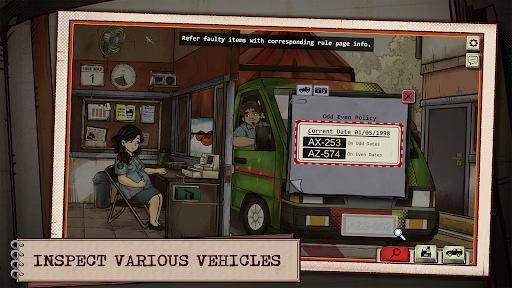
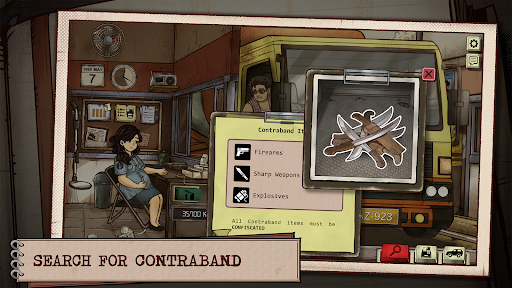
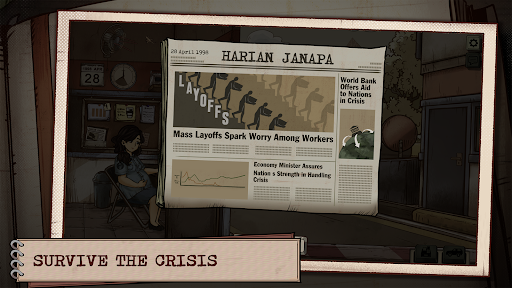
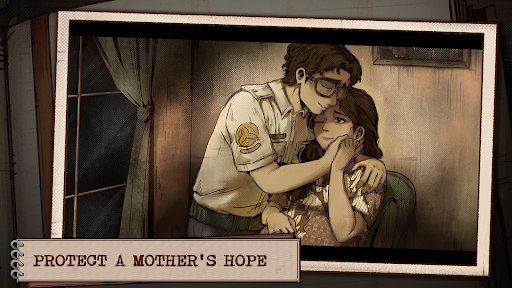
1998: The Toll Keeper Story is a narrative simulation about survival, motherhood, and morality during a nation’s collapse, inspired by one of the darkest chapters of Indonesia's history.
You play as Dewi, a pregnant woman working as a toll keeper, caught in the middle of growing civil unrest and financial turmoil in the fictional Southeast Asian country of Janapa. The nation is crumbling—protests erupt, prices skyrocket, and trust in authority fades. Every shift, you inspect vehicles, verify documents, and decide who gets to pass—all while trying to stay safe, keep your job, and protect your unborn child.
You’re not a hero or a fighter—just a regular human being trying to endure overwhelming hardship. But even your smallest decisions carry consequences. Will you follow every rule, or look the other way when someone begs for help? Can you stay strong through fear, uncertainty, and pressure?
Features:
- A Story of Survival and Motherhood: Make difficult choices not just for your safety, but also for your unborn child.
- Narrative Simulation Gameplay: Check vehicles, documents, and identities while managing rising tension and limited resources.
- Small Decisions, Heavy Consequences: Every action matters: who you let through, who you turn away, what rules you follow or bend.
- Distinct 90s-Inspired Visual Style: Fusing dot textures, old-paper aesthetics, and a blueish filter, the art direction echoes printed materials from the 90s, grounding the game in the mood and texture of its era.
- Inspired by True Events: This game is set during the 1998 Asian financial crisis, with Indonesia’s situation serving as one of the primary inspirations. Set in a fictional Southeast Asian country, it explores the fear, chaos, and uncertainty of the era, challenging you to navigate through moral dilemmas where survival demands difficult sacrifices.
Show more

1. Download MEmu installer and finish the setup

2. Start MEmu then open Google Play on the desktop

3. Search 1998: The Toll Keeper Story in Google Play
Install
4. Download and Install 1998: The Toll Keeper Story
5. On install completion click the icon to start

6. Enjoy playing 1998: The Toll Keeper Story on PC with MEmu
MEmu Play is the best Android emulator and 100 million people already enjoy its superb Android gaming experience. The MEmu virtualization technology empowers you to play thousands of Android games smoothly on your PC, even the most graphic-intensive ones.
Bigger screen with better graphics; Long duration, without limitation of battery or mobile data.
Full Keymapping support for precise control of keyboard and mouse or gamepad.
Multiple game accounts or tasks on single PC at one time with Multi-Instance manager.
Play 1998: The Toll Keeper Story on PC by following steps: