Age of Stickman: Evolution
Updated
Current Version
Offered By

With your passion for Age of Stickman: Evolution, you shouldn’t have to limit yourself to the small screen of a phone. Play like a pro and take full control of the game using a keyboard and mouse. MEmu gives you everything you’re looking for. Download and play Age of Stickman: Evolution on PC. Play as long as you want — no more worries about battery life, mobile data, or unexpected calls. The all-new MEmu 9 is the best way to play Age of Stickman: Evolution on PC. With our expertly designed keymapping system, Age of Stickman: Evolution feels just like a real PC game. The MEmu multi-instance manager lets you run two or more accounts on the same device at the same time. Most importantly, our exclusive emulation engine unlocks your PC’s full potential, delivering smooth and seamless performance.
Show more
Download Age of Stickman: Evolution on PC with MEmu Android Emulator. Enjoy playing on big screen. STEP INTO THE ERA OF STICKMAN EVOLUTION!
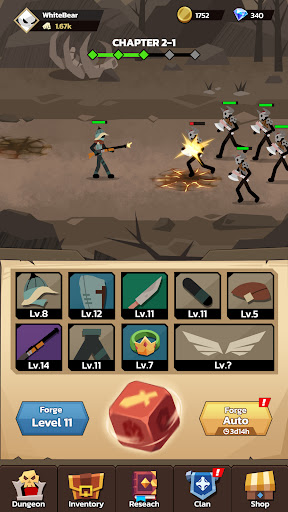
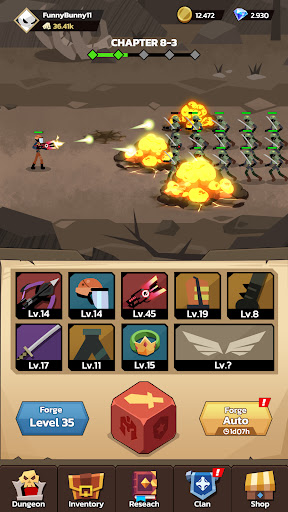
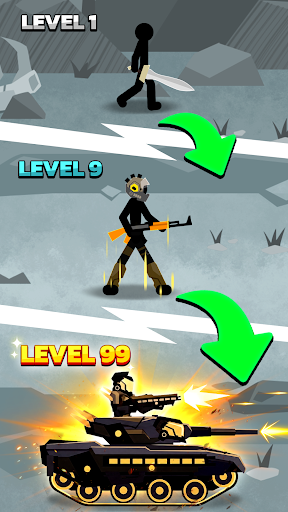
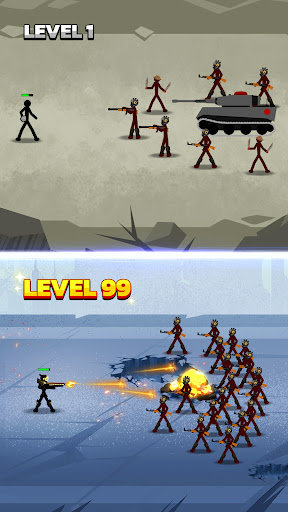
STEP INTO THE ERA OF STICKMAN EVOLUTION!
Are you ready to transform? Forget the boring anvil and hammer! In Age of Stickman: Evolution, the ultimate power to progress lies entirely within a Magic Dice. Starting from the most primitive eras, you will gradually evolve your stickman warrior through the ages of history, equipping them with the most advanced and mythical gear through lucky dice rolls.
KEY FEATURES:
ROLL THE DICE - EVOLVE YOUR GEAR: No more tedious resource grinding! Roll continuously to summon random weapons and armor from different eras. Dismantle lower-tier gear to upgrade your Dice Forge, and increase the drop rate of earth-shattering Mythic items!
IDLE BATTLES - AUTO ACROSS ERAS: Enjoy a 100% hands-free experience! While you are busy rolling the dice for new power, your stickman warrior automatically slaughters hordes of enemies and giant Bosses in the background. Activate Auto mode to clear stages relentlessly.
THE GREAT EVOLUTION: Higher-tier equipment dramatically changes your stickman's appearance and power. Break your combat power limits, optimize critical hits, and maximize damage stats to witness the grand evolution of your warrior across every chapter.
EXPLORE DUNGEONS & RESEARCH: Delve into dark Dungeons to collect precious resources. Unlock the Research system to gain permanent power buffs, speed up your dice rolling, and fortify your defenses.
JOIN GLOBAL CLANS: Stand shoulder-to-shoulder with gamers worldwide in the Clan system. Share dice upgrade experiences, support your allies, and conquer new peaks of power together.
Download Age of Stickman: Evolution now to roll the dice and write your own evolutionary history!
Show more

1. Download MEmu installer and finish the setup

2. Start MEmu then open Google Play on the desktop

3. Search Age of Stickman: Evolution in Google Play
Install
4. Download and Install Age of Stickman: Evolution
5. On install completion click the icon to start

6. Enjoy playing Age of Stickman: Evolution on PC with MEmu
MEmu Play is the best Android emulator and 100 million people already enjoy its superb Android gaming experience. The MEmu virtualization technology empowers you to play thousands of Android games smoothly on your PC, even the most graphic-intensive ones.
Bigger screen with better graphics; Long duration, without limitation of battery or mobile data.
Full Keymapping support for precise control of keyboard and mouse or gamepad.
Multiple game accounts or tasks on single PC at one time with Multi-Instance manager.
Play Age of Stickman: Evolution on PC by following steps: