Amusement Factory
Updated
Current Version
1.1.0
Offered By

With your passion for Amusement Factory, you shouldn’t have to limit yourself to the small screen of a phone. Play like a pro and take full control of the game using a keyboard and mouse. MEmu gives you everything you’re looking for. Download and play Amusement Factory on PC. Play as long as you want — no more worries about battery life, mobile data, or unexpected calls. The all-new MEmu 9 is the best way to play Amusement Factory on PC. With our expertly designed keymapping system, Amusement Factory feels just like a real PC game. The MEmu multi-instance manager lets you run two or more accounts on the same device at the same time. Most importantly, our exclusive emulation engine unlocks your PC’s full potential, delivering smooth and seamless performance.
Show more
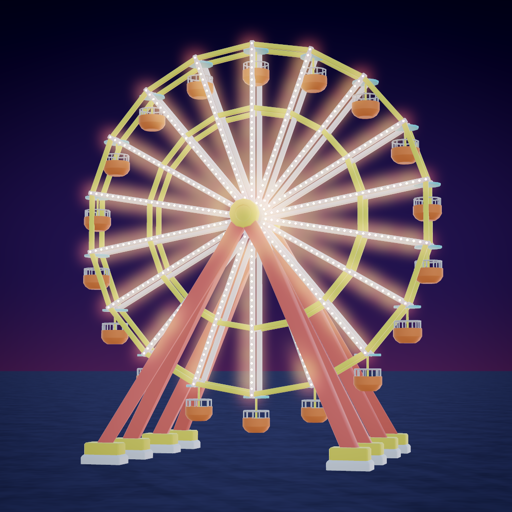
Download Amusement Factory on PC with MEmu Android Emulator. Enjoy playing on big screen. Amusement Factory is a bright, cheerful theme park builder made for touchscreens.
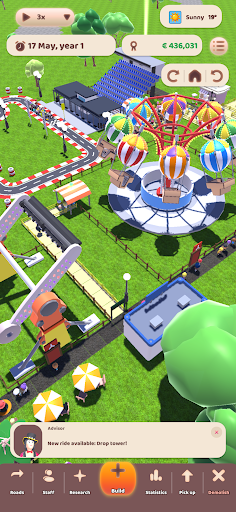
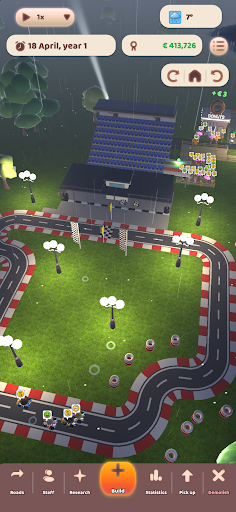
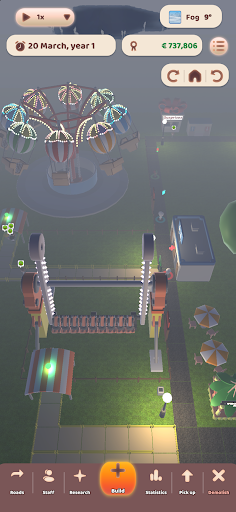
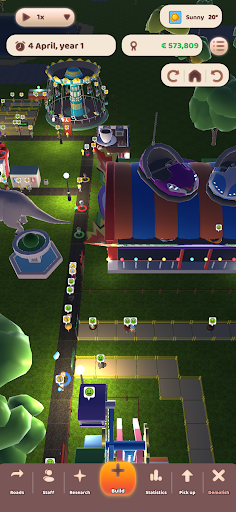
Amusement Factory is a bright, cheerful theme park builder made for touchscreens. Start with an empty plot and a stretch of road, and grow it into a park that guests queue around the block for. Draw the paths, place the rides, open the shops, hire the staff, and watch hundreds of little visitors decide for themselves whether your park is any good.
BUILD THE PARK YOU WANT
Lay roads tile by tile or drag a whole street in one go. Place rides from a huge stylized collection, from gentle carousels and swan rides to looping coasters and drop towers, then design the queue line that feeds each one. Everything you build is priced, and everything you demolish pays half of it back.
RIDES THAT REALLY RUN
Every ride loads, runs its cycle and unloads with your guests on board. Set the price, set the minimum load, keep the mechanics coming before it breaks down, and hop into a seat yourself to ride along with the camera. Lay out a boat circuit across a lake, or build a go-kart track piece by piece and watch six coloured karts race a countdown start, where the bravest driver takes the corners fastest.
SHOPS, STALLS AND AN ARCADE
Ice cream, coffee, burgers, noodles, popcorn, donuts, balloons and souvenirs. Price every item yourself and put it where a hungry guest will actually walk past. Carpet a room, wall it in, put a door on it and fill it with coin-op machines, claw machines included, then trade the tokens for prizes money cannot buy.
GUESTS WITH A MIND OF THEIR OWN
Buses drop guests at the gate and they line up for a ticket. From there they are on their own: hungry, thirsty, tired, needing the toilet, and forming an opinion of your park out of everything they see. Keep the paths clean, the benches free and the queues short. Watch out for the pickpocket working the crowd, and for the cop who will chase them off the premises.
A CAMPAIGN AND A SANDBOX
Ten locations bought in order, each with its own plot size, land price, starting grant, guest spending and goals to hit before the deadline. A scripted first park teaches you the ropes. Prefer to just build? Free play hands you a random map and a fortune to spend on it.
RUN IT LIKE A BUSINESS
Wages, running costs, research budgets and loans. Borrow against what the park is worth over one to ten years, or spend a whole year in the red and the bank takes your park. Month by month graphs show you exactly where the money went.
Become the next theme park tycoon or roller coaster rockstar!
MORNING, NIGHT AND WEATHER
The sun moves, the lights come on, the string lights and the ride bulbs glow, and the rain sends everybody looking for shelter. Speed the clock up when a slow day drags, and slow it down when you want to watch.
Show more

1. Download MEmu installer and finish the setup

2. Start MEmu then open Google Play on the desktop

3. Search Amusement Factory in Google Play
Install
4. Download and Install Amusement Factory
5. On install completion click the icon to start

6. Enjoy playing Amusement Factory on PC with MEmu
MEmu Play is the best Android emulator and 100 million people already enjoy its superb Android gaming experience. The MEmu virtualization technology empowers you to play thousands of Android games smoothly on your PC, even the most graphic-intensive ones.
Bigger screen with better graphics; Long duration, without limitation of battery or mobile data.
Full Keymapping support for precise control of keyboard and mouse or gamepad.
Multiple game accounts or tasks on single PC at one time with Multi-Instance manager.
Play Amusement Factory on PC by following steps: