ANANTA
Updated
Current Version
Offered By

With your passion for ANANTA, you shouldn’t have to limit yourself to the small screen of a phone. Play like a pro and take full control of the game using a keyboard and mouse. MEmu gives you everything you’re looking for. Download and play ANANTA on PC. Play as long as you want — no more worries about battery life, mobile data, or unexpected calls. The all-new MEmu 9 is the best way to play ANANTA on PC. With our expertly designed keymapping system, ANANTA feels just like a real PC game. The MEmu multi-instance manager lets you run two or more accounts on the same device at the same time. Most importantly, our exclusive emulation engine unlocks your PC’s full potential, delivering smooth and seamless performance.
Show more
Download ANANTA on PC with MEmu Android Emulator. Enjoy playing on big screen. Welcome to ANANTA, an Urban Open World RPG with no rules.

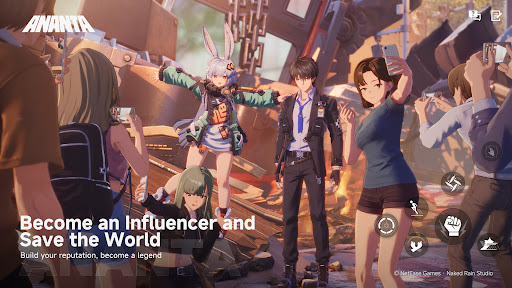
Welcome to ANANTA, an Urban Open World RPG with no rules. Step into the shoes of a diverse cast of characters and forge connections as you build a team all your own.
Join forces against the threats lurking in the shadows, or live it up and take in the nightlife under the neon glow. The choice is yours.
In ANANTA, a whole new world awaits you. Ready to take the plunge?
Become an Influencer and Save the World
You're a stranger in a strange land, but that's alright.
The moment you set foot in Nova City,
you start making a name for yourself.
It's time to build your reputation, and save the world while you're at it.
Two Cities, Two Adventures
Don't forget to head back home once in a while.
One plane ticket and you're back to your old stomping grounds of Chongxiao.
But even a place you know like the back of your hand
is bound to have a hidden secret or two.
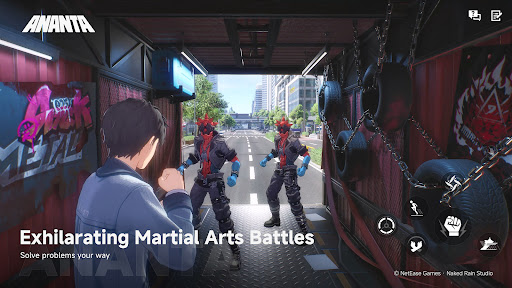
Exhilarating Martial Arts Battles
From the second you raise your fist,
the street becomes your stage,
and each strike deserves to go viral.
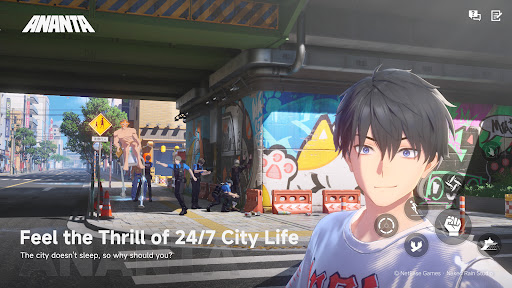
Experience the Thrill of 24/7 City Life
Boredom? Never heard of it.
Drama that would make soap operas blush one day, 3AM street racing the next.
No two days are the same.
Every hour has something new on offer, and it can all be streamed anytime.
Discover Different Walks of Life
NCCA officer, genius hacker, or gang leader?
Inhabit all manner of different characters.
Experience this world from top to bottom and everywhere in-between.
Who knows, you may befriend some oddballs along the way.
Unlimited Exploration
Turn in any direction and set your destination.
Rev the car engine, hop on a bike, sail the ocean blue,
or take to the skies, swinging freely between buildings.
If you can see it, you can go there. So, where to next?
Show more

1. Download MEmu installer and finish the setup

2. Start MEmu then open Google Play on the desktop

3. Search ANANTA in Google Play
Install
4. Download and Install ANANTA
5. On install completion click the icon to start

6. Enjoy playing ANANTA on PC with MEmu
MEmu Play is the best Android emulator and 100 million people already enjoy its superb Android gaming experience. The MEmu virtualization technology empowers you to play thousands of Android games smoothly on your PC, even the most graphic-intensive ones.
Bigger screen with better graphics; Long duration, without limitation of battery or mobile data.
Full Keymapping support for precise control of keyboard and mouse or gamepad.
Multiple game accounts or tasks on single PC at one time with Multi-Instance manager.
Play ANANTA on PC by following steps: