Annulus
Updated
Current Version
Offered By

With your passion for Annulus, you shouldn’t have to limit yourself to the small screen of a phone. Play like a pro and take full control of the game using a keyboard and mouse. MEmu gives you everything you’re looking for. Download and play Annulus on PC. Play as long as you want — no more worries about battery life, mobile data, or unexpected calls. The all-new MEmu 9 is the best way to play Annulus on PC. With our expertly designed keymapping system, Annulus feels just like a real PC game. The MEmu multi-instance manager lets you run two or more accounts on the same device at the same time. Most importantly, our exclusive emulation engine unlocks your PC’s full potential, delivering smooth and seamless performance.
Show more
Download Annulus on PC with MEmu Android Emulator. Enjoy playing on big screen. Annulus is a unique dark fantasy tactical game, inspired by medieval knightly warfare.
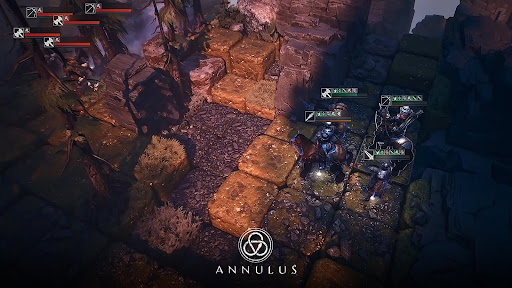
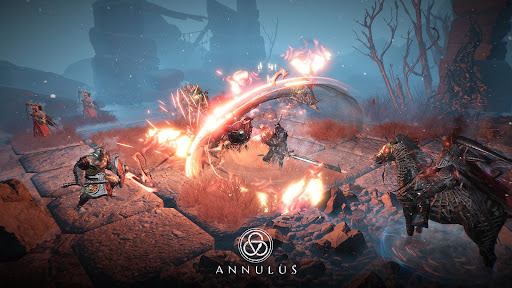
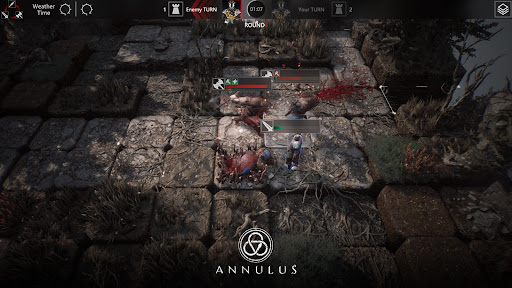
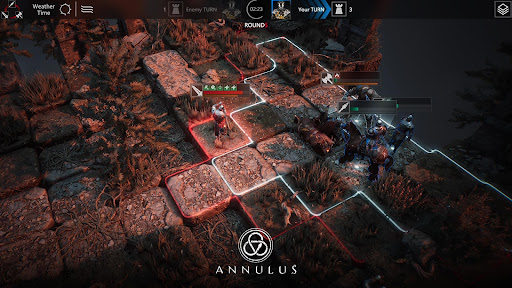
Annulus is a unique dark fantasy tactical game, inspired by medieval knightly warfare. Blending dark fantasy elements with an epic, grand-scale worldbuilding approach—and powered by the stunning visual capabilities of Unreal—it delivers a breathtaking visual experience.
In the game, you take on the role of a mercenary captain, collecting and training mercenaries, weapons, and various resources, each with their own unique traits. Build your own mercenary legion and battle across the turbulent continent of Novisess—for survival, for glory, and to break free from the fate imposed by the world’s rules. the battle is endless!
Annulus Subscription and Auto-Renewal Service Agreement
1. Subscription Pricing and Duration
Weekly Card: 7-day subscription for $0.99.
Monthly Card: 30-day subscription for $2.99.
Quarterly Card: 180-day subscription for $14.99.
2. Subscription Benefits
Daily perks during the subscription period include:
Supplies daily quick-purchase limit +2.
Supplies recovery speed +10%.
Single-round backtrack limit +2.
Dispatch march speed +10%.
Additional perks for continuous subscriptions:
60 consecutive days: Supplies storage limit +10.
90 consecutive days: Mercenary roster limit +100.
120 consecutive days: Collection free exchange cooldown -10%.
150 consecutive days: Arena Honor gain +10%.
180 consecutive days: Intelligence Camp daily completable tasks +1.
3. Auto-Renewal
Subscriptions via Google Play are auto-renewed by default. Payment will be charged to the user’s Account upon confirmation, and the subscription will automatically renew within 24 hours before the end of the current period unless auto-renewal is turned off at least 24 hours prior. Users must manually disable auto-renewal in ID Settings.
4. Terms of Service
https://privacy.nirvana.game/com.nirvana.game/privacy-policy-en.html
5. Privacy Policy
https://privacy.nirvana.game/com.nirvana.game/terms-of-service-en.html
Show more

1. Download MEmu installer and finish the setup

2. Start MEmu then open Google Play on the desktop

3. Search Annulus in Google Play
Install
4. Download and Install Annulus
5. On install completion click the icon to start

6. Enjoy playing Annulus on PC with MEmu
MEmu Play is the best Android emulator and 100 million people already enjoy its superb Android gaming experience. The MEmu virtualization technology empowers you to play thousands of Android games smoothly on your PC, even the most graphic-intensive ones.
Bigger screen with better graphics; Long duration, without limitation of battery or mobile data.
Full Keymapping support for precise control of keyboard and mouse or gamepad.
Multiple game accounts or tasks on single PC at one time with Multi-Instance manager.
Play Annulus on PC by following steps: