Stick War: Legacy
Updated
Current Version
2026.1.932
Offered By

With your passion for Stick War: Legacy, you shouldn’t have to limit yourself to the small screen of a phone. Play like a pro and take full control of the game using a keyboard and mouse. MEmu gives you everything you’re looking for. Download and play Stick War: Legacy on PC. Play as long as you want — no more worries about battery life, mobile data, or unexpected calls. The all-new MEmu 9 is the best way to play Stick War: Legacy on PC. With our expertly designed keymapping system, Stick War: Legacy feels just like a real PC game. The MEmu multi-instance manager lets you run two or more accounts on the same device at the same time. Most importantly, our exclusive emulation engine unlocks your PC’s full potential, delivering smooth and seamless performance.
Show more
Download Stick War: Legacy on PC with MEmu Android Emulator. Enjoy playing on big screen. The hit web game now comes to mobile!
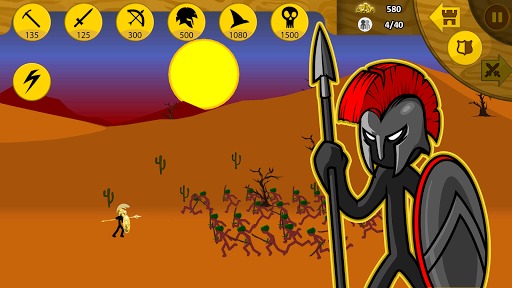
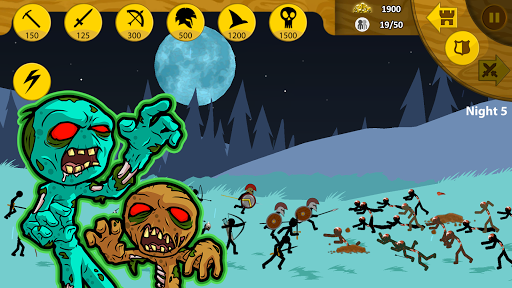
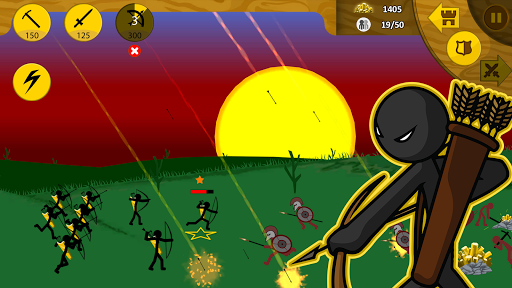
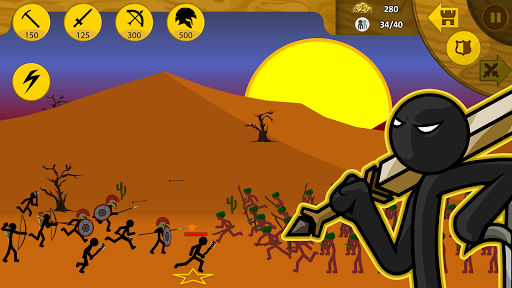
The hit web game now comes to mobile! Play Stick War, the fun, challenging, and addictive stick figure strategy game.
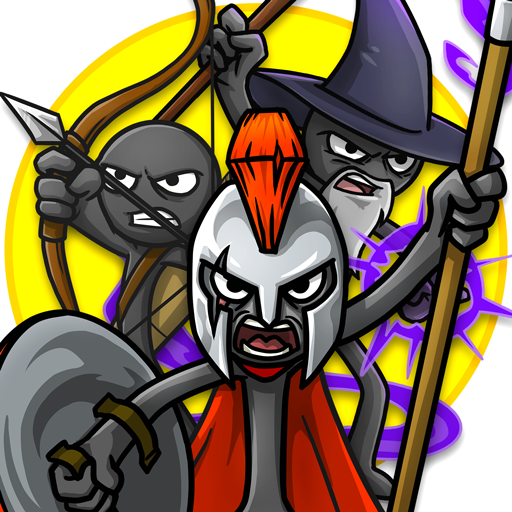
Control your army in formations or play each unit, you have total control of every stickman. Build units, mine gold, learn the way of the Sword, Spear, Archer, Mage, and even Giant. Destroy the enemy statue, and capture all Territories!
New Features:
● Missions Mode: New levels released every Friday! - Keeping Order won’t be easy.
● Saga style map with multiple rewards.
● Unlock Crowns for each difficulty level, Normal, Hard, and Insane!
● A multitude of new game types await - Win before sunset, Triple barricaded gold, Deathmatch, Forward Statue, vs Mini Bosses and many more!
● Arrows now stick into all units, plus new improved blood effects and taking damage animations.
● Improved unit formations and Archidon bow aim.
Main Features:
● Classic Campaign - The Order Empire is Born. Now with 6 bonus levels.
● Endless Deads zombie survival mode! How many nights can you last?
● Tournament mode! Battle your way through dozens of Ai challengers to win the "Crown of Inamorta!"
● Skins are now available for all characters! Unlock powerful weapons and armor, each with their own unique perks!
In a world called Inamorta, you're surrounded by discriminate nations devoted to their individual nations technology and struggle for dominance. Each nation has developed its own unique way to defend and attack. Proud of their unique craft they have become obsessed to the point of worship, turning weapons to religion. Each believes that their way of life is the only way, and are dedicated to teaching their policies to all other nations through what their leaders claim as divine intervention, or as you will know it... war.
The others are known as: "Archidons", "Swordwrath", "Magikill" , and "Speartons".
You are the leader of the nation called "Order", your way is of peace and knowledge, your people do not worship their weapons as gods. This makes you a mark for infiltration by the surrounding nations. Your only chance to defend is to attack first, and obtain the technologies from each nation along the way.
Show more

1. Download MEmu installer and finish the setup

2. Start MEmu then open Google Play on the desktop

3. Search Stick War: Legacy in Google Play
Install
4. Download and Install Stick War: Legacy
5. On install completion click the icon to start

6. Enjoy playing Stick War: Legacy on PC with MEmu
MEmu Play is the best Android emulator and 100 million people already enjoy its superb Android gaming experience. The MEmu virtualization technology empowers you to play thousands of Android games smoothly on your PC, even the most graphic-intensive ones.
Bigger screen with better graphics; Long duration, without limitation of battery or mobile data.
Full Keymapping support for precise control of keyboard and mouse or gamepad.
Multiple game accounts or tasks on single PC at one time with Multi-Instance manager.
Play Stick War: Legacy on PC by following steps: