Baby Panda's Fashion Dress Up
Updated
Current Version
8.70.06.00
Offered By

With your passion for Baby Panda's Fashion Dress Up, you shouldn’t have to limit yourself to the small screen of a phone. Play like a pro and take full control of the game using a keyboard and mouse. MEmu gives you everything you’re looking for. Download and play Baby Panda's Fashion Dress Up on PC. Play as long as you want — no more worries about battery life, mobile data, or unexpected calls. The all-new MEmu 9 is the best way to play Baby Panda's Fashion Dress Up on PC. With our expertly designed keymapping system, Baby Panda's Fashion Dress Up feels just like a real PC game. The MEmu multi-instance manager lets you run two or more accounts on the same device at the same time. Most importantly, our exclusive emulation engine unlocks your PC’s full potential, delivering smooth and seamless performance.
Show more
Download Baby Panda's Fashion Dress Up on PC with MEmu Android Emulator. Enjoy playing on big screen. Do you want to become a fashion designer?
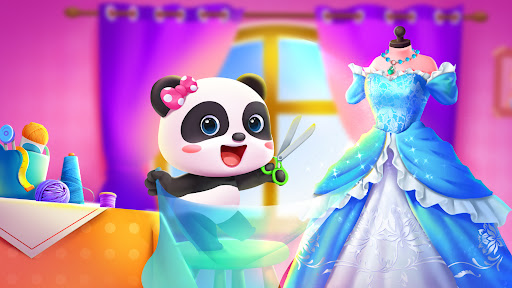
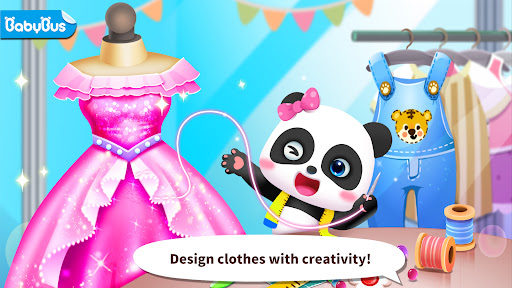
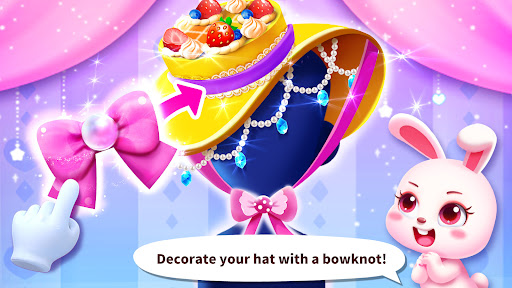
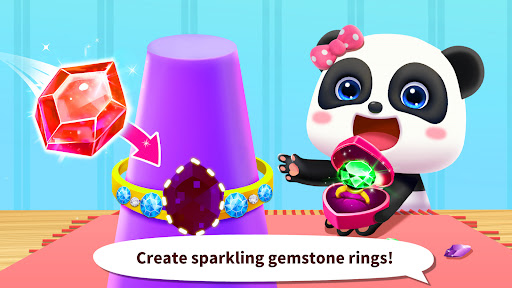
Do you want to become a fashion designer? Baby Panda's Fashion Dress-up will make your dream come true! Here you can use any soft fabrics and cute accessories to create 54 sets of trendy clothes! Enter this dress-up game and take on your fashion journey now!
SERVE CUSTOMERS
In the fashion store, there are different customers waiting for your creative ideas every day! Unleash your creativity and surprise your customers by designing fashionable clothes such as fancy princess dresses, warm scarves and beautiful hats.
GET CREATIVE
There are over 200 types of accessories for you to match with! You can design beautiful earrings with feathers, use gauze to dress up the dresses and adorn the hat with bows, add a cool pair of wings to roller skate. Create whatever you want!
LEARN SKILLS
In the fashion store, you can also learn various kinds of skills: cutting, sewing, ironing, polishing, setting and more. By designing and dressing up customers, you will eventually become an excellent fashion designer!
Kids, play Baby Panda’s Fashion Dress Up now and make your designer dream come true!
FEATURES:
—An interesting dress-up game for kids;
—54 styles of clothes and 100+ kinds of accessories for you to design;
—Take orders from customers and design clothes they like;
—Design freely, get creative and unleash imagination;
—User-friendly operations: helps children learn how to make clothes;
—Supports offline play!
About BabyBus
—————
At BabyBus, we dedicate ourselves to sparking kids' creativity, imagination and curiosity,and designing our products through the kids' perspective to help them explore the world on their own.
Now BabyBus offers a wide variety of products, videos and other educational content for over 600 million fans from ages 0-8 around the world! We have released over 200 children's apps, over 2500 episodes of nursery rhymes and animations, over 9000 stories of various themes spanning the Health, Language, Society, Science, Art and other fields.
—————
Contact us: ser@babybus.com
Visit us: http://www.babybus.com
Show more

1. Download MEmu installer and finish the setup

2. Start MEmu then open Google Play on the desktop

3. Search Baby Panda's Fashion Dress Up in Google Play
Install
4. Download and Install Baby Panda's Fashion Dress Up
5. On install completion click the icon to start

6. Enjoy playing Baby Panda's Fashion Dress Up on PC with MEmu
MEmu Play is the best Android emulator and 100 million people already enjoy its superb Android gaming experience. The MEmu virtualization technology empowers you to play thousands of Android games smoothly on your PC, even the most graphic-intensive ones.
Bigger screen with better graphics; Long duration, without limitation of battery or mobile data.
Full Keymapping support for precise control of keyboard and mouse or gamepad.
Multiple game accounts or tasks on single PC at one time with Multi-Instance manager.
Play Baby Panda's Fashion Dress Up on PC by following steps: