BeBetta: Rewards for Champions
Updated
Current Version
4.3.9
Offered By

With your passion for BeBetta: Rewards for Champions, you shouldn’t have to limit yourself to the small screen of a phone. Play like a pro and take full control of the game using a keyboard and mouse. MEmu gives you everything you’re looking for. Download and play BeBetta: Rewards for Champions on PC. Play as long as you want — no more worries about battery life, mobile data, or unexpected calls. The all-new MEmu 9 is the best way to play BeBetta: Rewards for Champions on PC. With our expertly designed keymapping system, BeBetta: Rewards for Champions feels just like a real PC game. The MEmu multi-instance manager lets you run two or more accounts on the same device at the same time. Most importantly, our exclusive emulation engine unlocks your PC’s full potential, delivering smooth and seamless performance.
Show more
Download BeBetta: Rewards for Champions on PC with MEmu Android Emulator. Enjoy playing on big screen. Step into the Future with BeBetta: Play Games, Predict Trends, and Earn Exclusive Rewards!
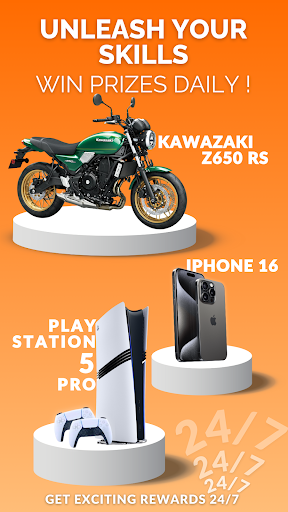
Step into the Future with BeBetta: Play Games, Predict Trends, and Earn Exclusive Rewards!
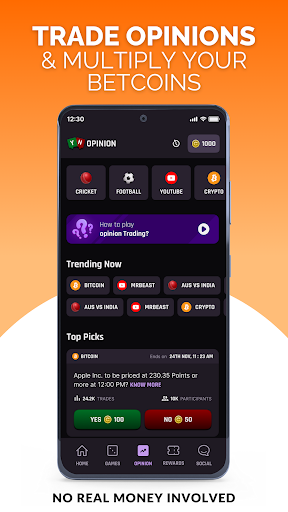
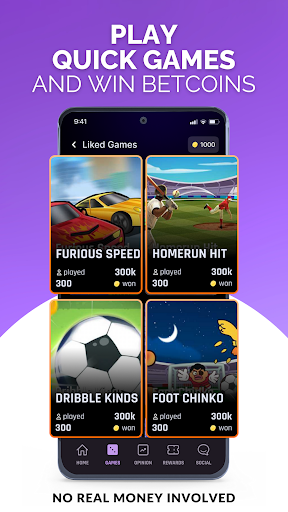
BeBetta is your ultimate platform for gamers, trend predictors, and decision-makers alike. Whether you’re enjoying hyper-casual games or participating in Opinion Trading across categories like sports, entertainment, politics, and more, BeBetta offers a 100% free-to-play environment where skills and strategy lead to exciting rewards—without any real money involvement!
BeBetta combines the thrill of gaming with the power of prediction, offering a unique and rewarding experience.
Why Choose BeBetta for Hyper-Casual Gaming and Opinion Trading?
✅ Hyper-Casual Games: Dive into a collection of fun, easy-to-play hyper-casual games for instant entertainment. Whether you have minutes or hours to spare, there’s always a game waiting for you on BeBetta.
✅ Opinion Trading - Predict, Stake, and Win!: Participate in trending topics across categories like sports, news, entertainment, technology, politics, and lifestyle. Predict outcomes in sports matches, events, and more. Stake in-app Coins (not real money!) and earn rewards for accurate insights—all for free!
✅ No Real Money, No Risk: BeBetta is completely free-to-play, with no financial transactions or real money involved. Enjoy a risk-free environment while competing for exclusive rewards.
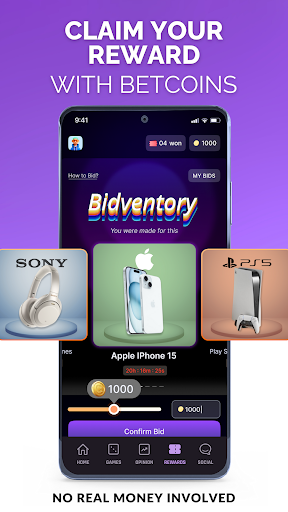
✅ Exclusive Rewards: Win exciting prizes, merchandise, and exclusive memorabilia for showcasing your gaming skills or accurate predictions.
✅ Vibrant Community: Connect with like-minded users passionate about trending topics and casual gaming. Share insights, engage in discussions, and compete with others in the BeBetta community.
✅ Secure & Transparent Platform: BeBetta guarantees a fair, secure, and transparent experience for all users—whether you’re gaming or participating in Opinion Trading.
How to Get Started with BeBetta:
1️⃣ Choose Your Activity: Play hyper-casual games or explore Opinion Trading topics across various categories like sports, entertainment, and lifestyle.
2️⃣ Pick Your Challenge: Select your favorite game or prediction topic—whether it’s a sports match outcome, entertainment trends, or political events.
3️⃣ Stake Your Coins: Use in-app Coins (not real money!) to participate in games or predictions.
4️⃣ Stay Ahead: Access live updates, expert insights, and detailed data to refine your strategies and secure victories.
Play Responsibly on BeBetta:
Our Responsible Play policy ensures a safe, transparent, and engaging experience. Rewards are earned through skill-based participation, with no monetary involvement.
Legal and Age Compliance:
BeBetta is available to individuals aged 18 and above and adheres to local laws and regulations concerning online gaming and predictions. Please note that the app is unavailable in Andhra Pradesh, Nagaland, Assam, Odisha, Sikkim, and Telangana due to legal restrictions.
Ready to predict trends, play hyper-casual games, and win amazing rewards—all for free?
Join over 100,000 users on BeBetta today! Visit BeBetta to get started.
Show more

1. Download MEmu installer and finish the setup

2. Start MEmu then open Google Play on the desktop

3. Search BeBetta: Rewards for Champions in Google Play
Install
4. Download and Install BeBetta: Rewards for Champions
5. On install completion click the icon to start

6. Enjoy playing BeBetta: Rewards for Champions on PC with MEmu
MEmu Play is the best Android emulator and 100 million people already enjoy its superb Android gaming experience. The MEmu virtualization technology empowers you to play thousands of Android games smoothly on your PC, even the most graphic-intensive ones.
Bigger screen with better graphics; Long duration, without limitation of battery or mobile data.
Full Keymapping support for precise control of keyboard and mouse or gamepad.
Multiple game accounts or tasks on single PC at one time with Multi-Instance manager.
Play BeBetta: Rewards for Champions on PC by following steps: