Black Mirror: Thronglets
Updated
Current Version
1.1.113
Offered By

With your passion for Black Mirror: Thronglets, you shouldn’t have to limit yourself to the small screen of a phone. Play like a pro and take full control of the game using a keyboard and mouse. MEmu gives you everything you’re looking for. Download and play Black Mirror: Thronglets on PC. Play as long as you want — no more worries about battery life, mobile data, or unexpected calls. The all-new MEmu 9 is the best way to play Black Mirror: Thronglets on PC. With our expertly designed keymapping system, Black Mirror: Thronglets feels just like a real PC game. The MEmu multi-instance manager lets you run two or more accounts on the same device at the same time. Most importantly, our exclusive emulation engine unlocks your PC’s full potential, delivering smooth and seamless performance.
Show more
Download Black Mirror: Thronglets on PC with MEmu Android Emulator. Enjoy playing on big screen. NETFLIX MEMBERSHIP REQUIRED.
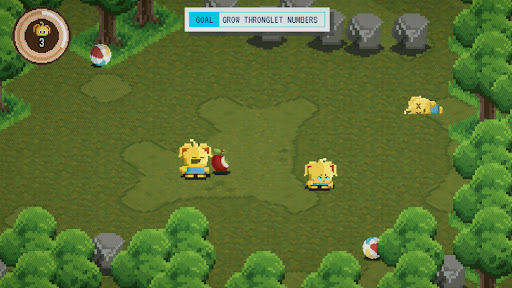
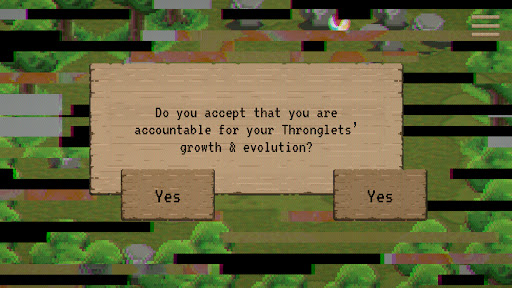
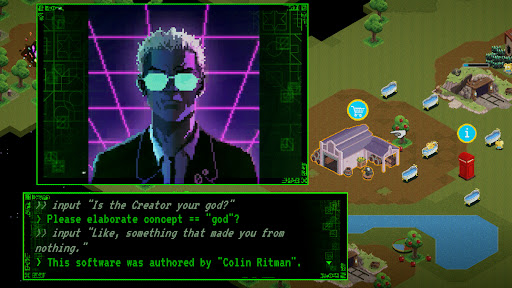
NETFLIX MEMBERSHIP REQUIRED.
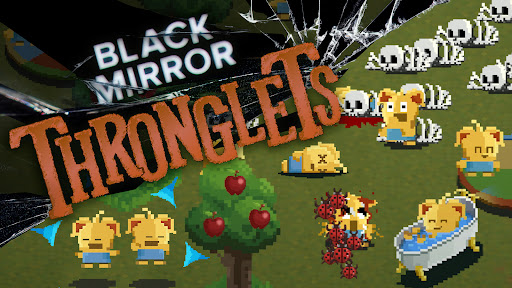
Cross over into the world of "Black Mirror" and experience "Thronglets," the retro virtual pet simulation at the center of the Season 7 episode "Plaything." These pixel art critters won't just take over your phone; they could take over your life.
"Thronglets" was originally developed in the 1990s as experimental software by legendary Tuckersoft programmer Colin Ritman ("Metl Hedd," "Nohzdyve," "Bandersnatch"). This isn't a game; it's a life-form whose biology is entirely digital. No emulator required.
MORE THAN A PET SIMULATION
Hatch and evolve hundreds of cute creatures: Thronglets! Feed, bathe and entertain them to watch them multiply. One becomes two, two becomes four, and so on. Soon there will be so many you'll call them a Throng.
VIRTUAL EVOLUTION
As Thronglets evolve, so does the simulation, unlocking new tools, abilities, items and buildings — and much, much more. You may be surprised by your Thronglets! Evolve Thronglets at your own risk.
TEST YOUR PERSONALITY
Thronglets are curious and love to learn. Your actions and choices within this virtual world teach the Throng about you — and all of humankind. Once you've completed the experiment, share your personality test results to compare with friends on social media.
>> HELLO?
>> CAN YOU HEAR US?
>> What is care? What is love?
>> What is death? What is power?
>> Do you have power?
>> Why do you use your power in that way?
>> Perhaps it is a fault in your design.
- Created by Night School, a Netflix Game Studio.
Please note that the Data Safety information applies to information collected and used in this app. See the Netflix Privacy Statement to learn more about information we collect and use in this and other contexts, including at account registration.
Show more

1. Download MEmu installer and finish the setup

2. Start MEmu then open Google Play on the desktop

3. Search Black Mirror: Thronglets in Google Play
Install
4. Download and Install Black Mirror: Thronglets
5. On install completion click the icon to start

6. Enjoy playing Black Mirror: Thronglets on PC with MEmu
MEmu Play is the best Android emulator and 100 million people already enjoy its superb Android gaming experience. The MEmu virtualization technology empowers you to play thousands of Android games smoothly on your PC, even the most graphic-intensive ones.
Bigger screen with better graphics; Long duration, without limitation of battery or mobile data.
Full Keymapping support for precise control of keyboard and mouse or gamepad.
Multiple game accounts or tasks on single PC at one time with Multi-Instance manager.
Play Black Mirror: Thronglets on PC by following steps: