Blade Heroes: Mecha Soul
Updated
Current Version
Offered By

With your passion for Blade Heroes: Mecha Soul, you shouldn’t have to limit yourself to the small screen of a phone. Play like a pro and take full control of the game using a keyboard and mouse. MEmu gives you everything you’re looking for. Download and play Blade Heroes: Mecha Soul on PC. Play as long as you want — no more worries about battery life, mobile data, or unexpected calls. The all-new MEmu 9 is the best way to play Blade Heroes: Mecha Soul on PC. With our expertly designed keymapping system, Blade Heroes: Mecha Soul feels just like a real PC game. The MEmu multi-instance manager lets you run two or more accounts on the same device at the same time. Most importantly, our exclusive emulation engine unlocks your PC’s full potential, delivering smooth and seamless performance.
Show more
Download Blade Heroes: Mecha Soul on PC with MEmu Android Emulator. Enjoy playing on big screen. [Game Features].
[Game Features]
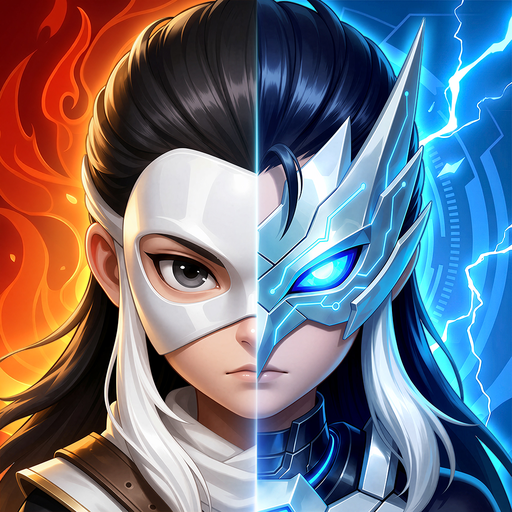
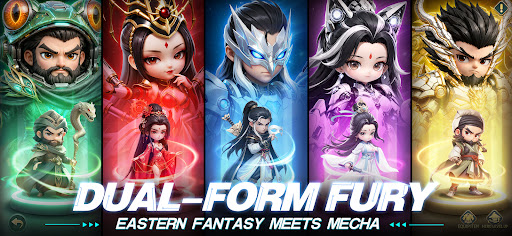
Who says Wuxia heroes only wield swords! Heavy mecha is now all the rage! Blade Heroes: Mecha Soul brings you a whole new Wuxia world! A classy childe in peace, and an all-out war mecha in combat! [Beast Mecha] beyond your wildest dream! Get stronger 24/7 thanks to AI auto grinding. Less grinding and more thrilling experience, start your Mecha Wuxia era right now!
[Dual-form Rampage, Evolution Weaponry]
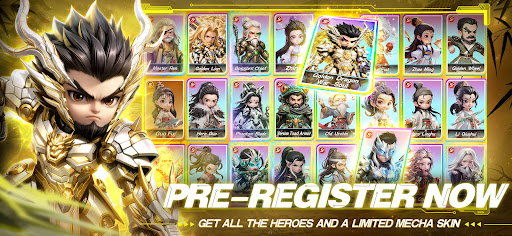
The large-scale invasion of unidentified monsters puts the wuxia world to the brink of collapse! At this critical moment, various heroes awaken their [Mecha] form, and an epic war forged by iron and bloodline is about to break out! Pre-register now to get the limited mecha skin for Chief Qiao [Golden Dragon War-Soul] and all the heroes. Witness a brand new wuxia world!
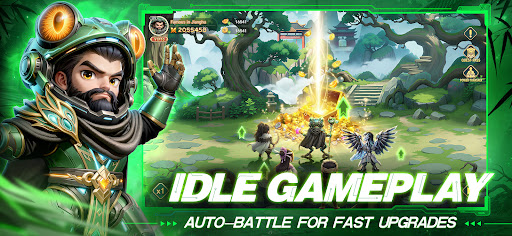
[No Micro Management, Get Stronger While AFK]
Say no to grinding and take off with ease! Thanks to the optional AI Grinding feature, your character can get stronger at any time. No need to stay online at all times. Your heroes will auto-fight and gain XP even while you are offline. Claim bountiful rewards anytime, anywhere, witness the mecha evolution of your sword! This time, reach total domination with ease!
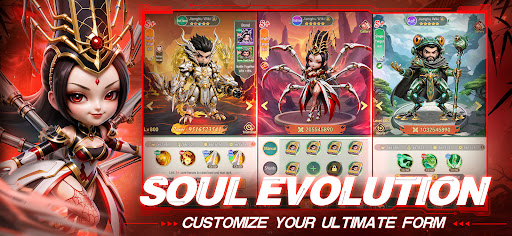
[Hundreds of Mythic Arts, Customize Your Heroes]
Eighteen Dragon Palms, Toad Style, Sunflower Manual... Master over 100 classic wuxia skills. You can freely customize the Mythic Arts, Scrolls and Divine Weapons. Say no to the same old progress and create a path to heroism that is uniquely yours!
[Brothers United, Team Up for Ultimate Domination]
From solo spars to cross-server wars, your lust for conflicts will be thoroughly satisfied. Rally the like-minded allies and sweep away heroes of other servers. The real Jianghu is not all about crunching numbers, it is all about chemistry and tactical synergy with your buddies!
[Reignite Heroism Dream in Recreated Classic]
Whether you want to scratch your nostalgic itch, or explore the brand new mecha wuxia world, your memories will be remolded and awakened, the missing chapter of the blood-boiling legacy will be yours to continue!
Show more

1. Download MEmu installer and finish the setup

2. Start MEmu then open Google Play on the desktop

3. Search Blade Heroes: Mecha Soul in Google Play
Install
4. Download and Install Blade Heroes: Mecha Soul
5. On install completion click the icon to start

6. Enjoy playing Blade Heroes: Mecha Soul on PC with MEmu
MEmu Play is the best Android emulator and 100 million people already enjoy its superb Android gaming experience. The MEmu virtualization technology empowers you to play thousands of Android games smoothly on your PC, even the most graphic-intensive ones.
Bigger screen with better graphics; Long duration, without limitation of battery or mobile data.
Full Keymapping support for precise control of keyboard and mouse or gamepad.
Multiple game accounts or tasks on single PC at one time with Multi-Instance manager.
Play Blade Heroes: Mecha Soul on PC by following steps: