BRIO World - Railway
Updated
Current Version
5.4.3
Offered By

With your passion for BRIO World - Railway, you shouldn’t have to limit yourself to the small screen of a phone. Play like a pro and take full control of the game using a keyboard and mouse. MEmu gives you everything you’re looking for. Download and play BRIO World - Railway on PC. Play as long as you want — no more worries about battery life, mobile data, or unexpected calls. The all-new MEmu 9 is the best way to play BRIO World - Railway on PC. With our expertly designed keymapping system, BRIO World - Railway feels just like a real PC game. The MEmu multi-instance manager lets you run two or more accounts on the same device at the same time. Most importantly, our exclusive emulation engine unlocks your PC’s full potential, delivering smooth and seamless performance.
Show more
Download BRIO World - Railway on PC with MEmu Android Emulator. Enjoy playing on big screen. In BRIO World - Railway you can build your own railway with all the classic parts from the world of BRIO.
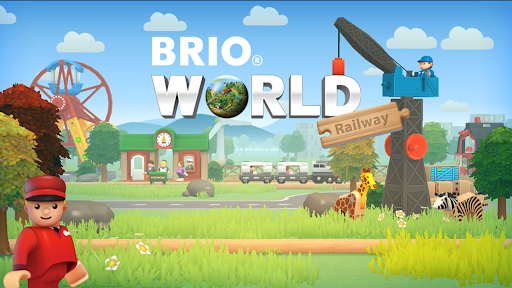
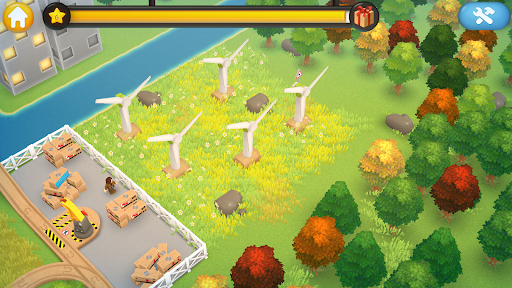
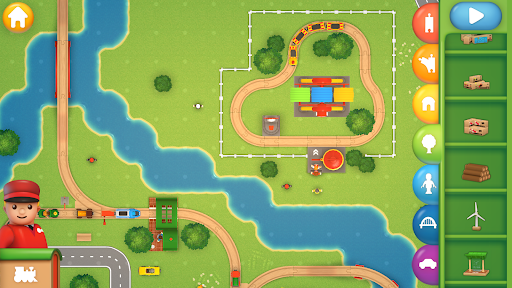
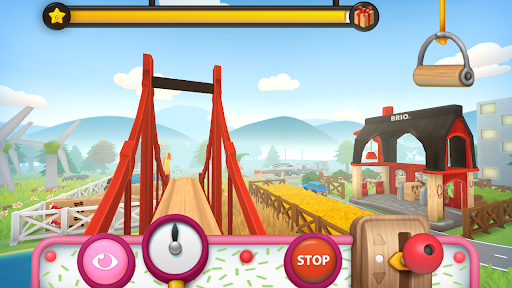
In BRIO World - Railway you can build your own railway with all the classic parts from the world of BRIO. You can lay down tracks, place stations and figures, combine your own train sets and travel out to solve missions in an amazing train world.
The app stimulates creative play where kids can create their own world and play freely. When they play in the world and solve missions they receive more elements to build with.
Features
- Build your own railway with an awesome collection of parts
- Create amazing train sets with more than 50 different train parts
- Jump into the trains and ride on your own track
- Help the characters in different missions in the world and collect joy to unlock new elements to build with
- Load cargo with cranes
- Feed the animals to make them happy
- Create up to five different profiles in the app
The app is suitable for kids between 3 and 10 years old.
KID SAFETY
The safety of kids is very important for us at Filimundus and BRIO. There is no offensive or explicit material in this app and no ads!
About FILIMUNDUS
Filimundus is a swedish gamestudio focused in creating developing games for kids. We want to stimulate learning by giving them challenges where they can create things and then play with it. We believe in giving kids a creative environment where they can develop through open ended play. Visit us at: www.filimundus.se
About BRIO
For over a century, our driving force has been to spread joy among children around the world. We want to create happy childhood memories where the imagination is allowed to flow freely. BRIO is a Swedish toy brand that creates innovative, high-quality and well-designed wooden toys that give children a safe and fun play experience. The company was founded in 1884 and is represented in over 30 countries. For more information, please visit www.brio.net.
Show more

1. Download MEmu installer and finish the setup

2. Start MEmu then open Google Play on the desktop

3. Search BRIO World - Railway in Google Play
Install
4. Download and Install BRIO World - Railway
5. On install completion click the icon to start

6. Enjoy playing BRIO World - Railway on PC with MEmu
MEmu Play is the best Android emulator and 100 million people already enjoy its superb Android gaming experience. The MEmu virtualization technology empowers you to play thousands of Android games smoothly on your PC, even the most graphic-intensive ones.
Bigger screen with better graphics; Long duration, without limitation of battery or mobile data.
Full Keymapping support for precise control of keyboard and mouse or gamepad.
Multiple game accounts or tasks on single PC at one time with Multi-Instance manager.
Play BRIO World - Railway on PC by following steps: