Cars Royale: League of Rocket
Updated
Current Version
0.23.0
Offered By

With your passion for Cars Royale: League of Rocket, you shouldn’t have to limit yourself to the small screen of a phone. Play like a pro and take full control of the game using a keyboard and mouse. MEmu gives you everything you’re looking for. Download and play Cars Royale: League of Rocket on PC. Play as long as you want — no more worries about battery life, mobile data, or unexpected calls. The all-new MEmu 9 is the best way to play Cars Royale: League of Rocket on PC. With our expertly designed keymapping system, Cars Royale: League of Rocket feels just like a real PC game. The MEmu multi-instance manager lets you run two or more accounts on the same device at the same time. Most importantly, our exclusive emulation engine unlocks your PC’s full potential, delivering smooth and seamless performance.
Show more
Download Cars Royale: League of Rocket on PC with MEmu Android Emulator. Enjoy playing on big screen. TURBO CAR FOOTBALL AT ROCKET SPEED .
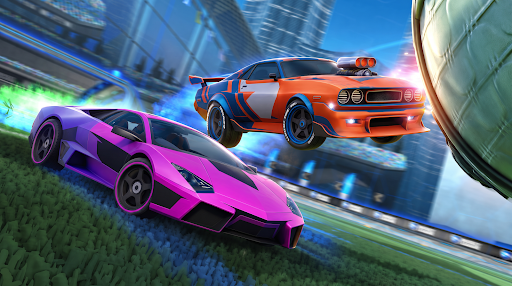
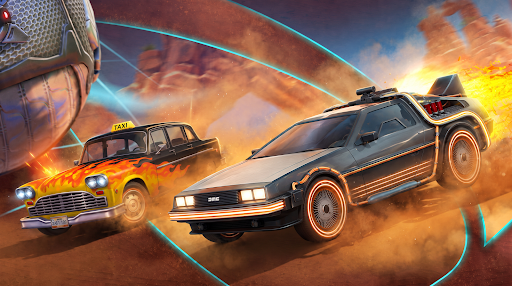
TURBO CAR FOOTBALL AT ROCKET SPEED
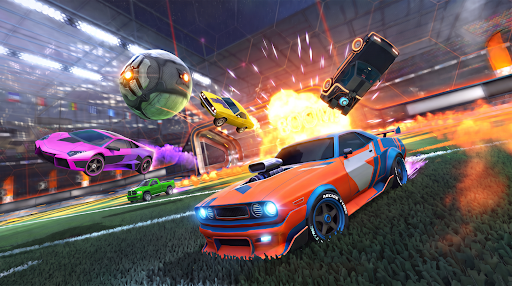
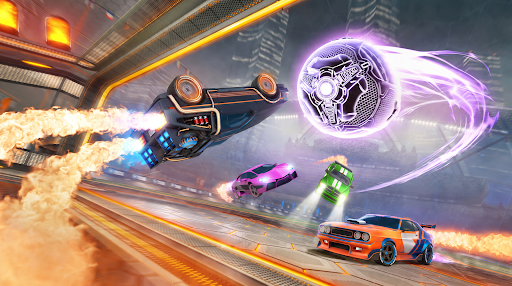
Welcome to Cars Royale — the wildest car sports arena on mobile! Fire your boosters, launch across the field, and smash the giant ball into the net. Fast cars, huge goals, pure colorful chaos.
This is car football like you've never played it. Join a driving league packed with rivals from around the world and battle in real-time PvP matches where you score, defend, and crash your way to the top of the arena. Every match is fast, loud, and impossible to put down.
EPIC GAME MODES
- Football — classic car soccer with a turbo twist. Boost, jump, and smash epic goals past your rivals in fast 3v3 arena battles.
- American Football — grab the ball, dodge tackles, and hit the end zone before the clock runs out.
- Bomb Mode — the ball is a ticking bomb. Land your hit and pass it fast, or get blown to pieces in an explosive crash.
- Demolition Derby — no rules, no mercy. Crash, wreck, and smash rivals in an all-out car battle until one machine is left standing.
SMASH, HIT, CRASH
Ram opponents at full boost and watch cars crash apart in a shower of sparks. Time the perfect hit, send rivals flying, and steal the ball. Every collision counts, every smash and every hit brings you closer to the win. This is demolition-fueled soccer built for pure adrenaline.
UPGRADE YOUR RIDE
Unlock and customize dozens of cars. Boost your speed, power, and turbo thrust. Wild paint jobs, wheels, and boost trails — build a machine that smashes harder, hits stronger, and drives faster than any rival on the field.
REAL-TIME PvP BATTLES
Go head-to-head in online multiplayer against live players. Team up in 3v3 matches, take on rivals worldwide, and dominate the league table. Quick rounds, instant action, endless replay value — the ultimate car battle experience.
WHY YOU'LL LOVE CARS ROYALE
- Fast, colorful, arcade-style car football and soccer
- Explosive crashes, satisfying hits, and bone-crunching smashes
- Multiple modes — football, derby, bomb, car battle, and more
- Real-time PvP and online multiplayer against live rivals
- Easy to play, hard to master
- Free to download and packed with nonstop action
Grab the wheel, hit the boost, and smash your way to glory. The league is waiting — can you crush every rival, win the tournament, and become the ultimate champion of the arena?
Download Cars Royale now — free! Score epic goals, crash hard, smash rivals, and rule the PvP football league!
Show more

1. Download MEmu installer and finish the setup

2. Start MEmu then open Google Play on the desktop

3. Search Cars Royale: League of Rocket in Google Play
Install
4. Download and Install Cars Royale: League of Rocket
5. On install completion click the icon to start

6. Enjoy playing Cars Royale: League of Rocket on PC with MEmu
MEmu Play is the best Android emulator and 100 million people already enjoy its superb Android gaming experience. The MEmu virtualization technology empowers you to play thousands of Android games smoothly on your PC, even the most graphic-intensive ones.
Bigger screen with better graphics; Long duration, without limitation of battery or mobile data.
Full Keymapping support for precise control of keyboard and mouse or gamepad.
Multiple game accounts or tasks on single PC at one time with Multi-Instance manager.
Play Cars Royale: League of Rocket on PC by following steps: