Carthage: Bellum Punicum
Updated
Current Version
1.32.22
Offered By

With your passion for Carthage: Bellum Punicum, you shouldn’t have to limit yourself to the small screen of a phone. Play like a pro and take full control of the game using a keyboard and mouse. MEmu gives you everything you’re looking for. Download and play Carthage: Bellum Punicum on PC. Play as long as you want — no more worries about battery life, mobile data, or unexpected calls. The all-new MEmu 9 is the best way to play Carthage: Bellum Punicum on PC. With our expertly designed keymapping system, Carthage: Bellum Punicum feels just like a real PC game. The MEmu multi-instance manager lets you run two or more accounts on the same device at the same time. Most importantly, our exclusive emulation engine unlocks your PC’s full potential, delivering smooth and seamless performance.
Show more
Download Carthage: Bellum Punicum on PC with MEmu Android Emulator. Enjoy playing on big screen. Lead Carthage to glory in Carthage: Bellum Punicum, a strategy game set in the Second Punic War.
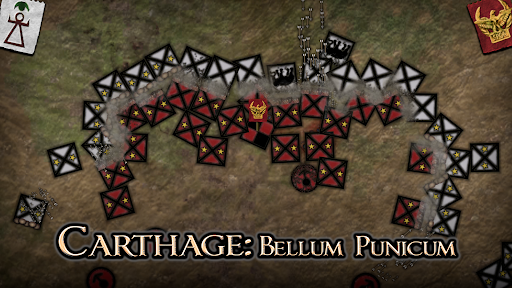
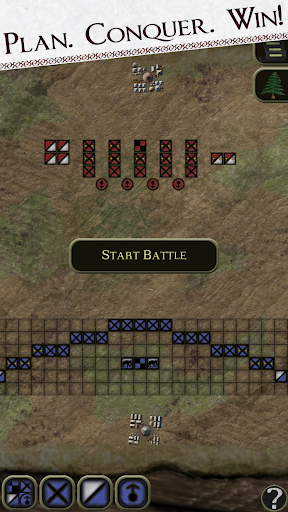
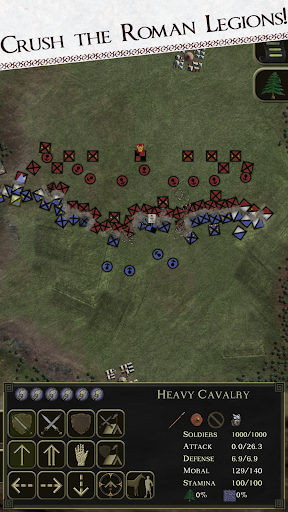
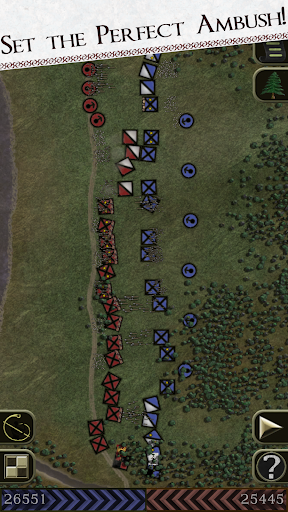
Lead Carthage to glory in Carthage: Bellum Punicum, a strategy game set in the Second Punic War. Command Hannibal Barca’s army against Rome in epic battles across Campaign, Custom, Historical, and Marathon Conquest modes.
GAME FEATURES:
- Campaign Mode: Follow Hannibal’s journey through 19 historical battles, including Cannae, Trebia, and Lake Trasimene. Unlock equipment, recruit mercenaries, manage resources, and interact with the Carthaginian Senate for reinforcements. Each battle impacts your army’s strength as you navigate challenges like supply convoys and ambushes. Customize troops, assign officers, and unlock new skills in a campaign where strategy matters most.
- Custom Battles: Create your own battles by choosing your army and enemy composition. Experiment with strategies and see how your tactics play out in real-time warfare.
- Marathon Conquest Mode: Test your endurance as enemies grow stronger with each battle. Face special boss battles every 5 levels and improve your army with earned points. Play as Carthage, Roman Republic, Iberians, Gauls, or Greeks and see how long you can survive.
- Realistic Battles: Experience the importance of planning and strategy with real-time commands sent through messengers. Battle across open fields, ambushes, and sieges. Destroy enemy commanders, raid camps, and protect your own in dynamic, historically inspired warfare.
Languages:
English, Español, Français, Português, Italiano.
We appreciate your feedback and welcome bug reports. Feel free to reach out to us at mendog@mindebyte.com
or in our Discord:
https://discord.gg/jQYaxJvaXp
Show more

1. Download MEmu installer and finish the setup

2. Start MEmu then open Google Play on the desktop

3. Search Carthage: Bellum Punicum in Google Play
Install
4. Download and Install Carthage: Bellum Punicum
5. On install completion click the icon to start

6. Enjoy playing Carthage: Bellum Punicum on PC with MEmu
MEmu Play is the best Android emulator and 100 million people already enjoy its superb Android gaming experience. The MEmu virtualization technology empowers you to play thousands of Android games smoothly on your PC, even the most graphic-intensive ones.
Bigger screen with better graphics; Long duration, without limitation of battery or mobile data.
Full Keymapping support for precise control of keyboard and mouse or gamepad.
Multiple game accounts or tasks on single PC at one time with Multi-Instance manager.
Play Carthage: Bellum Punicum on PC by following steps:

















































