Castlevania: 40th Anniversary
Updated
Current Version
1.0.1
Offered By

With your passion for Castlevania: 40th Anniversary, you shouldn’t have to limit yourself to the small screen of a phone. Play like a pro and take full control of the game using a keyboard and mouse. MEmu gives you everything you’re looking for. Download and play Castlevania: 40th Anniversary on PC. Play as long as you want — no more worries about battery life, mobile data, or unexpected calls. The all-new MEmu 9 is the best way to play Castlevania: 40th Anniversary on PC. With our expertly designed keymapping system, Castlevania: 40th Anniversary feels just like a real PC game. The MEmu multi-instance manager lets you run two or more accounts on the same device at the same time. Most importantly, our exclusive emulation engine unlocks your PC’s full potential, delivering smooth and seamless performance.
Show more
Download Castlevania: 40th Anniversary on PC with MEmu Android Emulator. Enjoy playing on big screen. □Story.
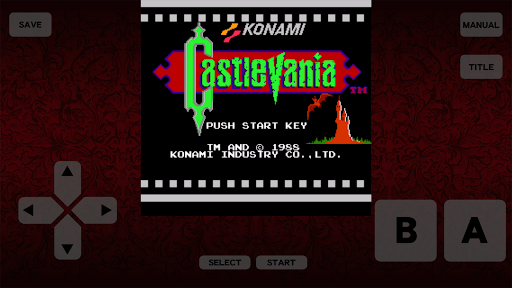
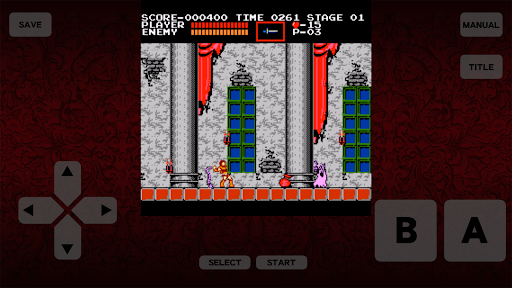
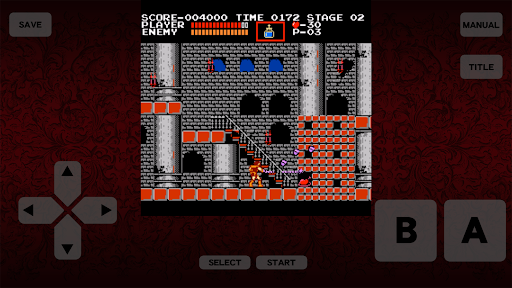
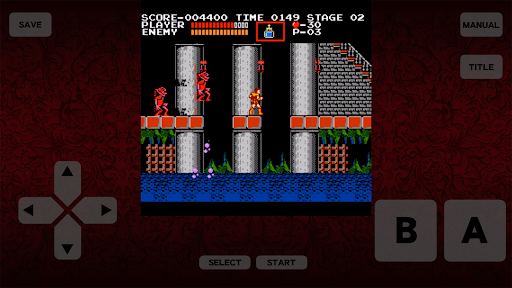
□Story
In medieval Europe, the legend of Dracula is told in frightened whispers in the small country of Transylvania.
Once every century, the prayers of those with evil in their hearts shall resurrect the Dark Lord Dracula. Each time he returns, his dark powers grow stronger than the last.
One night there was a magnificent carnival being held in the bustling city. That night marked the 100th year anniversary of Dracula’s defeat at the hands of the hero Christopher Belmont.
Suddenly, the town was enveloped by dark storm clouds and a bolt of lightning rained down, signaling that Count Dracula and his evil ambitions had returned to the world yet again.
With the Belmont blood running though his veins, the young Vampire Hunter Simon knew that only he could face this evil. Taking up the whip enchanted with miraculous power given to him by his father, Simon hastened towards Dracula’s castle on his own.
□Features
The deep rich Castlevania history that began with this original game.
The fated confrontation between Dracula and unforgettable action hero Simon Belmont that played out with a horrific twist groundbreaking for its time.
The dark vast world of Castlevania that canonized the iconic whip-wielding character moves of Simon Belmont and the classic music tracks.
Intense hard-to-beat action platformer that inspired a long-running and beloved franchise.
Direct port of the original title with visual touchpad and playable offline.
□ Important Notes
・The game will remain playable after its availability on the App Store ends.
・Please see the Terms of Use (Castlevania) available within the app before playing.
Show more

1. Download MEmu installer and finish the setup

2. Start MEmu then open Google Play on the desktop

3. Search Castlevania: 40th Anniversary in Google Play
Install
4. Download and Install Castlevania: 40th Anniversary
5. On install completion click the icon to start

6. Enjoy playing Castlevania: 40th Anniversary on PC with MEmu
MEmu Play is the best Android emulator and 100 million people already enjoy its superb Android gaming experience. The MEmu virtualization technology empowers you to play thousands of Android games smoothly on your PC, even the most graphic-intensive ones.
Bigger screen with better graphics; Long duration, without limitation of battery or mobile data.
Full Keymapping support for precise control of keyboard and mouse or gamepad.
Multiple game accounts or tasks on single PC at one time with Multi-Instance manager.
Play Castlevania: 40th Anniversary on PC by following steps: