Chess Rumble: PVP Card Battle
Updated
Current Version
1758021500
Offered By

With your passion for Chess Rumble: PVP Card Battle, you shouldn’t have to limit yourself to the small screen of a phone. Play like a pro and take full control of the game using a keyboard and mouse. MEmu gives you everything you’re looking for. Download and play Chess Rumble: PVP Card Battle on PC. Play as long as you want — no more worries about battery life, mobile data, or unexpected calls. The all-new MEmu 9 is the best way to play Chess Rumble: PVP Card Battle on PC. With our expertly designed keymapping system, Chess Rumble: PVP Card Battle feels just like a real PC game. The MEmu multi-instance manager lets you run two or more accounts on the same device at the same time. Most importantly, our exclusive emulation engine unlocks your PC’s full potential, delivering smooth and seamless performance.
Show more
Download Chess Rumble: PVP Card Battle on PC with MEmu Android Emulator. Enjoy playing on big screen. Push to Victory!
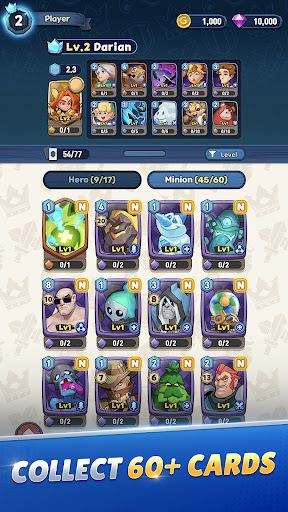
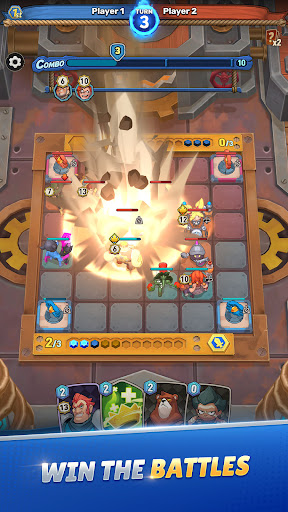
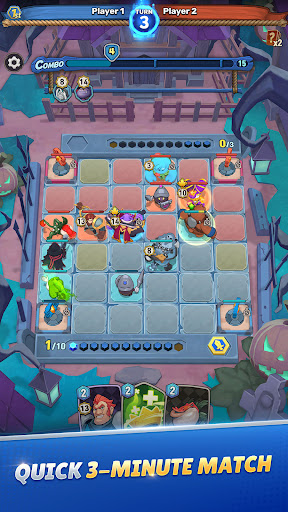
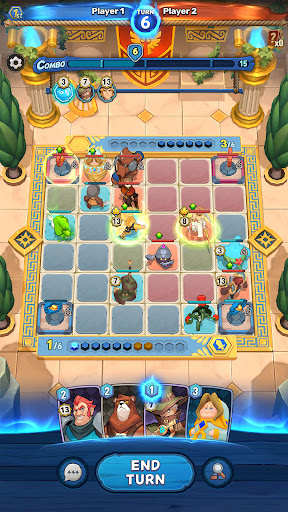
Push to Victory!
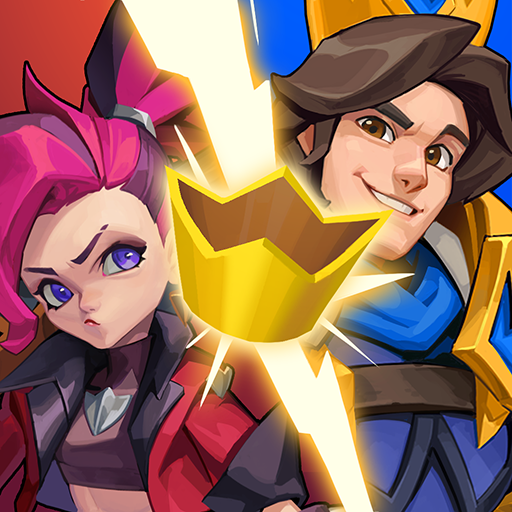
Step into Chess Rumble, a PVP, turn-based strategy game on a chessboard!
Chess Rumble is a real-time battle game in which you defeat your opponent's hero using a unique character deck with combo synergies
Enjoy heroes' powerful combos and beautiful actions on Chess Rumble!
Join the arena now and rise to the top!
[Chess-Style Casual Strategy Game]
- Anticipate your opponent's moves and outsmart them with strategic attacks
- Stay vigilant each turn in this turn-based PVP game
[Building a deck of fascinating heroes and minions]
- Create a card deck of heroes and minions, considering their skills and roles
- Upgrade cards and place them strategically
[The bigger the combo gets, the stronger it becomes]
- Connect charaters' attacks to create powerful combos
- The more combos you use, the closer you are to victory
[Strategic movement and pushing]
- Move characters on your side to attack and defend strategically
- You can push opponent characters by moving characters on your side
- Beware, some characters can't be pushed
[Effective Use of Spells]
- You can turn the tide of battle with spell cards used effectually
- Gain advantage on the battlefield with spell effects like Recover/Attack/Special
[Global Arena War]
- Join the arena to engage in real-time battles with global players and climb the ranks
- Win battles to unlock new areas
- As you rise through ranks, incredible rewards are waiting for you
[Have more fun by joining clans]
- Team up with clan members to tackle battles and earn rewards
- Special clan-exclusive contents is coming soon! Enjoy it together!
[Enjoy the Community with Users]
- Join community channels to play with other users
- You can earn various rewards if you participate in events led by community channels
Show more

1. Download MEmu installer and finish the setup

2. Start MEmu then open Google Play on the desktop

3. Search Chess Rumble: PVP Card Battle in Google Play
Install
4. Download and Install Chess Rumble: PVP Card Battle
5. On install completion click the icon to start

6. Enjoy playing Chess Rumble: PVP Card Battle on PC with MEmu
MEmu Play is the best Android emulator and 100 million people already enjoy its superb Android gaming experience. The MEmu virtualization technology empowers you to play thousands of Android games smoothly on your PC, even the most graphic-intensive ones.
Bigger screen with better graphics; Long duration, without limitation of battery or mobile data.
Full Keymapping support for precise control of keyboard and mouse or gamepad.
Multiple game accounts or tasks on single PC at one time with Multi-Instance manager.
Play Chess Rumble: PVP Card Battle on PC by following steps: