
chronalife
Updated
Current Version
1.5.3
Offered By

With your passion for chronalife, you shouldn’t have to limit yourself to the small screen of a phone. Play like a pro and take full control of the game using a keyboard and mouse. MEmu gives you everything you’re looking for. Download and play chronalife on PC. Play as long as you want — no more worries about battery life, mobile data, or unexpected calls. The all-new MEmu 9 is the best way to play chronalife on PC. With our expertly designed keymapping system, chronalife feels just like a real PC game. The MEmu multi-instance manager lets you run two or more accounts on the same device at the same time. Most importantly, our exclusive emulation engine unlocks your PC’s full potential, delivering smooth and seamless performance.
Show more
Download chronalife on PC with MEmu Android Emulator. Enjoy playing on big screen. ChronaLife is a deep single-player life simulator where every year is shaped by your choices.
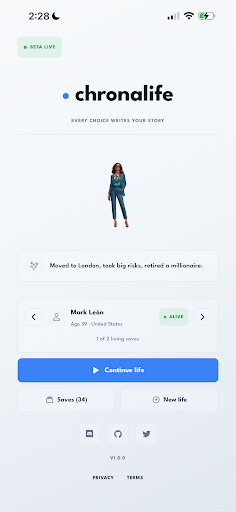
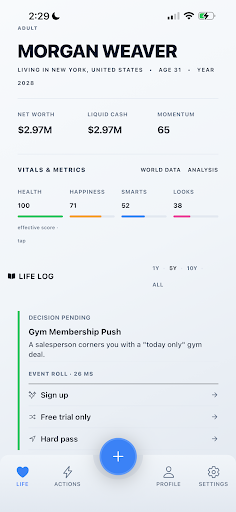
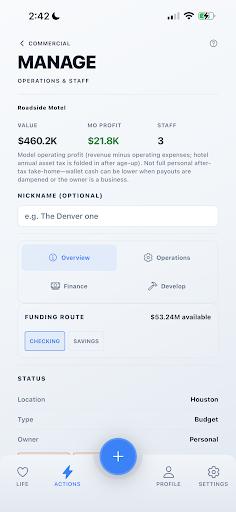
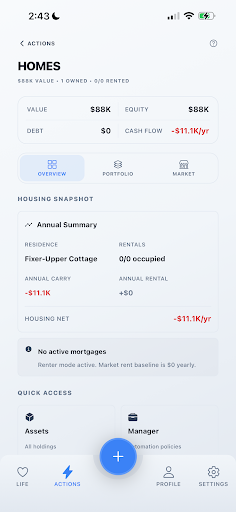
ChronaLife is a deep single-player life simulator where every year is shaped by your choices.
Create a character, age up year by year, and build a life through education, careers, relationships, health, money, and major decisions. Stable success, risky chaos, or a legendary rise — every run can go somewhere different.
CORE LOOP
• Tap Age Up to advance time and trigger yearly outcomes
• Read your Life Log — stats, money, events, and pending decisions
• Take Actions anytime — 40+ systems connected to one save
LIFE & RELATIONSHIPS
• Education, activities, health, pets, and daily life
• Dating, family, relationships, and social media
• Fame, creator careers, and reputation
CAREERS & POWER
• Jobs from part-time work to executive tracks
• Military, athletics, music, acting, oil industry, and more
• Politics: run for office from local races to Governor and President — pay filing fees, debate opponents, campaign under pressure, and live with the results
WEALTH & BUSINESS
• Banking, assets, homes, philanthropy, and budgeting
• Run companies with teams, executives, and board governance
• Construction, commercial property, franchises, and property management
• Stocks, crypto, portfolio tools, and an investment manager desk
HIGH STAKES
• Crime, consequences, and prison — if you choose that path
• Simulated casino, sportsbook, and lottery (in-game only)
REPLAYABILITY
• Time Machine checkpoints — compare, rewind, and branch timelines
• Multiple save slots — no two lives are the same
SIMULATION NOTICE
Stocks, crypto, casino, sportsbook, and lottery are in-game systems only. They do not involve real-money gambling or investment advice.
Optional: sign in with email to back up saves to the cloud across devices.
Show more

1. Download MEmu installer and finish the setup

2. Start MEmu then open Google Play on the desktop

3. Search chronalife in Google Play
Install
4. Download and Install chronalife
5. On install completion click the icon to start

6. Enjoy playing chronalife on PC with MEmu
MEmu Play is the best Android emulator and 100 million people already enjoy its superb Android gaming experience. The MEmu virtualization technology empowers you to play thousands of Android games smoothly on your PC, even the most graphic-intensive ones.
Bigger screen with better graphics; Long duration, without limitation of battery or mobile data.
Full Keymapping support for precise control of keyboard and mouse or gamepad.
Multiple game accounts or tasks on single PC at one time with Multi-Instance manager.
Play chronalife on PC by following steps:















































